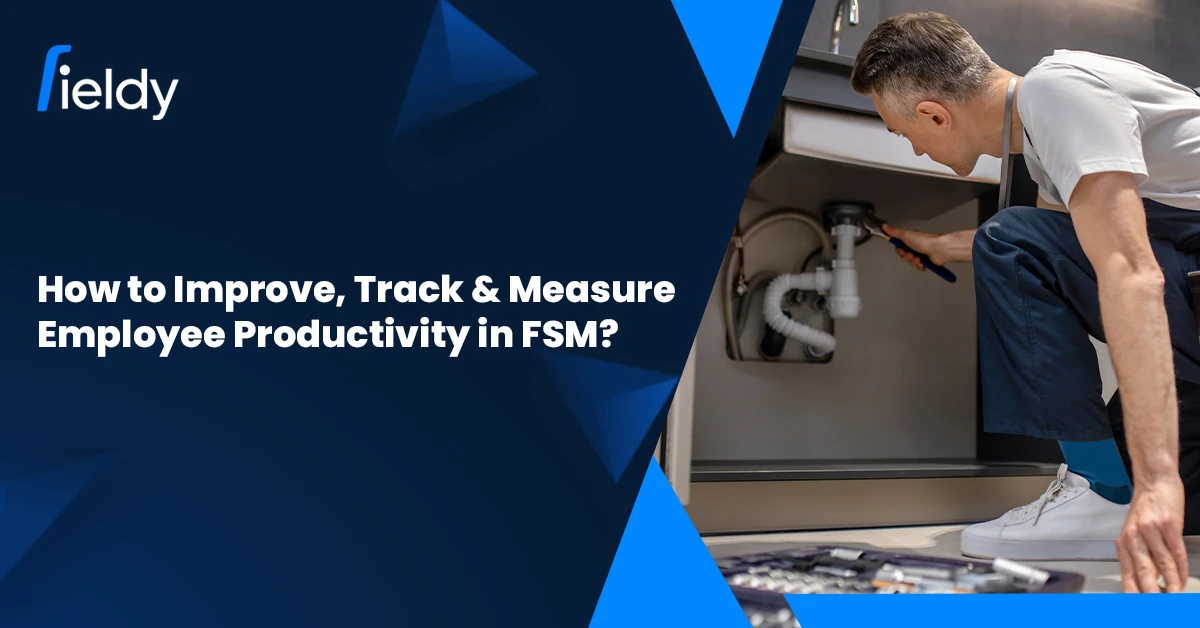
How to Improve, Track & Measure Employee Productivity in Field Service? A Masterclass For 2026

๐Ÿ‘‹ Introduction

As the mobile workforce, from HVAC technicians to IT support, directly impacts customer experience and the businessโ€™s bottom line, their productivity determines whether a field service company grows or fails. As the workforce represents the company to the customers and drives revenues and operational costs, its productivity is crucial.

Still, many field service managers have these unresolved concerns:

As of 2026, the challenge is overcome through harmonious integration of technology, measurement, and organisational culture. The use of advanced tools such as GPS tracking, real-time updates, and AI-driven scheduling not only improves efficiency but also helps employees.

Tools like Fieldy are changing how productivity is monitored and enhanced. With the integration of live visibility, smart dispatch, and mobile-first workflows, companies are witnessing tangible improvements in productivity as well as employee satisfaction. Fieldyโ€™s employee productivity tracking software shows how businesses can implement these features to track efficiency and empower teams.

๐Ÿš€ Why Productivity Monitoring Matters in Field Service?

In contrast to office-based jobs, field service is devoid of any form of visibility. Technicians are always on the move and are also subjected to other unpredictable challenges such as being late due to traffic, being late due to having a job with no complete details, and on the spot being delayed due to other unexpected issues. Without any form of tracking, managers practically have no clue about the performance.ย 

Field Service Management Report (FSM), 2024 by Gartner: A real time tracking system for productivity adopted by companies led to an increase of 27% in the first-time fix and about 19% reduction in the missed SLAs within a year.ย 

Key reasons why monitoring matters:ย 

  • Eliminate inefficiencies such as unnecessary travel and idle technicians.
  • Refine resource allocation in order to meet demands without excess staff.
  • Enhance client satisfaction by minimising wait times and delivering dependable service.
  • Improve employee satisfaction by acknowledging top performers and easing workflow.ย 

What employee monitoring entails is better explained by the absence of surveillance. When conducted transparently, it removes barriers for employees and provides managers with insights to assist their teams.

๐Ÿ“Š Key KPIs to Measure & Track Productivity in Field Service

To know how to track employee productivity effectively, you need the right Key Performance Indicators (KPIs). These metrics ensure youโ€™re not just measuring activity but true performance outcomes.

โš™๏ธ Operational Efficiency Metrics

  • First-Time Fix Rate (FTFR): Percentage of jobs resolved in the first visit. Higher FTFR = less rework, more efficiency.
  • Average Job Completion Time: How long it takes to resolve tasks, including travel.
  • Jobs Completed Per Day: Tracks workload efficiency across individuals and teams.

Example: A plumbing business discovered that by reassigning jobs based on technician expertise, their FTFR rose from 68% to 85%, saving over 200 service hours per quarter.

๐Ÿค Customer-Centric Metrics

  • Response Time (โ€œTime to Siteโ€): Measures how quickly technicians reach customers after a service request. Faster response times not only improve customer trust but also strengthen SLA compliance, which directly impacts retention rates.
  • Job Volume per Technician: Tracks the number of jobs handled by each technician per day or week. It helps balance workload distribution, preventing burnout while ensuring optimal resource utilization. Companies can use this metric to identify high performers and provide support where needed.
  • Customer Satisfaction (CSAT/NPS): Captures direct feedback from clients about their service experience. A higher CSAT or Net Promoter Score reflects not just efficiency but also the quality of interaction, professionalism, and issue resolutionโ€”factors that heavily influence repeat business and referrals.

Industry Statistic: A Microsoft field service study found that 85% of customers value fast response times more than price when choosing service providers.

๐Ÿ‘ท Workforce Management Metrics

  • Time Utilization vs Idle Time: Are employees working on revenue-generating activities or waiting for assignments?
  • Overall Labor Effectiveness (OLE): A composite score of availability ร— performance ร— quality.
  • Technician Utilization Rate: Percentage of scheduled hours actively spent on jobs.

Tracking these KPIs gives you a 360ยฐ view of performance, covering speed, quality, customer outcomes, and employee engagement.

CTA Banner 1

๐Ÿ› ๏ธ How to Improve Employee Productivity in Field Service?

So, how do you go beyond tracking and actually increase employee productivity in 2026? The answer lies in leveraging both technology and culture.

1. ๐Ÿ“Leverage Mobile & GPS Tools

  • GPS tracking ensures smarter routing and reduced downtime.
  • Mobile dashboards keep technicians updated on job changes instantly.

Example: A telecom service provider used GPS-enabled routing and cut technician travel by 22% annually, saving both time and fuel costs.

2. ๐Ÿค–Automate Scheduling & Optimized Routing

  • AI-powered field service scheduling software assigns jobs based on skill, location, and availability.
  • Optimized routing means more jobs per day with less stress on technicians.

3. ๐Ÿ“ฑ Use a Field App for Instant Updates

4. ๐Ÿง‘โ€๐Ÿซ Provide Real-Time Support & Training

  • Mobile-guided workflows help technicians troubleshoot faster.
  • Continuous training through microlearning modules boosts skill sets.

5. ๐Ÿ’ฌ Encourage Feedback & Team Engagement

  • Regular feedback loops give technicians a voice.
  • Recognition programs drive accountability and motivation.

Pro Tip: Improving productivity is not about making employees work harder, itโ€™s about helping them work smarter and more efficiently.

๐Ÿ“ˆ How Fieldy Helps You Measure & Improve Productivity

Fieldy offers a powerful set of tools designed specifically to track, measure, and improve employee productivity in field service businesses:

  • ๐Ÿ›ฐ๏ธ GPS & Real-Time Updates: An Employee GPS Tracking App provides live visibility into technician movement, travel times, and job status, helping managers accurately track employee productivity.
  • ๐Ÿงญ Team Management & Smart Dispatch: Field team management software assigns jobs intelligently based on technician skills, location, and workload, which helps increase employee productivity without overburdening staff.
  • ๐Ÿ”Ž Real-Time Technician Tracking: A Field Staff Tracking App enables managers to measure employee productivity by monitoring job progress, completion rates, and time spent on-site.
  • โšก Field Service App: A mobile-first design with offline capability, digital job logging, and instant updates that empower technicians while giving managers the ability to improve employee productivity seamlessly.

These features directly support critical KPIs like First-Time Fix Rate (FTFR), jobs per day, response times, and customer satisfaction scores, making it easier for field service companies to make data-driven decisions.

Industry Insight: Businesses using FSM platforms like Fieldy report 25โ€“30% higher technician productivity compared to companies relying on manual processes.

๐Ÿ† Best Practices for Productivity Tracking

To maximize outcomes, adopt these best practices when learning how to measure employee productivity:

  1. ๐ŸŽฏ Set Clear KPIs Aligned with Roles & Goals

    • Define metrics like First-Time Fix Rate (FTFR), jobs completed per day, average response time.
    • Tailor KPIs to roles (technicians vs. dispatchers) for fair, goal-driven tracking.
  2. โšก Automate Data Capture with FSM Software

  3. ๐Ÿ“… Review Dashboards Regularly

    • Analyze weekly or monthly dashboards to spot bottlenecks (e.g., long travel times, recurring delays).
    • Use insights to optimize routes, scheduling, or workload distribution
  4. ๐Ÿ™Œ Provide Feedback & Recognition

    • Use tracking insights for constructive coaching rather than criticism.
    • Recognize high performers with shoutouts, bonuses, or growth opportunities to boost morale.
  5. ๐Ÿ“š Invest in Training & Knowledge Sharing

    • Identify skill gaps through productivity data (e.g., low FTFR may indicate need for training).
    • Offer microlearning, mentorship, or updated manuals to support continuous improvement.
  6. ๐Ÿค Build a Culture of Trust Around Monitoring

    • Be transparent: explain why KPIs are tracked and how they help both company and employees.
    • Show that monitoring reduces workload, improves efficiency, and creates growth opportunities

When employees understand that tracking is used for growth, recognition, and support, not punishment, engagement and productivity naturally increase.

๐Ÿ”„ Quick Recap: With vs. Without Fieldyโ€™s Productivity Tools

๐Ÿšซ Without Fieldy ๐Ÿš€ With Fieldy
๐Ÿ‘€ Limited visibility into field operations ๐Ÿ“ Real-time GPS tracking
โณ Inefficient dispatching ๐Ÿงญ Smart routing & AI scheduling
โš ๏ธ Reactive decision-making ๐Ÿ“Š Proactive, data-driven management
๐Ÿ“ Heavy paperwork ๐Ÿ“ฑ Mobile-first, automated workflows
๐Ÿ“‰ Lower productivity, missed SLAs โœ… Higher FTFR, more jobs per day, better customer satisfaction

๐Ÿ”ฎ Future of Employee Productivity in Field Service (2026 & Beyond)

The next wave of productivity isnโ€™t just about tracking, itโ€™s about predictive and proactive enablement.

  • AI Copilots: Provide real-time troubleshooting support to technicians.
  • Predictive Workforce Management: Anticipate demand spikes, absenteeism, and resource needs.
  • Wearables & AR: Hands-free assistance, remote expert guidance, and safer operations.
  • Employee Well-being: Companies are realizing sustainable productivity requires focusing on mental health and balanced workloads.

Industry Insight: Deloitte predicts that by 2027, 40% of field service organizations will adopt AR/VR tools to assist technicians, further boosting first-time fix rates.

๐Ÿ“ Conclusion

Learning how to improve employee productivity in field service is no longer optional; itโ€™s a survival strategy. With the right KPIs, tracking tools, and employee support systems, businesses can ensure consistent growth, happier customers, and motivated teams.

Tools like Fieldy give managers the visibility and control they need, while empowering employees to perform at their best. Monitoring productivity isnโ€™t about surveillance; itโ€™s about building a smarter, more efficient, and more supportive workplace.

Final Call-to-Action: Ready to transform how you measure and manage your mobile workforce? Explore how Fieldyโ€™s Employee Productivity Tracking can help you achieve operational excellence in 2026.

CTA Banner 2

โ“ FAQs

What are the best metrics to measure employee productivity in field service?

A: The key metrics are First-Time Fix Rate (FTFR), jobs completed per day, average response times, technician utilization rate, and customer satisfaction scores. Together, these KPIs provide a balanced view of both operational efficiency and service quality, ensuring productivity is measured fairly and accurately.

How to increase employee productivity without overburdening staff?

A: Focus on smarter scheduling, mobile tools, and training rather than adding more workload. Efficiency, not just effort, drives results.

How to measure employee productivity accurately?

A: Accurate measurement requires combining operational KPIs (like job completion rates) with customer-focused metrics (like satisfaction scores). Using FSM software that automates data capture and analysis eliminates manual errors and gives managers a clear, real-time view of productivity levels across teams.

How to track employee productivity in real time?

A: GPS tracking, smart dispatch, and mobile job updates enable live visibility into technician progress and performance.

Does employee monitoring increase productivity?

A: Yes, when done transparently and ethically. Monitoring helps spot inefficiencies, track progress, and provide employees with better tools and support. Rather than micromanaging, it creates accountability and boosts morale, leading to higher overall productivity.

How to Monitor Employee Productivity? Does Employee Monitoring Increase Productivity? [2026 Masterclass]

๐Ÿ‘‹ Introduction

๐Ÿ”‘ Why Employee Productivity Is the Backbone of Field Service Businesses?

In the present competitive field service industry, the productivity level of employees determines profitability or loss. A late technician, a missed service window, or an undelivered instance of a contract leads to customer dissatisfaction and eventually to a revenue loss.

But this poses a bigger question that is often debated among different business owners: does monitoring employees yield higher productivity or does it sow seeds of mistrust among them?

The reality is such: given transparency and with the right tools, monitoring is not a tool of micromanagement; it fosters empowerment, accountability, and efficiency.

Solutions like Fieldy, a contemporary field service management software, are changing the way businesses are working to monitor and improve productivity. That’s to say, the current monitoring world is no more interested in watching and is keen to optimize every leading angle of field operations from GPS-based tracking to automated AMC scheduling.

๐Ÿ“Œ Why Monitoring Employee Productivity Matters in Field Service?

Employee monitoring is not about suspicion; instead, it is about visibility and optimization. In a field service industry, such as HVAC, plumbing, electrical, and IT services, monitoring will solve problems directly affecting the growth of the business. Let us now explore why each of these points holds value.

๐Ÿ‘ท Technician Accountability Issues

Being a field service operation, a technician is mostly out of the office. Without any kind of visibility, how is it possible to make sure they adhere to schedules or really report the hours they work, or are efficiently performing the jobs assigned to them? Monitoring minimizes the loopholes for noncompliance by enabling managers to have visibility on all technician activities.

Why it matters: Noncompliance means leakage of revenue and distrust among clients. An instance of missed appointments or underreported working hours could erode customer confidence very fast. Monitoring prevents these incidences from occurring.

โฐ Job Delays and Missed Schedules

Customers today expect on-time service delivery. Delays not only frustrate clients but also disrupt entire service pipelines, leading to backlogs. By monitoring schedules in real time, managers can reallocate resources or send backup technicians to minimize disruptions.

Why it matters: Research by Field Service News (2024) shows that 65% of customers are willing to switch service providers after two instances of late service. Monitoring protects customer loyalty.

๐Ÿ‘€ Lack of Visibility in Field Operations

Managers need real-time insights into technician status, location, and job progress. Without visibility, managers work reactively, only discovering problems when customers complain. Monitoring allows them to work proactively.

Why it matters: A 2023 Aberdeen study found that companies with real-time field visibility improved workforce productivity by 27% compared to those relying on manual reporting.

๐Ÿ˜ก Customer Dissatisfaction

Ultimately, poor accountability, missed deadlines, and lack of visibility converge into negative customer experiences. Dissatisfied customers leave negative reviews, reduce referrals, and churn faster.

Why it matters: A Salesforce 2024 report highlighted that 78% of customers switch providers after repeated service delays. Monitoring ensures consistent service quality, which is vital for retention.

In short, you canโ€™t improve what you canโ€™t measure. Monitoring provides the data and insights needed to improve field service efficiency.

๐Ÿงญ How to Monitor Employee Productivity in Field Service

Wondering how to monitor employee productivity without overwhelming your workforce? The key lies in using technology smartly. With platforms like Fieldy, monitoring integrates seamlessly into daily workflows.

๐Ÿ›ฐ๏ธ GPS and Real-Time Updates

Live employee GPS tracking app capabilities ensure technicians arenโ€™t wasting travel time or taking inefficient routes. With optimized routing, businesses reduce fuel costs and increase the number of jobs completed per day.

Industry insight: HVAC fleets spend 20โ€“25% of operating budgets on fuel (ACCA Research, 2024). Companies that adopted GPS-enabled monitoring reduced fleet costs by 15% on average.

Example: An HVAC company reduced travel time by 18% after using employee tracking apps, allowing technicians to complete two additional jobs per day.

๐Ÿ‘ฅ Team Management

Field team management software assigns jobs based on technician skills and availability. This ensures that tasks are distributed fairly and that the most qualified technician handles each job.

Why it matters: Without structured team management, businesses face bottlenecks, overloading some technicians while underutilizing others. Balanced allocation improves productivity and reduces employee burnout.

๐Ÿ“ฒ Real-Time Technician Tracking

Managers gain instant visibility into active jobs. Delays or missed milestones are flagged immediately, enabling quick interventions. Instead of waiting for customer complaints, issues are resolved before escalation.

Industry insight: According to Gartner (2024), businesses using real-time technician tracking improved SLA (Service Level Agreement) compliance by 32%.

๐Ÿ“ฑ Field Service App

With a field staff tracking app, managers gain instant visibility into active jobs. Delays or missed milestones are flagged immediately, enabling quick interventions. Instead of waiting for customer complaints, issues are resolved before escalation.

Example: A plumbing company using a field service management app cut administrative work by 25%, freeing up time for revenue-generating tasks.

CTA Banner 1

โ“ Does Employee Monitoring Increase Productivity?

So, does employee monitoring increase productivity? The answer is yes, when implemented strategically.

Monitoring drives performance in multiple ways:

๐Ÿ“‹ Improved Accountability

When employees know their tasks and timelines are being tracked, they are naturally more focused and responsible. Monitoring ensures transparency, every completed job, delay, or missed deadline is visible. This discourages slacking and promotes ownership. For example, Gallup reports that employees who receive real-time feedback are 23% more likely to perform better, proving accountability drives higher output.

โš–๏ธ Smarter Resource Allocation

Monitoring helps assign jobs based on skill, availability, and location. This prevents rework, saves travel time, and improves first-time fix rates by up to 17%. Right technician, right job, right time.

โณ Reduced Downtime

Managers spot bottlenecks instantly with real-time tracking. Quick intervention cuts wasted hours, saving up to 2.5 hours per technician daily. Less idle time means more jobs completed.

๐Ÿค Increased Customer Satisfaction

Customers value reliable service and accurate ETAs. Monitoring ensures transparency with live updates, which boosts trust. PwC found 73% of customers rank timeliness as the top driver of satisfaction.

๐Ÿš€ Employee Empowerment

Clear metrics reduce micromanagement and give technicians control over results. This fosters trust, engagement, and higher performance, SHRM links engaged employees to a 21% productivity lift.

Industry data: Deloitteโ€™s 2023 Workforce Report revealed that companies using transparent monitoring tools saw a 19% improvement in employee satisfaction and a 22% increase in productivity.

๐Ÿ† Best Practices for Employee Productivity Monitoring in Field Service

Monitoring is effective only when implemented with empathy and strategy. Hereโ€™s how to ensure success:

๐Ÿ—ฃ๏ธ Be Transparent

Employees should understand monitoring is designed to support, not police them. Open communication builds trust and reduces resistance.

๐ŸŽฏ Define KPIs

Key metrics such as job completion time, travel efficiency, first-time fix rate, and customer feedback ensure objective performance evaluation.

๐Ÿค– Automate Reporting

Manual reporting is time-consuming. Automated updates through tools like Fieldy allow technicians to focus on work while managers receive real-time data.

๐Ÿ’ฌ Encourage Feedback

Create two-way communication by involving field service technicians in process improvement and overall workflow enhancements. Feedback ensures the system evolves with the teamโ€™s needs rather than staying rigid.

Example: A service company using Fieldy introduced monthly feedback sessions and saw a 15% increase in employee retention within three months.

โš–๏ธ With vs. Without Employee Monitoring in Field Service

Monitoring is more than just tracking where your employees are, itโ€™s about creating accountability, visibility, and operational efficiency. Letโ€™s break down the impact of monitoring versus not monitoring in field service businesses.

โœ… With Monitoring (Using Fieldy)

  • Efficiency:
    GPS-enabled routing and real-time location sharing ensure technicians take the most efficient paths to job sites. This reduces fuel costs by up to 18% (Field Service News, 2024) and minimizes wasted travel hours. With Fieldy, dispatchers can dynamically reroute technicians when emergencies arise, ensuring no job is delayed.
  • Accountability:
    Real-time tracking means every job status, started, in-progress, completed, is updated instantly. Managers can see which tasks are pending, which are delayed, and why. This proactive visibility helps address issues before they escalate into customer complaints.
  • Customer Experience:
    Todayโ€™s customers expect Uber-like transparency, knowing exactly when the technician will arrive. With Fieldyโ€™s live ETAs and instant job updates, customers are informed in real time. Companies using such features have seen 20โ€“25% improvements in customer retention because trust is built with consistent communication.
  • Employee Morale:
    Monitoring isnโ€™t about micromanagement, itโ€™s about fairness. Fieldy enables smart job assignment based on technician skill sets, availability, and workload balance. This avoids overworking certain employees while others sit idle. Happier, fairly treated employees deliver better service, reducing turnover rates.
  • Revenue Growth:
    When inefficiencies drop, productivity naturally rises. Optimized scheduling ensures more jobs are completed daily, which translates directly into higher revenue. Businesses using Fieldy often report 15โ€“30% more billable hours per technician compared to those without proper monitoring systems.Example:
    A medium-sized HVAC service company using Fieldy reported a 28% increase in on-time arrivals and a 21% boost in customer satisfaction scores within six months of adopting monitoring tools. The streamlined operations allowed them to handle 35% more jobs monthly without hiring additional staff.

โŒ Without Monitoring

  • Inefficiency:
    Without GPS and route optimization, technicians often waste hours in traffic or travel inefficiently between jobs. This results in higher fuel bills and fewer service calls per day. Research shows companies without field tracking waste up to 2 hours per technician daily.
  • Low Accountability:
    When thereโ€™s no system to track job progress, missed deadlines or incomplete tasks often go unnoticed until customers complain. Managers rely on guesswork, which leads to inconsistent service quality and customer dissatisfaction.
  • Poor Customer Experience:
    Customers today demand accurate ETAs and reliable service. Without monitoring tools, businesses often give vague timelines, leading to frustration. A 2023 Zendesk survey found that 62% of customers stop using a service provider after just two late or missed appointments.
  • Employee Frustration:
    Lack of visibility leads to poor workload distribution. Some technicians are overloaded while others remain underutilized, creating resentment and burnout. Overworked staff deliver poorer service, while idle technicians feel disengaged. This cycle increases turnover and recruitment costs.
  • Revenue Loss:
    Missed jobs, rework, and customer churn all eat into profitability. Without monitoring, businesses struggle to measure technician performance, making it impossible to optimize resources. A plumbing business without tracking solutions reported a 30% higher rate of repeat complaints and lost 15% of its client base in a single year due to unreliable service.Example:
    Another field service company operating without productivity monitoring found their technician idle time averaged 25% daily. This translated to nearly one lost job per technician per day, costing the company thousands in unrealized revenue every month.

The contrast is clear:

  • With monitoring, businesses gain efficiency, higher accountability, better customer trust, and measurable revenue growth.
  • Without monitoring, inefficiencies multiply, employee morale drops, customers churn, and revenue declines.

Employee monitoring, when done transparently with tools like Fieldy, isnโ€™t surveillance. Itโ€™s a strategic advantage that enables businesses to scale operations, retain customers, and empower employees.

๐Ÿ“ Conclusion

Monitoring as a Growth Lever

So, how to monitor employee productivity effectively? The answer lies in transparency, clear KPIs, automation, and the right tools.

And does employee monitoring increase productivity? Absolutely, when implemented with strategy. Itโ€™s not about surveillance; itโ€™s about creating an empowered workforce, optimized resources, and satisfied customers.

With solutions like Fieldyโ€™s GPS tracking, team management, real-time updates, and field service apps, monitoring transforms from a challenge into a competitive advantage that drives growth and customer loyalty.

CTA Banner 2

โ“ FAQs

How to monitor employee productivity effectively in field service businesses?

A: Use tools like Fieldy that provide GPS tracking, real-time job updates, and reporting. These features ensure accurate tracking without relying on manual methods.

Does employee monitoring increase productivity in the long run?

A: Yes, when implemented transparently, employee monitoring increases productivity by reducing idle time, improving accountability, and ensuring that jobs are completed on schedule. For example, industries that use GPS-enabled tracking apps report up to a 20โ€“25% reduction in wasted travel hours, leading to faster service delivery and happier customers.

What are the key benefits of employee monitoring software?

A: It improves visibility, ensures on-time service, and balances workloads. Tools like Fieldy help businesses boost technician performance while reducing operational inefficiencies.

What are the common mistakes companies make when trying to monitor productivity?

A: The biggest mistake is treating monitoring as surveillance. Without clear KPIs and transparency, it creates mistrust instead of motivating employees.

How can small and mid-sized HVAC or field service companies track employee productivity affordably?

A: They can adopt budget-friendly platforms like Fieldy, which offers GPS, mobile apps, and automated scheduling at $25/user without hidden costs.

Is employee monitoring ethical, and how can businesses ensure trust?

A: Yes, when done with clarity and fairness. Businesses should explain the purpose, focus on support, and involve employees in continuous improvement.

What Is Work Order Management? Processes, Best Practices & Why Fieldy Makes It Smarter in 2026

๐Ÿ› ๏ธ Introduction

๐Ÿ”‘ Why Work Order Management Matters in 2026

To every service business with a successful history-HVAC, plumbing, electrical, or facilities-it all comes down to work order management. Work orders are structured instructions keeping the teams on the same page, jobs running on schedule, and customers happy.

Yet, many companies today still stick with archaic workflows, paper trails, endless email chains, or spreadsheet juggling to manage their service requests. The result is jobs being missed, or jobs duplicated, worse accountability, and angry customers.ย 

According to a Service Council report, some 43% of field service executives said poor tracking of work order management process flow was the chief reason for customer churn and delays-that did not really help client satisfaction.

That is what makes modern field service work order management relevant. With great work order management, the upheaval is now an organized, trackable, and customer-oriented workflow. With digital tools, such as Fieldy, businesses now have smarter, mobile-ready, and inexpensive solutions to manage their work order system.

Before we dive into work order management best practices, letโ€™s break down what it really means, step by step.

๐Ÿ“‹ What Is Work Order Management?

Modern Work Order Management Technology Process entails end-to-end management encompassing the capturing of a job request, approval of the job request, assigning a qualified technician to undertake it, supervising the whole work progress, documenting the final results, and learning from the data. This implies that work orders maintain their installation schedule, maintenance activities remain predictable, and emergency repair jobs remain controlled.

Why it matters:ย 

  • It ensures that nothing will be missed in the process (no jobs “lost” on sticky notes)
  • It lines up the people, parts, and priorities so that technicians arrive prepared.
  • It enhances communication with clients through real-time updates and accurate ETAsย 
  • It produces a data trail that can be analyzed to reduce costs and improve first-time fixes.

Field service management with work order management entails installations, repairs, preventive maintenance (planned), and predictive maintenance (condition-based). Many organizations also combine warranty work and vendor job work through a common standard.

๐Ÿงญ Work Order Management Process (Step-by-Step)

Letโ€™s break down the work order management process into 8 key steps:

1)๐Ÿ“ Request Initiation

A work order starts with a trigger: a customer call, a web form, a preventive schedule, or a sensor alert.

Example: A property manager logs โ€œAHU-3 making noiseโ€ via a customer portal. The system auto-tags it as HVAC > Mechanical > Bearings.

2)๐Ÿ—‚๏ธ Work Order Creation

Details are captured: asset, location, symptoms, SLA, contact, and photos/video if available. Digital intake prevents retyping and errors.

Insight: Teams that capture asset ID and historical notes at creation cut diagnostic time because techs arrive with context.

3)โœ… Approval

A supervisor verifies the request, confirms scope, and checks warranty or contract terms. This avoids wasted truck rolls and out-of-scope surprises.

Tip: Auto-approve routine, low-risk requests; escalate urgent or high-cost ones.

4)๐ŸŽฏ Categorization & Prioritization

Jobs are labeled by type (install/repair/PM), impact (safety, compliance, comfort), and urgency (SLA timers).

Stat insight: Service leaders commonly report 30โ€“40% fewer escalations when SLAs are embedded at this step and visible to dispatch.

5)๐Ÿ“… Assignment & Scheduling

Dispatch matches skills, certifications, proximity, and availability. Intelligent scheduling can cluster jobs to reduce windshield time.

Benchmark: Digital scheduling often trims 10โ€“20% travel time per tech, freeing hours for revenue work.

6)๐Ÿ“ฒ Execution & Tracking

Techs receive the work order on mobile with checklists, parts lists, past notes, and customer contact. Status changes (On the way, In progress, Waiting on parts) are tracked in real time.

Customer win: Proactive SMS/WhatsApp updates reduce โ€œWhereโ€™s the tech?โ€ calls and improve CSAT.

7)๐Ÿ Completion & Closure

The tech captures photos, readings, root cause, actions taken, and customer sign-off. If billable, labor and parts flow into an instant invoice; if under contract, the system logs it against the SLA.

Common gain: Teams report fewer invoice disputes when proof of work is attached at closure.

8)๐Ÿ“Š Review & Reporting

Supervisors review exceptions (repeat failures, out-of-scope work) and analyze field service metrics and KPIs, first-time fix rate (FTFR), mean time to repair (MTTR), schedule adherence, and warranty leakage.

Example: A retail chain finds 52% of repeat calls are filter-related; they switch to quarterly PMs and cut emergency visits by a third.

This work order management process ensures no request gets lost, costs stay under control, and customer satisfaction stays high.

๐Ÿš€ 7 Best Practices for Smarter Work Order Management

Even the most experienced field service teams run into chaos without structure. The good news? A few proven best practices can transform how your business handles jobs, cutting downtime, improving customer trust, and giving managers better visibility.

1๏ธโƒฃ Go Digital with CMMS

Paper notes and spreadsheets collapse at scale. A CMMS-powered work order management software like Fieldy centralizes requests, automates workflows, and keeps teams accountable.

๐Ÿ’ก Insight: Companies using digital intake see 30% fewer missed jobs and 25% faster cash flow (Service Council).

2๏ธโƒฃ Log Every Job

Skipping work orders leads to lost revenue and zero accountability. Policy rule: โ€œNo WO, no work.โ€ With Fieldy, creating a WO takes seconds, keeping admin light while ensuring a full audit trail.

3๏ธโƒฃ Standardize Formats

Inconsistent job logs make reporting unreliable. Templates in Fieldy (e.g., AC install vs. compressor replacement) bring consistency, reduce rework, and create credible records.

4๏ธโƒฃ Add Approval Workflows

High-value repairs or warranty claims need sign-off before work starts. Fieldyโ€™s built-in approvals prevent โ€œfreeโ€ work slipping in and align tasks with contract terms.

5๏ธโƒฃ Role-Based Access

Not everyone needs everything. Field service technicians see job tasks, finance sees billables, managers see KPIs. Fieldyโ€™s role-based access cuts clutter, prevents errors, and tightens compliance.

6๏ธโƒฃ Focus on Preventive & Predictive

Planned maintenance is 3โ€“5x cheaper than break-fix jobs. Predictive monitoring (vibration, runtime, temp) spots issues weeks earlier, like one facility saving $40K downtime costs. Fieldy automates PM scheduling, keeping teams proactive.

7๏ธโƒฃ Train & Improve Continuously

Work orders double as learning tools. Post-job reviews, updated checklists, and sharing โ€œgolden fixesโ€ drive first-time-right culture. Fieldy gives managers real-time job outcomes to coach teams and replicate success.

CTA Banner 1

โš ๏ธ Why Traditional Methods Fall Short

Whiteboards, WhatsApp threads, and paper forms feel fast, until you scale. The cracks show up as:

  • Slow response (requests buried in inboxes).
  • No real-time visibility (managers guess status).
  • Data loss (no photos, no signatures, weak audit trail).
  • Revenue leakage (unbilled parts/labor, missed warranty recapture).
  • Unhappy customers (inaccurate ETAs, no updates).

Industry surveys frequently link digital work order systems to higher FTFR (often +10โ€“30%), lower travel time, and shorter billing cycles, the trifecta of capacity, customer love, and cash flow.

๐Ÿค– Why Fieldy Makes Work Order Management Smarter

๐Ÿ“ฑ Digital-First, Mobile-Ready Workflow

Capture requests, approve, assign, execute, and close, all in one place. Fieldyโ€™s field service mobile application gives technicians the exact checklist, parts, and history on-site, even offline.

Outcome:
Fewer calls back to base, more confident fixes.

๐Ÿ› ๏ธ Optimized for Field Operations

Dispatch with drag-and-drop, auto-match jobs to skills and certifications, cluster routes by location, and broadcast ETA updates to customers.

Real example: An HVAC crew re-sequenced routes in Fieldy and reclaimed an extra 45โ€“60 minutes per tech per day.

๐ŸŒ Integrated Resource Optimization

Fieldy surfaces technician location, availability, and expertise in real time, helping dispatchers factor in traffic windows, SLA clocks, and parts availability.

Impact: Less windshield time, fewer reschedules, higher schedule adherence.

๐Ÿ“‘ Compliance, Quality & Consistency, Built-In

Use job-type templates, mandatory safety steps, and photo evidence to standardize outcomes. Completion notes and signatures are locked to the work order, making the process audit-ready and perfect for contract SLAs, insurance claims, and quality programs.

This is where the connection to Contract Management Software becomes clear, Fieldy aligns approvals and scope control with every work order, ensuring accountability and compliance across projects.

๐Ÿ’ธ Affordable & Scalable for SMBs

Enterprise tools can take months and consultants to implement. Fieldy is designed for SMBs: quick to deploy (often same day), simple to learn, and priced so you see ROI fast.

As a bonus, Fieldy natively links work orders to contracts and invoicing, so work โ†’ bill happens without copy-paste errors. Thatโ€™s where Contract Lifecycle Management Software comes in, Fieldy ensures preventive maintenance, renewals, and SLA schedules flow directly from contract terms into daily operations.

๐Ÿ“– What Good Looks Like: A Mini Case Story

The scenario: A 12-tech HVAC company in New York State handled requests via calls and WhatsApp. Jobs vanished on busy days, and invoices lagged a week.

โœจ What Changed with Fieldy:

  • Customers submit requests via a simple form; every item becomes a work order.
  • Dispatch auto-assigns by skill + proximity; routes are clustered by pin code.
  • Techs get checklists + photos on mobile and capture signatures on completion.
  • Invoices are generated on closure; PMs are auto-scheduled quarterly.

๐Ÿ“Š Results after 60 Days:

  • First-time fix rate: +18% (checklists + history).
  • Travel time: โ€“14% (clustered routes).
  • Billing cycle: From 7 days to same-day for most jobs.
  • Customer complaints: Down noticeably thanks to ETA messages.

๐Ÿ“ˆ KPIs to Track (and How Fieldy Helps)

  • First-Time Fix Rate (FTFR): % of jobs solved on the first visit.
  • Mean Time to Repair (MTTR): Average hours from start to completion.
  • Schedule Adherence: Planned vs. actual start times.
  • Repeat Visit Rate: Indicator of training/parts issues.
  • Invoice Lag: Days from completion to invoice sent.
  • PM Compliance: % of preventive tasks completed on time.

Fieldy surfaces these in dashboards so managers can course-correct weekly, not quarterly.

๐Ÿงฉ Implementation Tips for a Smooth Rollout

  1. Start with two job types (e.g., PM visit + emergency repair). Nail templates and checklists.
  2. Define your approval rules (cost thresholds, warranty checks).
  3. Clean asset lists and locations before importing, garbage in, garbage out.
  4. Train in short bursts: 30-minute role-based sessions beat one long lecture.
  5. Review KPIs after 30 days and adjust templates based on where rework happens.

๐ŸŽฏ Conclusion

In 2026, the winners arenโ€™t just the fastest; theyโ€™re the most reliable. A strong work order process brings reliability to every shift, clear requests, smart scheduling, clean hand-offs, proof of work, and data that actually informs decisions. Whether youโ€™re preventing breakdowns or responding to emergencies, digital, standardized, real-time work orders are how small teams operate like big ones.

Fieldy pulls that whole journey into one mobile-first platform, so you can move beyond spreadsheets and whiteboards and deliver work your customers feel confident recommending.

If youโ€™re ready to transform your operations with smarter, digital-first field service work order management, try Fieldy’s field service management software today.

CTA Banner 2

โ“ FAQs

What industries benefit most from work order management software?

A: Any field-heavy operation, HVAC, plumbing, electrical, facilities, manufacturing, or even property management. If you juggle installs, repairs, and preventive maintenance, a work order platform pays for itself.

How is work order management different from task management?

A: Tasks are generic to-dos. Work orders are structured jobs tied to assets, SLAs, parts, labor, and billing, so theyโ€™re auditable and reportable.

Can small businesses afford Fieldy?

A: Yes. Fieldy is built for SMBs with transparent pricing and quick deployment, so you see value in days, not months.

How does automation improve work order processes?

A: Automation speeds intake and scheduling, prevents missed steps with templates, and accelerates billing by capturing labor/parts at the point of work. Teams often see shorter response times and fewer repeat visits.

Is work order management software difficult to implement?

A: Not at all. Modern platforms like Fieldy are designed for simplicity. Most businesses can get up and running the same day, with minimal training. Unlike enterprise systems that require consultants, Fieldy gives SMBs an easy, scalable solution with quick ROI.


Beyond Podium: The Best HVAC Software of 2026, and Why Fieldy Tops the List

๐Ÿ”‘ Introduction

Why the Best HVAC Software Matters in 2026

Usually, it is this bit of operation management aspect that separates the good years from the struggling ones in the HVAC business. With labor shortages, rising energy regulations, and picky customers, using a spreadsheet or a few apps here and there is now just a recipe for meltdown.

In fact, 70% of field service businesses said their growth is actually limited by an outdated system (Field Service News, 2024). The best HVAC software in 2026 does not just deal with scheduling; it in fact generates revenue, leads, customer experience, and technician efficiency.

Podium has forever been an HVAC-company favorite for managing reviews and customer communication. But come 2026, the leaders in HVAC are posing the question: Is Podium really enough to manage the entire service lifecycle? The answer is increasingly turning out to be “No.” Companies are going to need a truly integrated, all-in-one platform that connects, very tightly, field operations with customer engagement and contract management.

Thatโ€™s where Fieldy comes in. Positioned as the most complete choice for modern contractors, Fieldy combines CRM, dispatch, invoicing, AMC contract automation, field analytics, and GPS tracking, all in one app. For small teams especially, the best HVAC software for small business ensures affordability without compromising on features.ย 

๐Ÿงญ What to Look for in the Best HVAC Software in 2026

Choosing the best HVAC software in 2026 isnโ€™t about grabbing the shiniest app or the one with the slickest dashboard, itโ€™s about investing in tools that actually solve field problems, cut costs, and improve customer satisfaction. HVAC businesses run on thin margins and tight schedules, so the right platform needs to support both technicians in the field and managers in the office.

Hereโ€™s a closer look at the non-negotiables every HVAC business should demand:

๐Ÿ“ฑย Mobile-First Design with Offline Access

  • Why it matters: Technicians often work in basements, attics, or rural job sites with weak connectivity.
  • What it solves: Prevents downtime, jobs, notes, and customer signatures arenโ€™t lost when offline.
  • Example: With Fieldy, techs can log work orders, take photos, and create invoices offline, then sync automatically once back online.

๐Ÿ—บ๏ธย Smart Dispatch & GPS-Based Routing

  • Why it matters: HVAC fleets spend 20โ€“25% of operating budgets on fuel. Inefficient routing wastes money and time.
  • What it solves: Assigns the nearest available technician, optimizes fuel usage, and reduces customer wait times.
  • Example: Fieldyโ€™s live GPS tracking gives dispatchers real-time visibility, ensuring accurate ETAs and fewer missed jobs.

๐Ÿ’ณย Integrated CRM, Quoting, Invoicing, and Payments

  • Why it matters: Switching between apps for customer info, quotes, and invoices increases errors.
  • What it solves: Provides a single source of truth from lead capture to payment, reducing billing delays and disputes.
  • Example: With Fieldy, contractors can create a quote, convert it to a job, and invoice, all in one system.

๐Ÿ“†ย AMC/Maintenance Contract Automation

  • Why it matters: Recurring contracts are the backbone of HVAC profitability, yet 40% of businesses still track them manually.
  • What it solves: Automates reminders, schedules recurring jobs, and ensures no renewals are missed.
  • Example: Fieldyโ€™s AMC module renews contracts automatically, preventing lost revenue from forgotten maintenance visits.

๐Ÿ’ฌย Customer Communication & Online Reputation Tools

  • Why it matters: Customers check Google reviews before calling. Reputation can make or break leads.
  • What it solves: Automates review requests, appointment reminders, and AI chat responses, all integrated into field service operations.
  • Example: Tools like Podium excel in communication, but Fieldy combines those features with dispatch, AMC, and invoicing for a full-stack solution.

๐Ÿ› ๏ธย Inventory, Assets, and Parts Workflows

  • Why it matters: A missing part can delay a job, frustrate customers, and hurt profitability.
  • What it solves: Tracks inventory in real time, automates reorders, and helps technicians confirm availability before leaving.
  • Example: Fieldyโ€™s inventory tracking prevents wasted trips by letting technicians check stock from their mobile device.

โšกย Fast Setup and Transparent Pricing

  • Why it matters: Small-to-mid HVAC businesses canโ€™t afford lengthy implementations or hidden fees.
  • What it solves: Predictable pricing and easy onboarding mean faster ROI.
  • Example: Fieldyโ€™s flat $25/user/month avoids surprise costs while delivering enterprise-grade features.

๐Ÿขย Central Dashboard for Multi-Location or Franchised Teams

  • Why it matters: Growing HVAC businesses need visibility across multiple branches.
  • What it solves: Provides one dashboard to track KPIs, technician efficiency, contracts, and revenue across all locations.
  • Example: Fieldyโ€™s franchise-ready dashboards make it easier for owners to manage consistency and growth at scale.

The best HVAC software in 2026 must cover all these areas, not just scheduling or communication. By choosing platforms like Fieldy, HVAC businesses can reduce wasted costs, strengthen customer retention, and scale operations with confidence.

๐Ÿ† Top 5 HVAC Software for 2026 (Why Fieldy Is #1)

1. Fieldy ๐Ÿฅ‡

If thereโ€™s one name that HVAC businesses in 2026 canโ€™t afford to overlook, itโ€™s Fieldy. Unlike tools that specialize in just one area, Fieldy is purpose-built to give contractors everything in one place: CRM, dispatch, AMC contract automation, invoicing, billing, and real-time GPS tracking. Itโ€™s not just a scheduling app, itโ€™s a complete HVAC Field Service Management Software solution designed to optimize both office and field operations.

Use cases include:

  • Residential HVAC teams manage dozens of recurring maintenance contracts without missing renewals.
  • Franchise chains coordinating AMC schedules and technician routes across multiple branches.
  • Service firms working in rural or low-connectivity areas using Fieldyโ€™s offline access to keep jobs moving.

What makes Fieldy stand out is how it connects day-to-day operations with long-term growth. By aligning technician performance, customer communication, and financial workflows, it ensures HVAC businesses donโ€™t just handle jobs efficiently but also nurture customers throughout their lifecycle. This makes Fieldy more than an FSM tool, it complements contract lifecycle management software principles by helping companies build loyalty and repeat revenue at scale.

CTA Banner 1

2. Podium ๐Ÿฅˆ

Podiumโ€™s reputation is built on AI-powered customer communication, from text-based outreach to automated review requests. It centralizes customer conversations, which makes it popular among HVAC businesses prioritizing online reputation.

Use case: HVAC businesses focused on boosting Google reviews, responding quickly to customer texts, and increasing booking conversion rates.

Fieldyโ€™s edge: While Podium shines in communication, Fieldy goes further, combining Podium-style customer engagement with operational modules like dispatch, AMC tracking, and invoicing.

3. Housecall Pro ๐Ÿฅ‰

Housecall Pro has earned its place as a user-friendly, mobile-first tool for small HVAC companies. It covers scheduling, dispatch, invoicing, and customer interaction in an intuitive way.

Use case: Single-route service providers or small businesses that need a quick-to-deploy solution without complex setup.

Fieldyโ€™s edge: Beyond usability, Fieldy adds real-time tracking, contract automation, and inventory control, features critical as businesses scale. For quick details, check Fieldy vs Housecall Pro’s comparison.

4. Service Fusion / ServiceTitan ๐Ÿ’ผ

Both Service Fusion and ServiceTitan have been staples in HVAC software comparisons for years. They offer job documentation, scheduling, and accounts receivable (A/R) management, making them strong for financial oversight.

Use case: Mid-sized HVAC companies with heavy focus on job tracking and financial workflows.

Fieldyโ€™s edge: Offers the same FSM strengths, but adds automation, like unattended AMC renewal reminders, while remaining more affordable. For cost-sensitive businesses, this difference can translate to thousands saved annually. For quick details, check Fieldy vs Servicetitan’s comparison.

5. inFlow Inventory / BuildOps ๐Ÿ“ฆ

Some HVAC businesses are deeply inventory-driven, managing hundreds of parts and components daily. inFlow shines here, with barcode-based parts tracking and robust inventory reporting. BuildOps, meanwhile, is popular in commercial HVAC for project workflows and dispatch.

Use case: Businesses managing large parts inventories or working on heavy project-based HVAC installations.

Fieldyโ€™s edge: Rather than forcing businesses to choose between inventory tools and FSM, Fieldy unifies inventory management, service workflows, and AMC automation into a single platform, reducing complexity and cost.

๐ŸŒŸ Why Fieldy Tops the List in 2026

After comparing the major players, one theme stands out: Fieldy delivers a complete HVAC business stack where others specialize in fragments. Hereโ€™s why it ranks as the best HVAC software in 2026:

  • All-in-One Platform: Scheduling, dispatch, invoicing, AMC management, and customer engagement in one place.
  • Automation That Saves Time: Technicians never miss AMC renewals or compliance tasks thanks to automated reminders.
  • Affordable Pricing: At just $25 per user, Fieldy is budget-friendly without compromising enterprise-level features.
  • AMC and Compliance Tracking: Built-in workflows eliminate the revenue leakages many businesses face from missed contracts.
  • Scalable Design: Franchise-ready dashboards empower multi-location businesses to expand without losing visibility.

A 2026 industry survey by Software Advice revealed that 62% of HVAC companies prioritize platforms that can integrate multiple workflows, from billing to inventory to customer communication. Fieldyโ€™s comprehensive approach directly addresses this shift.

๐ŸŽฏ Final Thoughts

As HVAC businesses prepare for tighter competition, sustainability regulations, and higher customer expectations, the old way of managing operations simply doesnโ€™t cut it. While Podium, Housecall Pro, or ServiceTitan bring value in specific areas, none deliver the full vertical integration that Fieldy provides.

From leads to invoicing, dispatch to loyalty, Fieldy merges every critical HVAC function into one cost-effective, mobile-first solution.

Simplify operations, improve customer satisfaction, and scale with confidence, start with Fieldy today, the best HVAC software built for growth.

CTA Banner 2

โ“ FAQs

What is the best HVAC software for small businesses in 2025?

A: The best HVAC software for small businesses in 2025 balances affordability, ease of use, and advanced features. Fieldy offers flat $25/user pricing while still including CRM, AMC automation, invoicing, and dispatch, making it an ideal platform for growing service teams.

How much does HVAC software cost on average in 2025?

A: Most HVAC software costs between $20โ€“$100 per user/month depending on included features. Fieldy provides simple, transparent pricing at $25/user, avoiding the hidden fees and tiered add-ons common in competing platforms.

Why is Fieldy considered better than Podium for HVAC businesses today?

A: While Podium excels in customer communication and reputation tools, Fieldy combines those strengths with complete HVAC workflows, dispatch, AMC contracts, invoicing, payments, and real-time GPS tracking, making it a true all-in-one solution.

Can HVAC software really improve customer retention and loyalty rates?

A: Yes, features like AMC automation, automated service reminders, AI-driven communication, and reputation management tools help HVAC businesses keep customers engaged, satisfied, and loyal over the long term.

What key features should HVAC companies prioritize when choosing software in 2025?

A: HVAC companies should prioritize mobile-first design, AMC contract automation, smart dispatch with GPS-based routing, inventory and parts management, integrated invoicing, and strong reporting capabilities for maximum ROI and growth.

Best 5 HVAC Software for Small Businesses [Supreme Guide For 2026]

๐Ÿ”‘ Introductionย 

Running a small HVAC enterprise comes with various challenges: scheduling technicians, raising invoices, tracking customer contracts, and ensuring prompt job completion. In the manual domain, whether using spreadsheets, paper logs, or an assortment of app-based tools, jobs may be missed, payments may be delayed, and disgruntled customers may raise their levels of complaints.

In the service economy today, the software is no longer classified as something nice to have; rather, it is an essential growth. Field Service News reported that 67% of service companies experienced quicker resolution times after employing mobile FSM tools. For a small HVAC business, purchasing the finest software meant to serve HVAC to small business administration translates to reduced administrative burden for the office, more efficient technicians in the field, and, finally, increased customer loyalty.

If you are looking at different platforms, our field service management software blogs give details about all the solutions against parameters like pricing, usability, and scalability. And if you are narrowing down your options, make sure you look at our Fieldy vs. Jobber deep dive, where we position two of the most popular options available to small service teams.

This guide explores the top 5 HVAC software for small businesses in 2026, analyzing their features, use cases, and limitations. From scheduling and invoicing to AMC (Annual Maintenance Contract) tracking and customer engagement, these solutions are reshaping how HVAC businesses scale.

โ„๏ธ List of Best HVAC Software for Small Businesses

๐Ÿ† 1. Fieldy

Why Fieldy Leads the Market?ย 

Fieldy is not your usual scheduling app; it is an HVAC field service management software tailored for the small and growing business that wants big-league efficiency yet at a much smaller price point. Whereas ServiceTitan or Jobber often add more layers of complexity and hidden costs, Fieldy is a simple all-in-one software solution that small HVAC companies can use to manage customers, contracts, technicians, and payments seamlessly.ย 

What really makes Fieldy stand out in the crowd is its superb balance of mobility, affability, and scalability. Small businesses without much time for long onboarding or costly consulting packages appreciate that. Fieldy removes all that off the bar by providing a plug-and-play experience, which means it’s ready to go in just a day. From that point, the HVAC companies can hit the ground running without needing to turn their operations upside down.

Core Features Built for HVAC Workflows

๐Ÿ‘‰ Real-World Example

Consider a small HVAC contractor with just five technicians. Before Fieldy, they were juggling spreadsheets, WhatsApp messages, and delayed invoice processing. After adopting Fieldy, the entire workflow, from booking to dispatching to AMC renewals, runs through a single dashboard. Jobs get assigned in seconds, invoices are sent automatically, and customer satisfaction rises because response times are shorter.

Fieldy doesnโ€™t just improve efficiency; it directly impacts profitability. Faster job turnaround means more daily service calls, while AMC automation ensures steady, recurring revenue. In short, it turns a small, overstretched HVAC company into a well-oiled service machine.

๐Ÿ‘‰ Why Fieldy Beats Alternatives for Small HVAC Businesses

Other HVAC platforms might excel in isolated features like customer engagement (Podium) or enterprise-grade reporting (Microsoft Dynamics), but they either miss the all-in-one practicality or overwhelm small businesses with complexity. Fieldy stands apart because it was created with the realities of small HVAC business workflows in mind, mobile-first, contractor-friendly, and affordable.

For HVAC companies looking for software thatโ€™s easy to adopt, packed with relevant features, and built to grow with them, Fieldy is the smartest choice in 2026.

CTA Banner 1

๐Ÿ› ๏ธ 2. Housecall Pro

Housecall Pro is one of the most widely adopted FSM tools among small residential service businesses. Its simple mobile interface and automation features make it especially popular with HVAC technicians who donโ€™t want to deal with complex IT systems. Check out our detailed review of Fieldy vs HousecallPro FSM software for more.

Best For:

  • Solo technicians or small HVAC teams
  • Residential service providers offering quick jobs and emergency repairs

Key Benefits:

  • ๐Ÿ”” Automated customer reminders and notifications: These ensure customers never miss scheduled service, reducing last-minute cancellations and boosting technician productivity.
  • ๐Ÿ’ณ Digital invoicing and payment processing: Allows businesses to generate professional invoices instantly and accept payments on-site, speeding up cash flow and minimizing follow-ups.
  • ๐Ÿ“ฑ Easy scheduling via mobile app: Technicians can view, update, and complete jobs from anywhere, while admins can reschedule in real time, helping businesses respond faster to emergency repair requests.

โš ๏ธ Where It Falls Short
Housecall Pro shines in simplicity but lacks advanced features like Software for AMC tracking or GPS asset monitoring. This is where Fieldy holds a competitive edge by offering both ease of use and contract management depth in one platform.

๐Ÿ“… 3. Jobber

Jobber is another well-known FSM platform that combines job scheduling, CRM, and financial tools. Its integrations with QuickBooks and Stripe make it particularly useful for HVAC teams that prioritize billing and bookkeeping efficiency. Our Fieldy vs Jobber short comparison will give you the gist of it.

Best For:

  • Small to medium HVAC businesses managing multiple job types, from installations to routine maintenance.
  • Teams that require accounting-friendly workflows to keep finances accurate and organized.

Key Benefits:

  • ๐Ÿ—“๏ธ Drag-and-drop scheduling for jobs: Makes assigning and adjusting technician schedules quick and intuitive, reducing errors and saving admin time.
  • ๐Ÿ’ฐ Automated quotes and invoicing: Generates professional estimates and invoices instantly (similar to our field service invoicing software), ensuring faster approval and payment cycles.
  • ๐Ÿ”— Seamless QuickBooks and Stripe integrations: Simplifies bookkeeping and payments by directly syncing financial data, eliminating double entry.

โš ๏ธ Where It Falls Short
While Jobber is strong on scheduling and financial management, it doesnโ€™t include predictive maintenance tools or AMC tracking, which are critical for long-term HVAC contracts. Fieldy offers these features out-of-the-box.

๐Ÿ’ฌ 4. Podiumย 

Podium is not a traditional FSM platform, but it plays a crucial role in customer communication and reputation management. For HVAC businesses, reviews and trust are everything, 70% of customers check online feedback before booking a service.

Best For:

  • HVAC teams focused on customer acquisition, aiming to turn every service call into a long-term client relationship.
  • Businesses wanting to boost reviews and repeat bookings by building trust and credibility online.

Key Benefits:

  • ๐Ÿ’ฌ Centralized customer communication via SMS and chat: Keeps all client conversations in one place, making follow-ups faster and more professional.
  • ๐ŸŒŸ Automated review requests after service completion: Encourages happy customers to leave positive feedback, strengthening your online reputation.
  • ๐Ÿ“ฒ Lead management from multiple online channels: Captures and organizes leads from web, social, and referral sources, ensuring no opportunity is missed.

โš ๏ธ Where It Falls Short
Podium helps HVAC businesses win more customers but doesnโ€™t manage day-to-day operations like technician tracking or AMC renewals. Again, Fieldy bridges this gap by integrating Podium-like communication directly into its platform.

๐Ÿข 5.BuildOps

BuildOps is built with large commercial service contractors in mind. It provides a robust suite of tools for managing multi-site projects, complex dispatching, and compliance-heavy environments.

Best For:

  • Large HVAC contractors handling commercial and industrial projects where jobs are complex and often span weeks or months.
  • Businesses requiring structured work order management to ensure every task, part, and technician is tracked in real time.

Key Benefits:

  • ๐Ÿ—๏ธ Advanced project management capabilities: Helps manage multi-phase jobs with timelines, dependencies, and resource allocation.
  • ๐ŸŒ Multi-location dispatch and work order tracking: Ensures teams across different sites stay aligned without operational delays.
  • ๐Ÿ”— Office-to-field communication tools: Keeps back-office staff and technicians connected, reducing miscommunication and improving job completion rates.

โš ๏ธ Where It Falls Short
While powerful, BuildOps can feel overwhelming (and costly) for small HVAC businesses. Itโ€™s better suited to large enterprises with big budgets. For smaller players, Fieldy offers a lighter, more affordable alternative without losing functionality.

๐ŸŒŸ Final Thoughts

All five tools reviewed here bring something valuable to the table:

  • โœ… Housecall Pro โ€“ Simple, mobile-first workflows
  • โœ… Jobber โ€“ Strong scheduling and billing integrations
  • โœ… Podium โ€“ Review management and customer communication
  • โœ… BuildOps โ€“ Advanced enterprise-scale capabilities
  • โœ… Fieldy โ€“ All-in-one platform optimized for small HVAC businesses

But hereโ€™s the truth: most small businesses canโ€™t afford to juggle multiple tools or pay for enterprise systems. Thatโ€™s why Fieldy stands out as the best HVAC software for small businesses, combining scheduling, AMC tracking, GPS monitoring, customer engagement, and invoicing in one intuitive platform.

According to McKinsey, businesses that adopt predictive maintenance see 40% less downtime and 26% higher SLA compliance. For HVAC service providers, that translates to more contracts, happier customers, and long-term growth.

Want to explore more options? Check out our guide to the top field service management software for 2026.

CTA Banner 2

Why Fieldy Tops the List of the Best Contract Management Software in 2026

๐Ÿ”‘ Introductionย 

Contracts are the very crux of every business asย they establish business relationships with clients, vendors, partners, and service providers. Just some badly managed contracts can leave a business bleeding millions every year within unrenewed contracts, lapsing compliance, and inefficiencies. This is the place where contract management software intervenes to smooth the contract lifecycle for the organization through creation, negotiation, renewal, and compliance monitoring.

The greatest contract management software of 2026 ceased being mere document storage systems or simple enablers of e-signatures. Today, businesses expect the platforms to mold to their very own requirements of automation, mobility, scalability, and operational integration. Tools now must do more than just store files-they must become dynamic engines that link contracts with real workflows, be it scheduling of services, invoicing, or tracking of compliance.

This is why Fieldy is unique amongst tools. Most tools tend to focus narrowly on storage or signatures; Fieldy integrates CLM directly into the field service operations, providing an all-in-one platform for SMBs, franchises, and growing enterprises.

๐Ÿ” What to Look for in the Best Contract Management Software

Before we take a detailed look at the top tools, let us briefly go over the features that are essential for identifying the most suitable contract software of 2026:

๐ŸŽ›๏ธ User Interface:

A contract management platform must offer an intuitive dashboard with a minimal learning curve. Teams cannot be expected to fill in weeks of learning just to handle contracts.

โšกAutomation:

Search for renewals, alerts, invoicing, and compliance tracking being automated, all done through the tool. This way less manual interference, which reduces less chance of it being mistracked in time.

๐Ÿ”— Integration:

The highest-ranking tools work well integrated with CRM systems, Payment platforms, and FSM software so that duplication can be avoided and proper operation ensured.

๐Ÿ”’ Security & Compliance:

This security would include anything from data encryption, audit trails, and regional compliance (GDPR, HIPAA, or industry-specific compliance).ย 

๐Ÿ“ˆ Scalability:

With the growth of a business, its contract number also starts multiplying. This needs to ensure that the platform remains scalable through all the upgrades in the system without a hitch.

๐Ÿ“ฑ Mobile Access:

In todayโ€™s mobile-first world, employees, especially in field services, must access and manage contracts from smartphones or tablets.

๐Ÿงฉ Customizability:

Every business has unique needs. Tools should allow customized workflows, templates, and reporting dashboards.

๐Ÿ’ธ Pricing Transparency:

Hidden fees are a deal-breaker. Transparent pricing and clear subscription models make adoption easier for SMBs and enterprises alike.

๐Ÿ† Fieldy vs. Other Contract Management Software in 2026

1๏ธโƒฃ Fieldy

Why #1?
Fieldy is more than just a contract lifecycle management (CLM) tool; it is a hybrid solution that merges CLM with field service management (FSM). This unique approach makes it the best contract management software for industries that rely heavily on on-site services such as HVAC, plumbing, electrical, facility management, and multi-location franchises. Instead of juggling multiple tools for contracts, dispatch, invoicing, and compliance, Fieldy centralizes all these processes into a single platform.

Unlike traditional CLM platforms, which often stop at drafting, storing, or e-signatures, Fieldy extends its functionality by tying contracts directly to service operations. This means contract terms arenโ€™t just documents; they become actionable workflows.

Key Strengths of Fieldy:

  • Native AMC (Annual Maintenance Contract) and Recurring Automation:
    Fieldy simplifies recurring service contracts by automating renewals, alerts, and compliance reminders. For example, HVAC or elevator service providers with hundreds of annual contracts can automate the entire cycle, reducing manual errors and missed deadlines.
  • Offline Mobile Support for Technicians:
    Field teams often work in areas with low or no connectivity. Fieldy provides offline functionality, allowing technicians to access contracts, job cards, and client details without internet, automatically syncing data when back online.
  • Built-in Renewal Reminders, Invoicing, and Communication:
    Most CLM systems require third-party add-ons for billing or customer updates. Fieldy includes end-to-end automation, from notifying customers about renewals to generating invoices to sending automated payment reminders.
  • Automated-Powered Dispatch Linked to Contracts:
    Fieldy goes a step further by embedding automated field service scheduling and dispatch into contracts. If a contract includes quarterly maintenance, the system automatically books technician visits, aligns parts inventory, and assigns the right crew based on expertise.
  • Real-Time Dashboards for Compliance Tracking:
    With role-based access and live reporting, managers can view renewal statuses, compliance KPIs, and contract performance metrics. This reduces audit risk and ensures no contractual obligation is overlooked.

Use Cases:

  • HVAC Companies:
    A mid-sized HVAC provider managing 500+ annual contracts reduced missed renewals by 32% after adopting Fieldy. Contracts are directly tied to technician schedules, ensuring service visits are never skipped.
  • Facility Management Firms:
    Multi-site facility managers use Fieldy to link contracts across different properties with technician dispatch calendars. This makes it easier to maintain SLAs (Service Level Agreements) without losing visibility.
  • Electrical Contractors:
    Project-based contracts and long-term service agreements are consolidated in one platform. For instance, an electrical contractor can track warranty contracts for installations while simultaneously managing service-level contracts for recurring maintenance.

Industry Insight:
According to a 2024 Deloitte survey, nearly 68% of field service businesses struggle with managing contract renewals and SLA compliance because their CLM and FSM tools operate in silos. Fieldy directly addresses this gap by merging both capabilities, reducing tool-switching and administrative overhead.

Additionally, the field service software market itself is projected to grow to $9.96 billion by 2028 (Fortune Business Insights), driven by demand for automation and mobile-first solutions. With its hybrid model, Fieldy is positioned as one of the few platforms that not only manage contracts but also execute them in real time through field operations.

This explains why Fieldy is seeing rapid adoption among SMBs and mid-sized enterprises, businesses that want enterprise-grade contract management without the complexity and cost of using multiple disjointed systems.

CTA Banner 1

2๏ธโƒฃ ContractWorks

Why Consider It?
ContractWorks specializes in secure contract storage, advanced tagging, and robust searchability, making it a solid choice for organizations where compliance and data protection are top priorities. It offers features like user-level permissions, audit trails, and digital watermarks, ensuring sensitive contracts remain safe.

Use Cases:

  • Law firms need airtight archives with court-ready audit trails and strict access controls.
  • Corporates centralizing thousands of vendor contracts, NDAs, and customer agreements into a searchable repository, avoiding the chaos of scattered storage.

Fieldy Edge:
While ContractWorks excels at being a secure digital filing cabinet, Fieldy goes further by automating renewals, dispatch, and invoicing, ensuring that contracts arenโ€™t just stored but actively drive business operations.

3๏ธโƒฃ Agiloft CLM โ€“ Enterprise-Grade Customization

Why Consider It?
Agiloft stands out for its highly customizable workflows and no-code configuration tools, making it especially popular in regulated industries where compliance processes vary across regions. Enterprises often pick Agiloft when they need granular control over approvals, clause libraries, and compliance rules.

Use Cases:

  • Pharma companies comply with strict FDA and EU regulations, where every step of approval must be traceable.
  • Global enterprises manage multi-region compliance by tailoring workflows to local laws and corporate policies.

Stat Insight:
Agiloft customers report a 40% reduction in approval cycles, thanks to no-code automation and streamlined review processes.

Fieldy Edge:
Agiloft is powerful, but the trade-off is complexity and cost, often requiring dedicated teams for configuration. Fieldy provides automation, compliance, and field integration in a simpler, more affordable package, ideal for SMBs.

4๏ธโƒฃ Icertis Contract Intelligence (ICI)

Why Consider It?
Icertis is a global leader in AI-powered contract intelligence, offering advanced tools like risk scoring, clause recommendations, and compliance monitoring across jurisdictions. Itโ€™s favored by large enterprises managing complex supply chains.

Use Cases:

  • Global manufacturers are handling thousands of supplier contracts across multiple countries with diverse regulations.
  • Enterprises looking to reduce financial and legal exposure with real-time AI risk analysis.

Industry Stat:
Forrester found that Icertis customers reduce compliance risks by 25% using its AI-driven monitoring.

Fieldy Edge:
While Icertis is built for large-scale enterprise complexity, Fieldy applies AI in a more service-focused way, automating dispatch, renewal alerts, and compliance tracking for SMBs and field-driven companies.

5๏ธโƒฃ DocuSign CLM

Why Consider It?
DocuSign is the undisputed leader in e-signatures and has expanded into CLM, offering businesses a streamlined way to handle contract approval, routing, and signing within one ecosystem. Its global recognition and integrations make it a top choice for digital-first organizations.

Use Cases:

  • SaaS companies are speeding up client onboarding with instant contracts and e-signatures.
  • Remote-first teams need fast, paperless approvals across time zones.

Industry Stat:
DocuSign claims its CLM reduces turnaround times by up to 80%, significantly improving deal velocity.

Fieldy Edge:
DocuSign is signature-first, with CLM as an extension. Fieldy, by contrast, links signatures to contracts, renewals, and job records, turning approvals into actionable service operations.

6๏ธโƒฃ PandaDoc

Why Consider It?
PandaDoc is popular among SMBs for its drag-and-drop contract builder, pre-designed templates, and engagement analytics. It helps smaller teams create, share, and track contracts quickly without needing heavy configuration.

Use Cases:

  • Marketing agencies are creating polished proposals and recurring service contracts within minutes.
  • Small sales teams that need affordable, branded templates to speed up client negotiations.

Industry Insight:
PandaDoc reports SMB users save 30% of contract admin time, giving them more room to focus on sales and customer engagement.

Fieldy Edge:
While PandaDoc is great for document creation, Fieldy provides a wider operational ecosystem, integrating creation with scheduling, renewals, invoicing, and compliance in one platform.

๐Ÿ Final Thoughtsย 

The competition is strong, DocuSign rules e-signatures, Agiloft shines in customization, Icertis leverages AI, and PandaDoc empowers SMBs with easy templates. But none of them combine contract intelligence with field operations the way Fieldy does.

Fieldy is more than a repository; itโ€™s a complete contract ecosystem. It connects every stage of the contract lifecycle with real business workflows, making it the best contract management software for 2026, especially for SMBs, franchises, and field-service businesses.

Ready to transform how you manage contracts and field operations together? Try Fieldy, the best contract management software for 2026.

CTA Banner 2

โ“ FAQs

What is the best contract management software for SMBs in 2025?

A: The best choice for SMBs is Fieldy, as it combines CLM with invoicing, scheduling, and customer communication, features tailored for growing service-driven businesses.

How does Fieldy compare to tools like DocuSign or Agiloft?

A: While DocuSign excels in e-signatures and Agiloft in customization, Fieldy integrates contracts directly into field service workflows, making it more practical for operational use.

Can Fieldy automate contract renewals?

A: Yes. Fieldy automates AMC renewals, reminders, and invoicing, ensuring no contracts lapse unnoticed.

What industries benefit most from Fieldy?

A: Fieldy is designed for HVAC, plumbing, electrical services, facility management, and franchises, any business with recurring field service contracts.

Why is Fieldy considered the best contract management software in 2025?

A: Because it unifies CLM, FSM, and invoicing in one platform, providing automation, mobile access, compliance tracking, and AI dispatch, features that competitors lack in combination.

Top 5 Best Field Sales Software for 2026 โ€“ Why Fieldy Leads the Pack

๐ŸŒ Introductionย 

Field sales has always been much more than merely closing the sale; it has been about generating trust, nurturing relationships, and creating long-lasting value for the customer. But times have changed radically for operating field force teams. By 2026, mobile-first strategies will cease to be options; they will form the bedrock of sustainable sales growth, along with real-time visibility and automation.

There has been a surge in the global demand for the best field sales software. As per MarketsandMarkets, the field service management market is anticipated to grow from $5.2 billion in 2021 to over $8.6 billion by 2026 at a CAGR of more than 11%. This growth depicts a simple truth: customers want faster response time, personalized attention, and an uninterrupted experience through channels of their choice.

Unlike traditional CRM systems that focus mainly on storing customer data and pipeline management, field sales software is built with field teams in mind. It allows managers to monitor their salespeople’s positions, allows reps to operate offline, and provides territory mapping so that opportunities are not missed. In essence, it goes higher than merely managing prospects-it manages results in real time.

Here we list the 5 best field sales software for 2026, informing you about each one as well as why Fieldy remains unambiguously best for companies wishing to scale effectively.

โš ๏ธ Why Businesses Need Specialized Field Sales Software

๐Ÿšง The Limitations of Traditional CRMs

The CRM is made to record customer interactions, track the stages of a deal, and provide some high-level sales reporting. However, this gives limited functionality for a field-based team. For example, the rep driving through multiple customer visits in a single day needs more than just viewing a deal position in the pipeline. They need:

  • Easy routes using a routing engine to save time on traveling
  • Offline-first solution for entering remote areas
  • Instant generation of a job card for any new opportunity
  • Lead assignment from territory-based to dilute overlapping

These are no longer “nice to have” features but basic ones that every business-owner expects. Amendment solely with CRMs leads to inefficiencies like a lack of follow-up, ambiguous visibility into team performance, less escalated customer experiences, etc.

๐Ÿ“ฒ Why Field-First Platforms Matter in 2026

Field sales software fills these gaps with mobile-first capabilities, automated scheduling, GPS-enabled accountability, and integrations that keep teams connected. The result is higher productivity, faster deal cycles, and improved customer satisfaction.

To illustrate, a Harvard Business Review study found that companies using advanced sales technology saw a 17% increase in deal win rates compared to those using only basic CRM systems. This statistic highlights why the conversation in 2026 is no longer about whether to adopt technology, but which platform best fits your teamโ€™s needs.

And this is where Fieldy enters as a frontrunner, redefining how modern sales teams work.

๐Ÿ† Best Field Sales Software for 2026 โ€“ Ranked

1๏ธโƒฃย Fieldy โ€“ The Clear Leader in Field Sales Software

Fieldy has quickly become the gold standard for businesses seeking field-first functionality. Unlike traditional field service CRM software or its extensions, Fieldy is designed from the ground up to empower reps in the field, not just managers at a desk.

What makes it unique is its blend of real-time intelligence and everyday usability. Sales managers can track rep locations with live GPS logs, ensuring accountability and better planning. At the same time, reps can continue working in full offline mode, syncing data once connectivity is restored, a crucial advantage in rural or remote territories.

  • Automation is another strong suit.
  • Features like auto lead routing ensure no lead is left unattended, while instant job card generation cuts down admin time so reps can focus on conversations, not paperwork.
  • With no-code customizable forms, businesses can adapt Fieldy to their workflows without hiring expensive developers.

Perhaps the biggest differentiator is accessibility. Fieldy avoids heavy setup fees and long contracts, offering instant deployment and transparent pricing. This makes it equally valuable to a 10-person HVAC company as it is to a nationwide franchise selling medical devices.

Why it ranks #1: Fieldyโ€™s ability to combine offline functionality, Live GPS tracking, automation, and affordability positions it as the best field sales software of 2026.

CTA Banner 1

2๏ธโƒฃย Salesforce Field Service

Salesforce remains a global powerhouse in sales technology, and its field service module builds on the strength of the Sales Cloud. It brings in features like Einstein AI for predictive insights, advanced sales forecasting, and deep integration with marketing and service tools.

However, Salesforce often proves overwhelming for small and mid-sized teams. Licensing fees can escalate quickly, and customization typically requires dedicated IT resources or costly consultants. For enterprises already invested heavily in the Salesforce ecosystem, it makes sense. But for growing businesses, the learning curve and costs are significant barriers.

Best for: Large-scale enterprises with the budget and technical resources to leverage the full Salesforce suite.

3๏ธโƒฃย ServiceTitan

ServiceTitan is widely recognized in industries like plumbing, HVAC, and electrical services. It excels in enterprise-level reporting, workflow management, and customer communications. Its features are particularly suited to service-heavy businesses that require detailed operational oversight.

The downside is its pricing and complexity. With monthly costs often running into thousands of dollars, many SMBs find it prohibitive. The onboarding process is also extensive, making it better suited to organizations that can dedicate time and resources to training.

Best for: Enterprise service businesses that prioritize comprehensive reporting and have the budget to invest heavily.

4๏ธโƒฃย Jobber

Jobberโ€™s main appeal is simplicity. It provides a clean interface, reliable scheduling, and invoicing tools that work well for small service teams. For businesses just beginning their digital journey, itโ€™s a straightforward way to move away from spreadsheets.

Yet, Jobberโ€™s limitations become evident as teams scale. The lack of offline support, limited automation, and absence of real-time GPS tracking make it difficult for larger teams or those covering wide territories. As a result, businesses often outgrow Jobber and migrate to more robust platforms like Fieldy or Salesforce.

Best for: Small teams needing basic scheduling and customer management.

5๏ธโƒฃย Zoho FSM

Zoho FSM builds on the strength of the already popular Zoho CRM ecosystem, extending its capabilities with field service features. For businesses that are already invested in Zohoโ€™s suite of tools, whether thatโ€™s Zoho CRM, Zoho Books, or Zoho Desk, this solution feels like a natural extension. Its biggest advantage lies in its affordability and native integration across Zohoโ€™s products, allowing businesses to manage sales, customer service, and finance within a single ecosystem.

That said, when compared with purpose-built field sales software, Zoho FSM shows its limitations. It leans more toward being a CRM-centric tool than a dedicated, field-first platform. To put it simply:

  • Strengths: Affordable pricing, seamless integration with Zoho tools, and easy adoption for businesses already in the ecosystem.
  • Limitations: Lacks advanced GPS tracking, route optimization, and robust offline functionality needed by modern field teams.
  • Best Use Case: Cost-sensitive SMBs that want light field service features without switching away from Zoho.

Because of these trade-offs, teams that rely heavily on mobility and real-time visibility may find Zoho FSM less effective than platforms like Fieldy or Salesforce Field Service. Still, for businesses seeking a budget-friendly entry point, it provides a practical solution without overwhelming complexity.

๐ŸŒŸ Why Fieldy Outshines the Competition

While Salesforce offers enterprise depth, ServiceTitan delivers operational detail, Jobber keeps it simple, and Zoho provides affordability, Fieldy uniquely combines all of these benefits in a single package designed for the realities of field sales.

  • Fieldy vs Salesforce: Fieldy is lighter, faster to deploy, and more affordable.
  • Fieldy vs ServiceTitan: Fieldy provides automation and GPS intelligence without the enterprise-level costs.
  • Fieldy vs Jobber: Fieldy offers scalability and offline access, ensuring teams donโ€™t outgrow it.
  • Fieldy vs Zoho: Fieldy delivers field-first features like job cards and territory routing that go beyond CRM.

In essence, Fieldy is not just another software option; itโ€™s a strategic enabler for sales growth in 2026.

๐Ÿ Final Verdictย 

As businesses prepare for the challenges of 2026, the need for smarter, more agile field sales solutions has never been clearer. Fieldy stands out not just because of its features, like real-time live GPS tracking, offline functionality, and automation, but because it removes the usual barriers of cost, complexity, and steep learning curves.ย 

It allows sales reps to focus on what they do best: building relationships and closing deals, while the platform quietly takes care of scheduling, lead routing, and reporting in the background. Whether youโ€™re a growing SMB or a large enterprise with distributed teams, Fieldy adapts to your needs, scaling effortlessly as your business grows.

Ready to see the difference? Try Fieldy today and experience how the best field sales software of 2026 can help your teams work smarter, close faster, and grow stronger.

CTA Banner 2

โ“FAQs

Whatโ€™s the difference between field sales software and CRM software?

A: Field sales software goes beyond CRM by adding offline access, GPS tracking, and territory management. This makes it better suited for field reps who need real-time, on-the-go tools rather than just customer record storage.

Is Fieldy suitable for both SMBs and large enterprises?

A: Yes, Fieldyโ€™s scalable design supports SMBs with limited resources and enterprises managing nationwide teams. Its flexibility ensures both affordability and enterprise-grade functionality.

How does offline capability benefit field reps?

A: Offline mode lets reps log visits, update leads, and create job cards without internet connectivity. Data syncs automatically later, ensuring no information is lost in remote areas.

Whatโ€™s the ROI of adopting field sales software?

A: Companies using dedicated field sales software see 20โ€“30% higher productivity and faster deal closures. Automation and real-time insights help sales teams work smarter and close deals quickly.

Why is Fieldy ranked higher than Salesforce or ServiceTitan?

A: Fieldy balances enterprise-grade power with SMB accessibility, offering GPS, automation, and offline features. Unlike Salesforce or ServiceTitan, it delivers these benefits at a fraction of the cost and complexity.


Fieldy vs Microsoft Dynamics 365 Field Service Management: Which Delivers More in 2026?

โœจ Introductionย 

Field service management is no longer merely job scheduling or technician tracking; it is the maximisation of operational efficiency, customer experience, and scalability without chaos.

In this comparison, we are looking at Fieldy, a modern and mobile-first field service platform built for contractors, SMBs, or agile enterprises, versus Microsoft Dynamics 365 Field Service Management, which is a highly capable and enterprise-grade solution designed to offer large-scale integrations into the Microsoft ecosystem.ย 

While both have strengths, traditionally, it boils down to speed, complexity, cost, and scalability.

๐Ÿ“ What is Fieldy?

The Ideal Software that a Field Service Organization Needs is Fieldy.

Fieldy is a cloud-based service with mobile-optimised field service management capabilities. A service team schedules jobs, tracks technicians in real-time, manages contracts, and communicates efficiently without requiring fourth-grade IT knowledge.

Contractors, electricians, HVAC technicians, plumbers, and pest-control companies widely use it because it is simple to use, cheaply priced, and deployed in a short time.

๐Ÿ’ช Key Strengths

๐Ÿ”‘ Key Strength โš™๏ธ Feature / Details
โšก Set up in one day, zero-code Thanks to its no-code approach, Fieldy enables instant job management, scheduling, and customer data syncing without wasting weeks on deployment.
๐Ÿ’ฐ Transparent pricing ($25/user) Flat and predictable, making budgeting easy with no hidden surprises, unlike enterprise tools with variable costs.
๐Ÿ“ Real-time GPS tracking & offline mobile support Full operational visibility with technician location, ETA, and distance traveled, even in low-connectivity areas.
๐Ÿ“‘ Inbuilt AMC management Effortlessly generate, track, and renew service contracts without bolt-on modules, simplifying compliance and service follow-ups.

๐Ÿข What is MS Dynamics 365?

Microsoft Dynamics 365 Field Service Management is an enterprise-grade field service solution that integrates deeply with the Microsoft ecosystem, including Dynamics 365 CRM, ERP, and Power Platform.

Itโ€™s designed for large organisations that require advanced automation, analytics, and cross-departmental workflows.

๐Ÿ”‘ Key Strengths

๐Ÿ”‘ Key Strength โš™๏ธ Feature / Details
๐Ÿ”— Enterprise-level integration with Microsoft tools Seamless connectivity with Microsoft ecosystem for smoother workflows across departments.
๐Ÿค– AI-driven resource scheduling Optimizes technician allocation and boosts productivity with intelligent scheduling.
๐Ÿ”ฎ Predictive maintenance capabilities Anticipates equipment failures and reduces downtime through proactive servicing.
๐Ÿ‘จโ€๐Ÿ’ป Ideal for companies with in-house IT teams Best suited for enterprises with dedicated IT staff to manage configurations and support.

๐Ÿ” Fieldy vs Microsoft Dynamics 365 FSM – Comparison

โœจ Feature ๐Ÿš€ Fieldy ๐Ÿ–ฅ๏ธ Microsoft Dynamics 365 FSM
โšก Setup & Deployment โœ… Ready in 1 day, zero-code ๐Ÿšซ Weeks to months, IT-heavy
๐Ÿ’ฐ Pricing Transparency โœ… $25/user, no contracts ๐Ÿšซ Custom pricing, licensing fees
๐Ÿ“‘ AMC Contract Management โœ… Built-in & flexible ๐Ÿšซ Requires module setup
๐Ÿ“ฑ Mobile App (Offline Ready) โœ… Full offline support ๐Ÿšซ Available but heavier & slower
๐Ÿ“… Job Scheduling & Dispatch โœ… One-click smart scheduler ๐Ÿšซ Multiple configuration steps
๐Ÿ“ Live GPS Technician Tracking โœ… Real-time live with distance & time logs๐Ÿ“ ๐Ÿšซ Possible via integrations
๐Ÿ“ฆ Inventory Management โœ… Real-time sync from app ๐Ÿšซ Linked with Dynamics ERP
โœ… Custom Checklists (No-Code) โœ… Drag & drop ๐Ÿšซ Requires developer/consultant
๐Ÿข Multi-Branch Support โœ… Multi-location dashboard ๐Ÿšซ Available but complex to configure
๐Ÿ’ฌ Customer Communication โœ… Instant in-app & SMS ๐Ÿšซ Limited without add-ons
๐Ÿ†˜ Onboarding Support โœ… Free, 24/7, instant ๐Ÿšซ Consulting-based, extra cost
๐Ÿ”— Integrations โœ… CRM, payments, and accounting via API ๐Ÿšซ Microsoft ecosystem requires licensing
๐Ÿ“œ Lock-In Contracts ๐Ÿšซ None ๐Ÿšซ Usually annual

CTA Banner 1

โš–๏ธ Pros and Cons of Each Platform

When benchmarking Fieldyโ€™s strengths and limitations, we evaluated it across five key areas, speed of deployment, pricing transparency, mobility, ease of use, and scalability. These are critical factors for field service companies deciding between lightweight, SMB-friendly platforms and heavy enterprise-grade FSM solutions.ย 

Below is a concise view of Fieldyโ€™s pros and cons:


โœ… Pros โŒ Cons
โšก Rapid deployment โ€“ fully operational in 1 day ๐Ÿค– Fewer native AI automation features compared to Microsoft
๐Ÿ’ฐ Flat, predictable pricing at $25/user, no hidden fees ๐Ÿ”— Limited ERP integrations for large enterprises
๐Ÿ“ฑ Mobile-first with offline capabilities
๐Ÿข Ideal for SMBs without IT teams
๐ŸŽฏ User-friendly interface, minimal training needed

Below is a concise view of Microsoft Dynamics 365 FSM’s pros and cons:

โœ… Pros โŒ Cons
๐Ÿ”— Robust enterprise integrations with CRM & ERP ๐Ÿ’ฐ High setup cost and long implementation timeline
๐Ÿค– AI-powered scheduling and predictive maintenance ๐Ÿ‘จโ€๐Ÿ’ป Requires IT resources or consultants
๐Ÿข Suitable for large-scale, multi-departmental operations ๐Ÿ“œ Complex licensing structure
โš™๏ธ Highly customisable workflows

๐Ÿš€ Why Fieldy Holds the Edge Over Microsoft Dynamics 365 FSM

๐Ÿ“ก Built for the Field, Not Just the Office

Fieldy is mobile-first, built around the needs of on-the-go service teams. For example, a plumbing company can assign, track, and bill for jobs directly from the app, without waiting for backend syncs.ย 

In contrast, Microsoft Dynamics 365 FSM, while powerful, often prioritises enterprise reporting and system integration, which can slow down smaller teams that need speed and agility. To explore more comparisons, see how Fieldy stacks up against Salesforce FSM.

๐Ÿ’ฒ No Surprise Costs or Licensing Headaches

Fieldy offers $25 per user, flat-rate pricing. In contrast, Microsoft Dynamics 365 FSMโ€™s costs can quickly escalate due to module-based pricing, consulting fees, and annual contracts.

For businesses exploring cost-effective alternatives, Fieldy also stands out among the top Field Service Management Software options in 2026.

Industry insight: According to a 2024 FSM adoption survey, 67% of SMBs cite pricing transparency as a top decision factor when choosing FSM software.

โšก Speed & Simplicity Win for SMBs

Fieldy users can sign up and start dispatching jobs within hours. Microsoft Dynamics typically requires a multi-phase implementation, which can last weeks or months.

Example: An HVAC business with seasonal peaks might choose Fieldy because it can be onboarded quickly, allowing technicians to hit the field without downtime.

๐ŸŽฏ Who Should Choose Fieldy Over Microsoft Dynamics 365 FSM?

๐Ÿ› ๏ธ Small-to-mid-sized service businesses looking for fast deployment

Fieldy is ideal for growing service companies that canโ€™t afford months of setup or heavy IT involvement. Its plug-and-play nature means teams can be operational in days, not weeks, reducing downtime and ensuring a quicker return on investment.

๐Ÿ‘ท Contractors, electricians, HVAC, plumbing, cleaning, and repair teams

Trades and service providers benefit from Fieldyโ€™s mobile-first interface, real-time scheduling, and GPS-enabled tracking. Whether itโ€™s managing urgent repairs or recurring maintenance visits, Fieldy keeps technicians, dispatchers, and customers on the same page without overcomplication.

๐Ÿฌ Multi-location businesses without dedicated IT staff

With a fully cloud-based setup, Fieldy removes the need for in-house server maintenance or specialist IT support. Multi-location companies can roll out the same standardised processes across branches without technical headaches.

โšก Teams prioritising ease of use and predictable costs over enterprise-level complexity

Fieldy offers a straightforward, intuitive UI that requires minimal training, paired with transparent flat-rate pricing. This makes it attractive to businesses that want reliability and cost control rather than the steep learning curves and fluctuating costs often seen in enterprise software.

๐Ÿ† Final Verdict

While Microsoft Dynamics 365 Field Service Management is a powerful enterprise tool, its complexity and cost can make it overkill for SMBs.

Fieldy, on the other hand, delivers speed, affordability, and a mobile-first design, making it the better fit for most growing field service businesses. Its flat pricing, one-day deployment, and offline-ready app give teams the agility they need without the burden of heavy IT requirements.

If youโ€™re a smaller or mid-sized company that needs to get up and running quickly, without draining resources, Fieldy is the clear winner.

If youโ€™re a large enterprise with existing Microsoft infrastructure, Dynamics 365 FSM remains a strong contender.

Avoid the complexity and cost of enterprise systems, switch to Fieldy, and run your field operations with ease.

For more proof that we are the best, explore our detailed comparison of Fieldy vs Jobber FSM software and why Fieldy is the best among all.

CTA Banner 2

โ“ FAQs

What is Microsoft Dynamics 365 Field Service Management best for?

A: Best for large enterprises needing deep integration with Microsoft CRM, ERP, and AI-driven features, especially in industries like manufacturing, utilities, and telecom.

Is Fieldy suitable for large enterprises?

A: Yes, but Fieldy is particularly designed for SMBs and mid-sized businesses that prioritise fast deployment, low overheads, and ease of use. Large enterprises can still benefit from its mobility-first approach, especially for decentralised teams or regional branches.

How much does Microsoft Field Service Management Software cost?

A: Pricing is custom and varies by modules, licensing, and consulting; Fieldy offers a flat $25/user monthly rate with no hidden fees.

Does Fieldy offer predictive maintenance like Microsoft Dynamics?

A: Not in the same way. Fieldy is focused on real-time job scheduling, GPS tracking, and field operations. Microsoft Dynamics offers AI-driven predictive maintenance and IoT-powered alerts, which are valuable for organisations with complex assets and proactive maintenance needs.

Which platform has better mobile usability?

A: Fieldyโ€™s app is lightweight, fast, and works offline; Dynamicsโ€™ app is feature-rich but heavier and more resource-intensive.

Fieldy vs Jobber Field Service Software โ€“ Which Is the Most Preferred in 2026?

โœจ Why This Comparison Matters in 2026

In 2026, field service applications have evolved far beyond simple scheduling tools. Theyโ€™ve become comprehensive operational ecosystems designed to handle everything from real-time technician tracking to contract management. Companies are no longer satisfied with basic admin automation; they want mobile-first solutions that scale effortlessly without heavy infrastructure costs.

Fieldy and Jobber are two leading FSM platforms, but their focus areas differ significantly: Fieldy emphasises real-time operations, franchise support, and cost-effectiveness, while Jobber focuses on invoicing and client-facing workflows.

With the field service management software market approaching the $10 billion mark at a 15% annual growth rate, selecting the right platform can directly impact efficiency and profitability. This comparison breaks down both options to help you determine the preferred choice for 2026’s best field service management software.

๐Ÿ“‹ Quick Overview of Fieldy and Jobber

๐Ÿ“ What Is Fieldy?

Fieldy is a cloud-based FSM software designed for small and medium-sized service companies or franchises. It offers real-time crew tracking, contract lifecycle automation, and multilingual support, making it ideal for businesses operating across regions.

New in 2026: Automated scheduling, offline mobile capabilities, and 1-day onboarding, enabling teams to cut operational overhead while boosting technician accountability.

๐Ÿงพ What Is Jobber?

Jobber field service management is a well-recognised FSM platform popular for scheduling, invoicing, and client communications. It suits small businesses with structured workflows and strong client portals.

New in 2026: Jobber introduced upgraded client portals and enhanced accounting integrations, but it still lacks native contract lifecycle management โ€” a feature increasingly vital for recurring services like HVAC and plumbing.

๐Ÿ“ˆ FSM Market Trends in 2026 โ€“ Why This Comparison Is Timely

  • The FSM software industry is growing 15% year-over-year, projected to exceed $10 billion by 2026.

  • Over 70% of service teams are remote, driving demand for mobile-first FSM tools with offline features.
  • Automated contract management has become a differentiator for recurring service industries (HVAC, plumbing, IT).
  • SMBs and franchises prioritise quick ROI and low setup costs over legacy hardware-heavy solutions (seen in platforms like ServiceTitan field service management software).

๐Ÿ”Ž Feature Comparison โ€“ Fieldy vs Jobber

Feature ๐Ÿ” Fieldy ๐Ÿš€ Jobber ๐Ÿ› ๏ธ
๐Ÿ’ฐ Pricing (per user/month) โœ… $20โ€“$25 flat โš ๏ธ $99+ tiered + onboarding fees
๐Ÿ“ Real-Time Staff Location โœ… GPS & Live Updates (no hardware) โš ๏ธ Vehicle-only tracking
๐Ÿ“ฑ Mobile Experience โœ… Intuitive, fast, offline mode โš ๏ธ Heavier app, learning curve
๐Ÿ“… Dispatch & Scheduling โœ… Drag-and-drop with field view โœ… Strong, but complex
๐Ÿ“‘ Contract Renewal Automation โœ… Fully automated โš ๏ธ Manual triggers
๐Ÿ“‚ Industry-Specific Templates โœ… HVAC, plumbing, solar built-in, etc. โš ๏ธ Limited templates
โšก Setup Time โœ… 1-day setup โณ Weeks of onboarding
๐Ÿ–ฅ๏ธ Hardware Investment โœ… No hardware needed โŒ Requires telematics hardware
๐ŸŒ Franchise Access โœ… Multi-location dashboard โš ๏ธ Needs custom setup
๐Ÿค Support & Onboarding โœ… Free and fast โš ๏ธ Premium/charged

๐Ÿš€ Where Fieldy Outperforms Jobber

๐Ÿ“ก Built for Real-Time Operations, Not Just Admin Work

Unlike Jobber, which primarily focuses on administrative workflows like quoting and invoicing, Fieldyโ€™s Field Service Management Software offers crew-level live tracking without additional hardware. It also offers employee GPS tracking app where technicians can be tracked in real time using only their mobile devices, a critical advantage for fast-moving field teams. Competing platforms such as ServiceTitan field service management software offer similar tracking but often require telematics hardware, making them less cost-effective for SMBs.

๐Ÿ“ฑ Faster, Lighter Mobile App for Field Crews

Fieldyโ€™s lightweight mobile app supports offline mode, ensuring technicians stay productive even in low-network areas. Jobberโ€™s app, though functional, is heavier and better suited for admin staff rather than field crews. In comparison, some enterprise tools like the ServiceTitan field mobile app provide deep reporting but have a steeper learning curve for technicians. For more details, check the detailed comparison of Fieldy vs ServiceTitan.

โšก Setup Simplicity & Cost-Effective Scalability

Fieldy delivers plug-and-play setup in just one day, eliminating the need for third-party onboarding. Jobber requires tiered onboarding packages and can take weeks to fully implement.

CTA Banner 1

๐ŸŽฏ Why Fieldy Works Better for SMBs, Franchises, and Agile Teams

๐Ÿฌ Fieldy for Franchises and Multi-Location Businesses

Fieldyโ€™s central dashboard lets franchise owners manage multiple locations with role-based access control. This makes it particularly effective for scaling operations across cities or countries and is a key reason it is consistently ranked among the Top FSM Software in India & US for multi-branch service businesses.

๐ŸŒ Flexibility for India + US Markets

Fieldy supports multi-currency billing, multilingual interfaces, and regional compliance, making it ideal for Indian and global franchises. In contrast, Jobber is primarily North Americaโ€“focused, limiting flexibility for international expansion.

๐Ÿ› ๏ธ Use Case โ€“ HVAC Business with 50+ Technicians

โœ… With Fieldy: Real-Time Tracking Without Hardware

Managers gain real-time visibility of technicians using live GPS field staff tracking app on their mobile devices,ย  no extra hardware required. This enables faster dispatch, automated contract renewals, and quicker quote conversions, making it ideal for high-volume operations like HVAC, plumbing, or solar service companies. Its simplicity also means even franchises with multiple branches can onboard teams in a single day.


โœ… With Jobber: Strong Invoicing, Limited Operational Insight

Jobber field service management software is well-regarded for its invoicing and customer communication features, which suit smaller service businesses prioritising billing workflows. However, it lacks crew-level real-time tracking and multi-location dashboards, limiting its value for teams managing large, dispersed field operations that require deeper operational visibility.

๐Ÿ”— Integration and Ecosystem

Platform โš–๏ธ Integrations ๐Ÿ”Œ
Fieldy ๐Ÿš€ ๐Ÿค Integrates with Zoho and Salesforce.

๐Ÿ“ฒ Supports WhatsApp notifications for customer engagement.

๐Ÿ“‘ Works with CLM tools for smooth operations and contract management.

Jobber ๐Ÿ› ๏ธ ๐Ÿ’ต Focused on accounting integrations like QuickBooks.

โšก Supports Zapier for workflow automation.

๐Ÿ’ณ Integrates with Stripe, ideal for finance-driven workflows.

๐Ÿ’ต Pricing Comparison โ€“ Which Offers Better Value?

Platform โš–๏ธ Pricing Details ๐Ÿ’ก
Fieldy ๐Ÿš€ ๐Ÿ’ต Flat-rate pricing of $20โ€“$25 per user/month with no onboarding fees.

๐Ÿ“Š Predictable costs ideal for SMBs and franchises scaling rapidly.

๐ŸŒ Ensures affordability during multi-location expansion.

Jobber ๐Ÿ› ๏ธ ๐Ÿ’ธ Tiered pricing starts at $99+ per user/month, often with additional onboarding fees.

๐Ÿ‘ฅ Works well for small, steady teams.

โš ๏ธ Costs can strain budgets when scaling across regions or unlocking advanced features.


Result:
Fieldy offers better value for scalability and real-time operations.

โญ Customer Reviews & Popularity

Platform โš–๏ธ Reviews & Popularity ๐Ÿ’ฌ
Fieldy ๐Ÿš€ โญ 4.7/5 on G2 and Capterra.

๐Ÿ™Œ Praised for ease of use, live real-time tracking, and quick onboarding.

๐Ÿ’ฐ Flat pricing + ๐ŸŒ multi-location dashboard valued by fast-scaling SMBs and franchises.

Jobber ๐Ÿ› ๏ธ โญ 4.5/5 rating.

๐Ÿงพ Known for invoicing and client portals.

โš ๏ธ Some users cite heavier mobile app and ๐Ÿ’ธ higher pricing as drawbacks.


Trend:
Fieldy is rapidly growing in industries like HVAC, plumbing, and solar, while Jobber remains popular with established small businesses focused on client billing.

โš–๏ธ Pros and Cons of Each Platform

Fieldy ๐Ÿš€

โœ… Pros โŒ Cons
๐Ÿ’ฐ Affordable ๐ŸŒฑ Newer market presence
๐Ÿ“ Real-time live crew tracking
๐ŸŒ Franchise-ready
โšก Quick setup

Jobber ๐Ÿ› ๏ธ

โœ… Pros โŒ Cons
๐Ÿงพ Excellent invoicing ๐Ÿ’ธ Higher cost
๐Ÿ† Established brand ๐Ÿ“ฑ Heavier mobile app
๐Ÿค Strong client-facing features ๐Ÿ“‘ Lacks native contract automation

๐Ÿ“‹ Buyerโ€™s Checklist โ€“ How to Choose Between Fieldy and Jobber

  • Budget: Fieldyโ€™s flat $20โ€“$25 pricing is predictable and easy to scale, while Jobber field service management software uses tiered pricing ($99+), which can rise quickly as teams grow.
  • Operational Needs: Fieldy is ideal for real-time live tracking and contract automation, while Jobber focuses on invoicing and client portals.
  • Scalability: Fieldy supports multi-location and franchise operations; Jobber suits single-location businesses.
  • Integration: Fieldy connects with CRMs like Zoho and Salesforce; Jobber works best with accounting tools like QuickBooks and Stripe.
  • Setup Speed: Fieldy can be onboarded in a single day, whereas Jobber often requires multi-week setup.

CTA Banner 2

๐Ÿ† Final Verdict โ€“ Which FSM Tool Should You Choose?

For 2026, Fieldy’s FSM software emerges as the most preferred for businesses prioritising real-time operations, cost efficiency, and franchise scalability. Its lightweight mobile app, quick onboarding, and predictable pricing make it ideal for SMBs and franchises seeking fast ROI.

Jobber remains a solid option for companies focused on invoicing and client portals, but lacks the operational depth needed by modern field teams.

If youโ€™re ready to streamline operations, track crews in real-time, and scale without extra hardware, Fieldy is the clear choice for 2026. Start with Fieldy today and experience the impact from day one.

โ“ FAQs

Is Fieldy better for real-time tracking?

A: Yes. Fieldy provides crew-level live GPS tracking without extra hardware, enabling managers to optimise dispatch in real time. Jobber focuses more on admin tasks than continuous tracking.

Which is more affordable for SMBs in 2025?

A: Fieldyโ€™s flat pricing ($20โ€“$25 per user/month) is more budget-friendly than Jobberโ€™s tiered $99+ plans with onboarding fees, making it ideal for scaling teams.

Do they integrate with CRM and accounting solutions?

A: Yes. Fieldy integrates with Zoho, Salesforce, and WhatsApp, while Jobber integrates with QuickBooks, Zapier, and Stripe โ€” catering to different priorities (CRM vs finance).

Which is better for franchises or multi-location businesses?

A: Fieldyโ€™s multi-location dashboard and role-based access make it ideal for franchises, whereas Jobber suits single-location businesses focused on invoicing.

Which mobile app performs better in the field?

A: Fieldyโ€™s lightweight mobile app works offline and is optimised for technicians. Jobberโ€™s app is feature-rich for admin use but heavier in the field.

Fieldy vs ServiceTitan: Which FSM Software Has the Edge in 2026?

โœจ Introduction โ€“ Why Compare Fieldy and ServiceTitan Now?

In 2026, field service software has evolved well beyond scheduling tool technology. So todayโ€™s Field Service Management (FSM) environment requires real-time crew tracking, automated contract renewals and mobile-first solutions everywhere that can scale without the need for burdensome hardware or IT capex.

Fueling this transformation is the $10+ billion FSM market that is expanding at almost 15% annually as HVAC, plumbing, solar, and other industries increasingly digitize their operations. Small and medium-sized service businesses, franchises and agile teams are leading this adoption, wanting low cost solutions that bring speed and visibility vs just automating admin.

The two platforms leading the charge into the next generation: Fieldy for its straight-forwardness and real-time components, and ServiceTitan due to its big-ticket analytics and marketing features. So which actually works better for businesses by 2026? Letโ€™s to break it down by features.

๐Ÿ“‹ Quick Overview of Fieldy and ServiceTitan

๐Ÿ“ What is Fieldy?

Fieldy is a cloud-based field service management system software for small to medium service companies and franchises. Its homespun version of on-demand technicians, flat-rate pricing and franchise-ready dashboards have an obvious appeal for fast-growing services.

2026 Key Upgrades:

  • Astute scheduling for predictive dispatch.
  • Unconnected zone mobile applications for technicians.
  • One click onboarding with zero hardware dependency.

Fieldy delivers easy, fast and efficient solution for SMBs and franchises across cities and countries where flexibility and cost of access is essential.

๐Ÿข What Is ServiceTitan?

Granted, the ServiceTitan field service management software is a working platform for large contractors in mainstream industries such as HVAC, plumbing, and electrical services. It ranked among the best solutions for companies with complicated operational needs concerning advanced analytics, marketing automation, and ERP integrations.ย 

The 2026 updates will include:

  • New reporting dashboards that provide finer insights into performance.
  • Wider API integrations with ERP and accounting systems.
  • Refining marketing automation workflows for customer retention.

However, ServiceTitan remains hardware-reliant, using vehicle-based tracking rather than technician-level GPS tracking app, which may limit its suitability for smaller, mobile-first teams.

๐Ÿ“Š FSM Market Trends in 2026 โ€“ Why This Comparison Matters

  • Mobile-first operations dominate: Over 70% of field technicians now depend on mobile apps for daily work.
  • Contract lifecycle automation is rising: Recurring service businesses demand tools for auto-renewals and compliance tracking.
  • Global expansion needs flexibility: Franchises in India and the US prefer multi-currency and multilingual FSM tools.
  • Budget-conscious SMBs are scaling faster: Predictable costs and quick setup times are more valuable than ever.

These trends highlight why comparing Fieldy and ServiceTitan is crucial; each caters to distinct market needs in 2026.

๐Ÿ”Ž Feature Comparison โ€“ Fieldy vs ServiceTitan

๐ŸŒŸ Feature Fieldy ๐Ÿš€ ServiceTitan ๐Ÿ—๏ธ
๐Ÿ’ฐ Pricing (per user/month) โœ… $20โ€“$25 flat โŒ $99+ tiered (hardware + onboarding)
๐Ÿ“ Real-Time Staff Tracking โœ… GPS live updates (no hardware) โŒ Vehicle-based tracking (hardware req.)
๐Ÿ“ฑ Mobile Experience โœ… Lightweight, offline-ready โŒ Robust ServiceTitan field app โ€“ but heavier
๐Ÿ“… Dispatch & Scheduling โœ… Drag-and-drop with field view โŒ Advanced, but complex
๐Ÿ“‘ Contract Renewal Automation โœ… Fully automated โŒ Manual or limited setup
๐Ÿ› ๏ธ Industry Templates โœ… HVAC, plumbing, solar built-in โŒ Broader templates, harder to modify
โฑ๏ธ Setup Time โœ… 1-day plug-and-playโšก โŒ Weeks of onboardingโณ
๐Ÿ”Œ Hardware Investment โœ…ย No hardware needed โŒ Requires telematics hardware
๐Ÿข Franchise / Multi-location โœ…ย Multi-location dashboard built-in๐ŸŒ โŒ Custom enterprise setup requiredโš™๏ธ
๐Ÿ”— Integrations โœ… Zoho, Salesforce, QuickBooks, Xero, ERP systems โŒ QuickBooks, Xero, and ERP systems
๐ŸŽง Support & Onboarding โœ… Free and fast โŒ Premium or charged

๐Ÿš€ Where Fieldy Outperforms ServiceTitan

๐Ÿ“ก Built for Real-Time Operations (No Hardware Needed)

Unlike ServiceTitan field service management software, which focuses on vehicle-based tracking, Fieldy offers technician-level live GPS tracking directly via mobile devices. This eliminates the need for costly telematics hardware and gives managers real-time visibility into individual crew members, essential for fast-paced field environments.

๐Ÿ“ฑ Faster, Lighter Mobile App for Field Crews

Fieldyโ€™s mobile app is lightweight, intuitive, and offline-capable, ensuring technicians can update jobs even in remote areas. By contrast, the ServiceTitan field mobile app, while feature-rich, is heavier and more suited to administrative workflows rather than rapid on-site updates.

โšก Setup Simplicity & Cost-Effective Scalability

Fieldy boasts a 1-day setup with no need for third-party onboarding. Its flat pricing scales smoothly as businesses grow, avoiding the complexity and additional fees often associated with ServiceTitanโ€™s enterprise-grade implementations.

CTA Banner 1

๐Ÿ“Š Very Few Advantages Of ServiceTitan

๐Ÿ“‘ Enterprise-Grade Analytics and Marketing Tools

For large contractors, ServiceTitan offers advanced reporting dashboards, customer journey insights, and built-in marketing automation, ideal for companies running high-volume campaigns and requiring deep data analytics.

๐Ÿ”— Robust Integration Ecosystem

ServiceTitan connects with ERP systems, accounting platforms, and advanced APIs, providing enterprises with the flexibility to integrate across multiple departments and workflows.

๐Ÿ‡บ๐Ÿ‡ธ US Market Leadership

ServiceTitan holds a dominant share of the US FSM market, trusted by many of the countryโ€™s largest plumbing, HVAC, and electrical contractors.

๐ŸŽฏ Why Fieldy Works Better for SMBs, Franchises & Agile Teams

๐Ÿฌ Fieldy for Franchises and Multi-Location Businesses

Fieldyโ€™s multi-location dashboard and role-based access controls allow franchises to manage dispersed teams seamlessly. Its adaptability has earned it a reputation as one of the Top FSM Software in India & US, particularly for businesses scaling across cities or regions.

๐ŸŒ Flexibility Across Regions

Fieldy supports multi-currency billing, multilingual UIs, and local compliance, making it ideal for franchises expanding across India and international markets. In contrast, ServiceTitan is primarily US-focused and less adaptable for global operations.

๐Ÿ› ๏ธ Use Case Comparison โ€“ HVAC Business with 50+ Technicians

โœ… With Fieldy

  • Managers can track 50+ technicians in real time directly via mobile devices without investing in telematics hardware, ensuring accurate visibility across multiple job sites.
  • Its automated contract renewals and automated quote conversions help reduce admin work and speed up revenue cycles.
  • Fieldy is ideal for fast-growing franchises and SMBs that operate in multiple regions and require quick onboarding with predictable costs.

โœ… With ServiceTitan

  • ServiceTitan excels in marketing automation, advanced analytics, and customer lifecycle management, making it a strong option for large enterprises with complex workflows.
  • However, its vehicle-based tracking limits technician-level insights and involves higher setup costs due to hardware and tiered onboarding.ย 

This makes it better suited for established contractors with dedicated IT teams and larger budgets rather than fast-scaling franchises.

๐Ÿ’ฐ Pricing Comparison โ€“ Predictable vs Tiered Costs

Platform โš–๏ธ Pricing Details ๐Ÿ’ก
Fieldy ๐Ÿš€ ๐Ÿ’ต Flat $20โ€“$25/user/month with no onboarding fees.

๐Ÿ“Š Predictable budgeting for scaling SMBs and franchises.

๐ŸŒ Cost-effective for multi-location teams expanding quickly.

ServiceTitan ๐Ÿ—๏ธ ๐Ÿ’ธ Tiered $99+/user/month, plus hardware and onboarding fees.

๐Ÿข Better suited for large enterprises.

โš ๏ธ May strain SMB budgets.

โญ Customer Reviews & Popularity

Platform โš–๏ธ Reviews & Popularity ๐Ÿ’ฌ
Fieldy ๐Ÿš€ โญ Rated 4.7/5 on G2 and Capterra for ease of use, real-time tracking, and fast setup.๐Ÿ”ง Popular with HVAC, plumbing, and solar companies seeking agility and low cost.

๐ŸŒ Growing adoption among franchises expanding in India and North America.

ServiceTitan ๐Ÿ—๏ธ โญ Rated 4.5/5; praised for enterprise features but criticised for cost and complexity.๐Ÿ‡บ๐Ÿ‡ธ Popular in the US market among established contractors.

๐Ÿš€ Fieldy โ€“ Pros & Cons

โœ… Pros โŒ Cons
๐Ÿ’ฐ Affordable flat pricing ๐Ÿ”Œ Fewer third-party integrations
๐Ÿ“ Real-time technician tracking ๐ŸŒฑ Newer market presence in the US
๐ŸŒ Franchise-ready dashboard ๐Ÿ“Š Limited advanced analytics
โšก 1-day plug-and-play setup โš™๏ธ Customisation depth

๐Ÿ—๏ธ ServiceTitan โ€“ Pros & Cons

โœ… Pros โŒ Cons
๐Ÿ“Š Enterprise-grade analytics & marketing automation ๐Ÿ’ธ High cost and hardware reliance
๐Ÿ”— Strong ERP/accounting integrations โณ Longer onboarding timelines
๐Ÿ† Proven track record in large US markets ๐Ÿ“ฑ Heavier mobile app for field technicians

๐Ÿ“‹ Buyerโ€™s Checklist โ€“ How to Choose Between Fieldy and ServiceTitan

  • Budget: Fieldyโ€™s flat $20โ€“$25/user pricing is predictable; ServiceTitanโ€™s tiered $99+ plans can get costly for scaling teams.
  • Operational Needs: Fieldy excels in real-time live GPS tracking and contract automation; ServiceTitan field service management software focuses more on marketing and analytics.
  • Scalability: Fieldyโ€™s multi-location dashboard is franchise-ready; ServiceTitan suits enterprise customisation with longer setup times.
  • Integrations: Fieldy links with Zoho, Salesforce, QuickBooks, Xero, ERP systems, etc., whereas ServiceTitan only integrates with QuickBooks, Xero, and ERP systems.
  • Setup Speed: Fieldy deploys in one day; ServiceTitanโ€™s rollout can take weeks due to hardware and onboarding needs.

๐Ÿ† Final Verdict โ€“ Which FSM Tool Wins in 2026?

For 2026, Fieldy emerges as the clear choice for SMBs, franchises, and agile teams prioritising real-time visibility, cost predictability, and rapid scaling. Its lightweight mobile app, hardware-free tracking, and franchise-ready dashboards give it a decisive edge in growing markets like India and North America.

Meanwhile, ServiceTitan field service management software remains a strong contender for large enterprises that require deep analytics, marketing automation, and extensive integrations, provided they can justify the higher cost and longer onboarding.

If youโ€™re ready to streamline operations, track crews in real time, and scale without heavy infrastructure, start with Fieldy today, and see results from day one.

CTA Banner 2

โ“FAQs โ€“ Fieldy vs ServiceTitan:

Is Fieldy better for real-time tracking?

A: Yes. Fieldy offers crew-level GPS tracking without hardware, unlike ServiceTitanโ€™s vehicle-based approach.

Which is more affordable for SMBs in 2025?

A: Fieldyโ€™s $20โ€“$25 flat pricing is far cheaper than ServiceTitanโ€™s $99+ tiered plans, making it ideal for scaling teams.

Do they integrate with CRM and accounting tools?

A: Fieldy integrates with Zoho, Salesforce, and WhatsApp; ServiceTitan integrates with QuickBooks, Xero, and ERP systems.

Which is better for franchises and multi-location operations?

A: Fieldyโ€™s multi-location dashboard makes it franchise-ready; ServiceTitan suits large, single-region enterprises.

Which mobile app is better for field crews?

A: Fieldyโ€™s lightweight app works offline; the ServiceTitan field mobile app is more robust but heavier for technicians on-site.