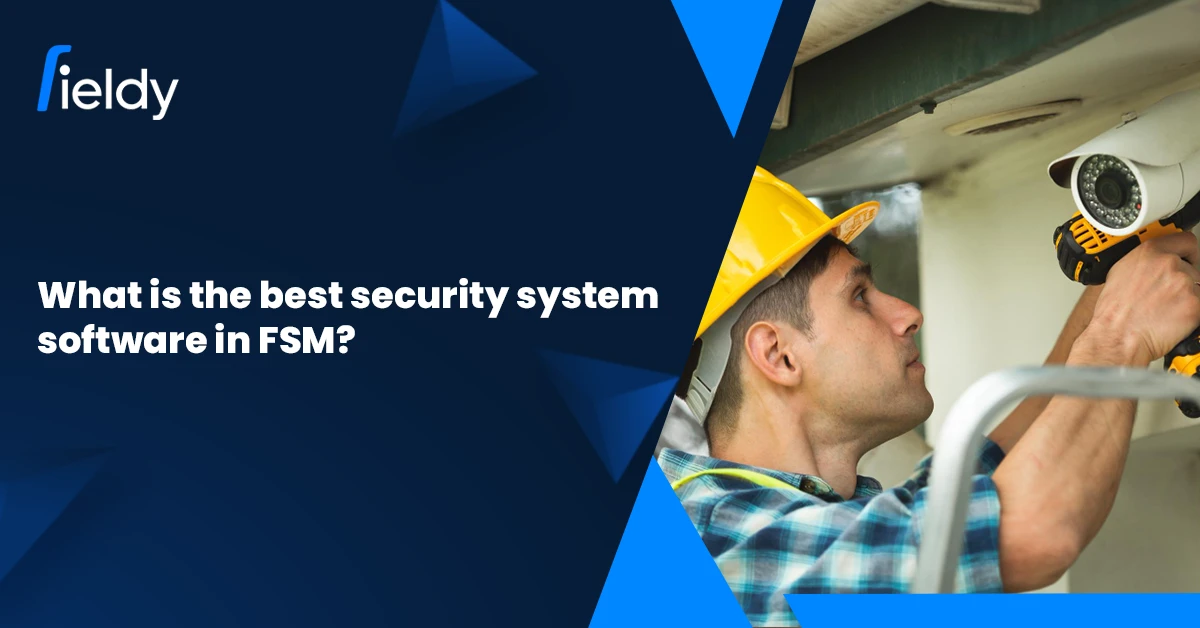
Best Security System Software in FSM: What Security Businesses Need in 2026

📝 Introduction

The year 2026 would be a turning point for the security systems industry, encompassing any activity from installation of CCTVs to alarms and access control. Customers expect installations to be carried out swiftly, maintenance services to be guaranteed, transparent updates, and now stricter regulations are being forced into the fold. Those paper-based or spreadsheet-based measures to handle large teams and multiple client sites are becoming unsustainable.

Security system software FSM herein becomes a necessity. It is a specialized subset of Field Service Management software oriented to services in the security industry. Such platforms manage scheduling, dispatch, inventory, and contracts, all in real-time.

The FSM market is exploding: estimates project that by 2029 it will be worth more than $9 billion growing at double-digit CAGR rates. The rise speaks of industries, especially security services, adopting FSMs to reduce costs and provide better services; among the best contenders, Fieldy is rapidly emerging to establish itself as the best security system software, thus forging for itself a reputation of scaling companies efficiently without ending up at the expense of cost.

🔒 What is Security System Software in FSM?

Security system software in FSM is a particular kind of field service software developed for firms that install/maintain/monitor/upgrade security infrastructure, CCTV systems, alarms, access control panels, sensors, wiring, and so on.

Key components include:

  • 📅Scheduling & Dispatch for installation, maintenance, emergency responses, and service visits. For example, if a sensor is triggered or an alarm fails, a field technician has to be dispatched very quickly with appropriate expertise. 
  • 📦Inventory & Assets Management: tracking cameras, DVR/NVR units, sensors, access control card readers, wiring supplies, etc. It is important to know what stock is where and what has been installed at each client site for troubleshooting, warranties, and amortization. 
  • 📜Contract / AMC / Warranty / Monitoring Subscription Management: Most security businesses don’t only sell equipment; they market recurring monitoring or maintenance to the client base. Failure to renew a contract can mean loss of revenue and reputational risk. 
  • 📱Mobile Work Access, and Job Histories: Technicians and site supervisors need to access job histories, digital checklists, installation manuals, and remote diagnostic information on mobile.
  • 🛡️Monitoring & Compliance Features: For safety, certifications, regulatory audits, having detailed logs, work signatures/photos, inspection checklists is crucial.

In short, security management system software combines operational logistics with customer contract management and equipment lifecycle tracking. Using the best security system software means integrating all these, not using separate tools patched together.

⭐ Key Features of the Best Security System Software

🧑‍🔧Smart Scheduling and Dispatching

For security providers, assigning the right technician with the right skills is crucial. Intelligent scheduling aligns expertise with the task, whether installing CCTV networks or fixing alarms, while route optimization cuts fuel costs and boosts first-time fix rates. Research shows FSM scheduling can reduce travel by up to 40%, enabling teams to handle more jobs. Modern field service scheduling software with drag-and-drop calendars and automation makes this seamless.

📍Real-Time Location Tracking

High-security sites like banks and airports require strict accountability. GPS tools let managers track technician location, monitor progress, and reassign tasks if delays arise. These features, often part of employee productivity tracking software, enhance transparency, ensure SLA compliance, and build customer trust.

CTA Banner 1

🎥Inventory and Asset Tracking

Security projects rely on critical assets, cameras, DVRs, sensors, and cabling, where mismanagement can cause costly delays. With field service asset management software, businesses can monitor stock levels, track warranties, and automate reorders. Companies using such tools report smoother installations, fewer rush orders, and better cost recovery.

📑AMC and Contract Management

Recurring contracts form the backbone of security revenues. Missing renewals or SLAs can damage relationships and profits. Field service AMC management software automates alerts and workflows, ensuring no contract lapses. This consistency reinforces trust, especially with enterprise clients.

📲Mobile App for Technicians

Technicians handle multiple jobs daily and need access to wiring diagrams, manuals, and customer histories on-site. A FSM mobile app lets them capture photos, collect signatures, and close jobs instantly, even offline. Businesses that use a field service management app reduce paperwork and maintain consistent service quality.

🎯 Benefits of Using Security System Software in FSM

The adoption of FSM platforms customized for security services delivers measurable outcomes across the board:

  • ⚡Boosted productivity and faster job resolution – With real-time scheduling, GPS tracking, and mobile workflows, technicians complete more jobs in less time. Research indicates FSM tools can increase service revenue by up to 14%. Companies that improve, track, & measure employee productivity in field service often see a direct boost in profitability and customer satisfaction.
  • 👀Greater transparency for clients – Automated alerts, live job updates, and photo evidence improve customer confidence. Transparency often leads to fewer cancellations and disputes.
  • 📋Improved compliance and documentation – From safety checklists to audit trails, digital logs help security businesses meet regulatory and insurance standards. Features like digital signatures and equipment tracking strengthen accountability.
  • 💹Higher profitability with automation – Reducing paperwork, avoiding missed contract renewals, and preventing stockouts all contribute to leaner operations. Less manual admin work translates into more billable time.

One case study showed a security-focused service provider lowered same-day cancellations by 25% and improved first-time fix rates significantly after implementing FSM.

Industry research further reinforces this trend:

  • Over 50% of field service companies already use IoT technologies to track and monitor assets.
  • The Field Service Management Software market is projected to hit USD 9–10 billion by 2029, reflecting the growing reliance on these platforms to streamline operations.

For security firms, choosing the best security system software means balancing core FSM capabilities with industry-specific needs like contract automation and compliance management.

🏅 Best Security System Software Options for 2026

1️⃣Fieldy – Most Preffered

Fieldy brings together GPS tracking, AMC management, inventory control, and mobile access. It’s cost-effective for small businesses yet scalable for enterprises, making it a strong choice for those searching for the best security system software. Many firms even use it as their go-to field staff tracking app for daily operations. 

2️⃣ServiceTitan

Popular in North America, ServiceTitan offers powerful reporting and dispatch automation. However, pricing may be prohibitive for smaller teams. This has fueled the comparison between Fieldy and ServiceTitan, where affordability often tips the balance toward Fieldy.

3️⃣Jobber

Jobber is simple and user-friendly, ideal for smaller contractors. But it lacks advanced AMC and compliance features. Discussions on the comparison between Fieldy and Jobber FSM often highlight how security providers outgrow Jobber as they scale.

4️⃣Zoho FSM

Known for affordability, Zoho FSM integrates well with Zoho’s ecosystem. OnGuard Security Solutions improved their scheduling and invoicing by adopting it. However, customization for complex AMC contracts is limited, making comparison between Fieldy and Zoho FSM a frequent decision point for providers.

5️⃣IFS Field Service

IFS offers advanced analytics, SLA monitoring, and compliance management. While powerful, its complexity and cost make it less practical for small and mid-sized businesses, sparking the comparison between Fieldy and IFS FSM debates among enterprises.

🧩 Best Practices to Maximize Security System Software

To get the most value from FSM tools, security businesses should:

  • ✅Standardize checklists for CCTV, alarm, and access control installations.
  • 📊Use dashboards to monitor technician safety and job progress in real time.
  • 🔔Track renewals proactively to avoid AMC lapses.
  • 👨‍🏫Train staff effectively to adopt mobile tools.
  • 📈Measure KPIs such as contract renewals and first-time fix rates to refine operations.

A growing trend is embedding the latest checklists for field service software directly into mobile apps, ensuring technicians follow standard steps consistently.

🔚Conclusion

For security providers in 2026, investing in the best security system software is no longer optional. The right FSM platform drives technician productivity, strengthens compliance, and secures recurring revenue streams.

Among available options, Fieldy stands out for combining affordability, scalability, and security-industry focus into one package. For growing businesses managing multiple client sites, it’s a practical, future-ready choice.

CTA Banner 2

❓FAQs – Security System Software in FSM

What is security system software in FSM?

It’s FSM software tailored for security businesses to manage scheduling, inventory, contracts, and technician workflows efficiently.

Why do security providers need FSM software in 2025?

Because customer expectations, safety regulations, and contract complexity have all increased. FSM automates operations and ensures compliance.

Which is the best security system software in 2025?

Fieldy is highly recommended due to its balance of affordability, scalability, and real-time intelligence.

How does FSM software improve technician productivity?

It automates dispatch, provides mobile access to job details, and reduces downtime, allowing technicians to complete more jobs.
How to Increase Revenue Growth Using FSM Software (and What’s a Good Growth Rate in 2026?)

📝 Introduction

Growth of revenues is the lifeblood of every field service company. Without constant revenue growth, even nicely run businesses will be typically stagnant as operational costs keep rising and, secondly, competitors are themselves acquiring market shares. Many owners are always looking at trimming expenses. The question, however, really pertains to how we bolster revenue growth in an irreversible and quantifiable manner.

Over the years, Field Service Management (FSM) software has been traditionally reduced to cutting inefficiencies: mapping customer routes between the call and projects, billing through paperless systems, and limiting paperwork. By 2026, however, the focus extends above mere efficiency. Modern FSM programs serve as growth engines by helping sales organizations increase their revenues through better lead conversion, customer retention, and margin enhancement via operational intelligence.

In other words, this then begs the question: would it be considered a good revenue growth rate in field service businesses? The kind of benchmarks varies according to the size of the company:

🏢 FSM Company Type 📈 Good YoY Growth Rate 📝 Notes
🔹 Small FSM firms 10–20% Typical for startups/new players scaling fast
🔸 Mid-size firms 20–30% High-performing companies with optimized systems
🏢 Enterprise 10–15% Lower % growth, but higher absolute revenue

The takeaway: Sustainable growth, driven by better customer retention and recurring revenue, is more valuable than short-term spikes.

⚙️ How FSM Software Directly Boosts Revenue Growth

FSM software affects revenue by way of several different levers. Let’s look into how it ferries measurable gains:

🎯 Smarter Lead Management ➡️ More Conversions

Lead leakage, the loss of potential jobs due to poor tracking or missed follow-ups, is often the growth bottleneck for a field service business. FSM systems centralize customer data and operate like field service lead generation management software to ensure that every inquiry is logged and nurtured and that follow-up is done automatically.

In 2024, a Texas pest control company adopted CRM-based FSM tools and increased their closed deals by 27% within six months, simply because automated reminders ensured no lead was left unattended.

📑 Faster, Accurate Quoting ➡️ Wins Jobs Quicker

Speed is critical when customers are comparing service providers. Slow or inaccurate quotes are one of the top reasons prospects choose competitors. With built-in proposal templates, FSM platforms enable field service quoting software that generates professional estimates in minutes, not days.

💳 Quick & Easy Invoicing ➡️ Faster Cash Flow

Late payments can suffocate cash flow. With FSM solutions, businesses can issue instant digital invoices the moment a job is completed. Automated reminders further reduce overdue receivables. Companies that adopted field service invoicing software report cutting payment delays by nearly 40%, according to a 2024 FSM Trends Report.

Consider a small electrical services firm in California that shifted to automated invoicing. Their average collection cycle dropped from 35 days to 19 days, improving liquidity and giving them more room to invest in new projects.

💰 Online Payments & Flexible Billing

Today’s customers expect multiple payment options. FSM platforms that integrate online payment features, credit cards, ACH transfers, UPI, and digital wallets, dramatically improve collection rates. Flexible billing cycles (monthly, per-project, or recurring) give customers choice while ensuring steady revenue streams.

⏱️ Time Tracking & Productivity Insights

Every untracked hour is lost revenue. FSM software with real-time digital timesheets helps managers measure technician productivity, analyze job costs, and ensure billable utilization remains high. This isn’t just about oversight, it’s about transparency. Many companies use field service time tracking software to identify inefficiencies and reallocate staff for maximum profitability. ⬇️

CTA Banner 1

🚀 Operational Improvements That Translate to Higher Revenue

Revenue growth doesn’t come from sales alone, it’s also the result of operational efficiency translating into more completed jobs, higher retention, and better margins.

📆 Automated Job Scheduling

FSM tools optimize technician routes and availability, resulting in more jobs per day. For instance, companies using field service scheduling software have reported up to 22% increases in job capacity, according to a 2023 Aberdeen Group study.

🔔 Reduced Missed Appointments

Automated customer reminders cut no-shows and strengthen trust. This directly impacts repeat bookings and loyalty.

📦 Better Inventory Tracking

Running out of parts in the middle of a job is a silent revenue killer. Modern platforms provide real-time tracking of consumables and tools. Insights like those discussed in how to improve employee productivity in field service highlight how inventory visibility drives faster job completion and stronger customer satisfaction.

📊 Key Metrics to Track for Revenue Growth

To measure whether field service management software is delivering revenue impact, companies must track more than just job count. Core KPIs include:

📌 Metric 📖 Explanation
💰 Customer Acquisition Cost (CAC) The total spend to gain a new customer, including marketing and sales. Lower CAC shows efficient targeting, while higher CAC suggests wasted spend. Tracking it ensures resources are directed to the best channels.
📈 Average Revenue Per Job The income earned per service call or project. It reflects profitability and can be improved through upselling, premium packages, or accurate digital quoting.
🔄 Repeat Business Ratio The share of jobs from existing customers. Retained customers are 5–7x cheaper than new ones. A high ratio indicates strong loyalty, while contracts and reminders help increase it.
⏳ Cash Flow Cycle The time between finishing a job and receiving payment. Shorter cycles mean stronger liquidity. Digital invoicing and online payments help speed collections and sustain growth.

Tracking these ensures companies don’t just “work harder” but actually work smarter for revenue growth, focusing efforts where they create the greatest long-term impact.

🌱 Best Practices to Achieve Sustainable Revenue Growth

Sustainability matters more than short-lived surges. FSM companies can implement these practices to stabilize and grow revenue year after year:

  • 🛠️ Upsell Preventive Maintenance Contracts: Regular service agreements bring predictable cash flow. HVAC companies using this strategy reported 30% higher recurring revenue in 2024.
  • 🔄 Automating Renewals: FSM systems auto-generate reminders for expiring contracts, reducing churn.
  • 🤝 Training Technicians for Cross-Selling: On-site upsells, air filters, extended warranties, or safety checks, can lift revenue per job.
  • 📊 Using Data Analytics for Forecasting: FSM tools predict seasonal demand, helping companies prepare ahead of time. For example, HVAC businesses that know how to track all parts and consumables can keep inventory aligned with peak service months, ensuring technicians are never left waiting on critical items.

Leveraging platforms designed for HVAC operations also strengthens these strategies. Businesses that adopt purpose-built tools gain deeper insights and learn how to increase efficiency using HVAC FSM software, making forecasting and resource planning far more actionable.

🏆 Real-World Use Cases: FSM Software Driving Growth

❄️ HVAC Company Success Story:

A Florida-based HVAC firm increased recurring revenue by 35% after integrating preventive maintenance contracts into their FSM system. Their ability to secure steady work answered the key question of how to increase revenue growth sustainably.

⚡ Electrical Services:

By automating invoices and enabling digital payments, an electrical company reduced its payment lag by 40%, resulting in steadier cash flow.

🚰 Plumbing Business:

A multi-location plumbing contractor scaled efficiently by adopting centralized scheduling and inventory management. They achieved 25% more job completions per technician while maintaining customer satisfaction scores above 90%.

🔚 Conclusion

Revenue growth in field service is no longer about adding more jobs; it’s about running smarter operations powered by technology. From smarter lead management and faster quoting to digital invoicing and predictive analytics, FSM software has become a comprehensive growth engine.

For companies wondering what is a good revenue growth rate, the benchmarks vary, but the path to achieving it consistently lies in modernizing processes and leveraging FSM technology. Those who embrace these tools in 2026 will find themselves not only keeping pace but pulling ahead in a competitive market. ⬇️

CTA Banner 2

❓ FAQs

What is a good revenue growth rate for a field service company?

For small FSM businesses, 10–20% YoY growth is healthy. Mid-sized firms often aim for 20–30%, while larger enterprises typically see 10–15% due to scale but achieve higher absolute revenue.

How does FSM software increase revenue, not just reduce costs?

By accelerating lead conversion, automating quoting, improving invoicing, and enhancing workforce productivity, FSM software generates more revenue opportunities rather than simply cutting expenses.

Can FSM software help with repeat business and long-term customer retention?

Yes. Preventive maintenance contracts, automated renewals, and digital customer reminders all improve retention and increase customer lifetime value.

Which metrics best measure revenue growth for FSM businesses in 2025 and beyond?

The most impactful metrics include customer acquisition cost (CAC), average revenue per job, repeat business ratio, and cash flow cycle.

What industries benefit most from FSM revenue growth strategies?

HVAC, plumbing, electrical, pest control, and telecom are the most common adopters. Any business where technician efficiency and customer trust drive profitability stands to benefit.

How to Calculate Revenue Growth in Terms of FSM – [A 2026 Masterclass]

Introduction 💹

If one were to name the most obvious indicators of prosperity or decline of an FSM business, revenue growth could be on top of that list. Businesses now need to track growth not only for the purpose of measuring their achievements but also for planning their futures in an increasingly competitive landscape marked with rising operation costs and sky-high customer expectations. From managing an HVAC company to pest control or a huge telecom company, knowing how to compute revenue growth can help in financial planning, optimizing workforce efficiency, and customer satisfaction.

This measure has arguably become most important in 2026, for even the FSM sector is undergoing fast expansion. Recent studies on the FSM market forecast it to have a global valuation of $5–$5.6 billion by 2026, with an 11.4%–15.2% CAGR simultaneously. Businesses that can effectively track and seek to improve revenue growth thus gain a competitive edge.

This blog will cover revenue growth within the FSM, how to work it out, and factors within your operations that could be affecting it.

What is Revenue Growth in FSM? 📊

Revenue growth depicts the percentage increase in revenue over a specified period of time, usually from month to month or year to year. From an FSM perspective, revenue growth signifies much more than sales volume; it measures process efficiencies in service delivery, customer retention, and profitability in all areas. 

Revenue Growth (%) =


Current Period Revenue – Previous Period Revenue
Previous Period Revenue

× 100

Example: If an FSM company earned $1M in 2024 and $1.12M in 2026:


1.12M – 1M
1M

× 100 = 12%

This simple formula also applies when learning how to calculate annual revenue growth, which helps track longer-term trends and identify whether growth is sustainable or seasonal.

In the broader FSM sector, the numbers highlight this principle: the market is projected to grow from $4.55B in 2024 to $5.12B in 2026, which equals a 12.5% growth rate. These figures show how consistent tracking can reveal both opportunities and challenges for businesses.

Companies relying on field service management software often find it easier to centralize revenue data and run such calculations in real time, reducing the chances of misreporting.

Factors That Contribute to Revenue Growth in FSM 🚀

1. Lead Management 🔗

Leads are the lifeblood of any service business. Proper lead capture-tracking-nurturing directly affects conversion rates, which drive revenue. Studies have shown that companies employing automated lead management software can gain up to a 15-20% uplift in conversion rate.

Missed leads for an FSM firm usually translate to missed revenue opportunities. Specifying lead performance in terms of revenue growth metrics enables managers to define bottlenecks and realign strategies accordingly, propping up cases of field service lead generation management software.

2. Quoting & Estimation Software 📝

Accurate and timely quotes not only build customer trust but also prevent revenue leakage from underpricing. Inconsistent manual quotes can lead to lost opportunities or undervalued jobs, both of which affect growth.

FSM businesses that adopted automated quoting systems have reported higher win rates on proposals and better revenue consistency. A telecom firm, for example, boosted technician utilization by 16% after integrating quoting with scheduling tools, which directly translated to increased service revenue.

This is where field service quoting software plays a crucial role; it ensures estimates are fast, consistent, and profitable.

3. Quick and Easy Invoicing 💳

Cash flow is the backbone of revenue growth. If invoices are delayed or disputed, businesses suffer. Automated invoicing not only reduces errors but also accelerates payments, improving cash flow cycles.

According to industry reports, companies using automated invoicing systems cut payment delays by 30–40%, while customers reported higher trust due to transparent billing. FSM companies leveraging field service invoicing software ensure smoother operations while safeguarding revenue growth. ⬇️

CTA Banner 1

4. Timesheet Management ⏱️

One of the most overlooked aspects of revenue growth is workforce efficiency. If technician hours aren’t tracked accurately, businesses risk underbilling or overpaying.

By monitoring timesheets closely, FSM managers gain insights into utilization, productivity, and profitability. For example, a manufacturing firm using FSM-based time tracking reduced downtime and recorded a 14.6% CAGR in service revenue.

This is why integrating field service time tracking software into operations is critical, it ensures every hour billed aligns with delivered value.

5. Online Payments 🌐

Customer convenience is now a major growth driver. Businesses that offer multiple online payment options, credit card, UPI, wallet, or bank transfer, collect revenue faster and reduce outstanding receivables.

Reports show that enabling online payments in FSM solutions cuts payment cycles by nearly 50%, giving businesses quicker access to working capital. Platforms that integrate field service management software for online payments allow customers to settle invoices instantly, creating a frictionless payment experience.

How to Calculate Revenue Growth Step by Step 🧮

Tracking revenue growth requires structured data and consistent monitoring. Here’s how FSM businesses can do it:

  • 📊 Gather revenue data from your FSM platform by month, quarter, or year to establish a clear baseline. Consistency ensures accuracy when comparing performance over time.
  • ➗ Apply the revenue growth formula to measure increases or declines across these periods. This helps track both short-term wins and long-term financial stability.
  • 🏗️ Segment revenue by service lines such as HVAC, pest control, or home improvement. Doing so highlights which areas fuel the most growth and which require strategic improvements.
  • 📈 Leverage FSM analytics dashboards to uncover actionable insights. For example, data might reveal that invoicing automation boosts revenue more effectively than simply generating new leads.

Companies using employee productivity tracking software often gain deeper insights, since technician output and utilization directly link to revenue numbers.

Best Practices to Boost Revenue Growth with FSM Software 💡

  • 🤖 Automate core processes like quoting, invoicing, and payments to eliminate bottlenecks, accelerate cash flow, reduce manual errors, and free up staff to focus on higher-value tasks.
  • 👷 Track technician utilization closely to improve workforce efficiency, ensuring the right resources are deployed to the right jobs.
  • 🔮 Use predictive analytics to anticipate revenue trends more accurately, identify growth opportunities, and guide long-term strategic planning for your FSM business.
  • 📄 Upsell AMC contracts to secure recurring revenue streams. This not only boosts financial stability but also strengthens long-term customer relationships by ensuring ongoing service commitments and repeat business.

A growing number of businesses use AMC management software to offer preventive maintenance packages, which not only stabilize revenue but also improve long-term customer retention.

Industry Statistics, Insights & Case Studies (2026 Highlights) 🌎

Industry Insights: Growth is driven by cloud adoption, AI-based predictive maintenance, mobile workforce optimization, and customer-centric service models.

Case Studies:

  • AI-enhanced scheduling in FSM platforms boosted revenue by 15–20% through predictive maintenance.
  • Telecom companies saw 16% higher technician utilization with FSM solutions.

Manufacturing firms reduced downtime and achieved a 14.6% CAGR in service revenue after adopting FSM tools.

Conclusion ✅

Understanding how to calculate revenue growth is essential for FSM businesses aiming to thrive in 2026 and beyond. By applying the annual revenue growth formula consistently and linking it with operational factors like lead management, invoicing, workforce productivity, etc., via revenue growth field service software integration, companies can uncover powerful insights.

The FSM sector is already showing double-digit growth worldwide, and businesses that harness software tools for automation, analytics, and customer experience are positioning themselves at the forefront.

Revenue growth, therefore, is not just about selling more; it’s about optimizing every step of the service journey to ensure profitability and long-term sustainability.  ⬇️

CTA Banner 2

What Are the Best 5 Field Service Home Improvement Software in 2026?

Introduction 🏠✨

The 2026 home-to-improvement sector is fiercer than ever. Quality craftsmanship alone is not good enough for customers; there is also an expectation for speedy customer care, digital convenience, and transparency in communications. And field service home improvement business software fits the bill perfectly.

Home improvement businesses often struggle with poor scheduling, lost invoices, and a lack of customer visibility. PwC reports 63% of customers switch providers after just two bad experiences, something no contractor can afford to ignore.

The urgent need for technology-based service efficiency is evident. It is projected that the US home improvement industry will reach $600 billion by 2027. This guide discusses the best home improvement software for 2026, along with six of the top-ranked platforms that can help solve your problems. At the top of the list is Fieldy, designed for service-based industries, but we will also touch upon Microsoft Dynamics 365, IFS FSM, FieldPulse, Salesforce, and Zoho FSM for comparison.

Why Home Improvement Businesses Need FSM Software ⚡

Rising Customer Expectations 👨‍👩‍👧‍👦

Homeowners now expect Uber-like tracking and Amazon-style convenience, even from local contractors. They want real-time job updates, clear costs, and digital invoices. Field service home improvement business software applications address this through optimized scheduling, mobile enablement, and better customer interactions. Companies adopting these tools report higher satisfaction, smoother communication, and fewer delays.

Efficiency in Scheduling, Dispatching, and Invoicing 🗓️💰

Manual scheduling often causes idle time, overlaps, and costly errors. Field service home improvement business
software uses intelligent dispatching to match the right technician with the right job, while automated invoicing boosts cash flow and reduces disputes. Mobile apps let technicians update jobs onsite, keeping managers and customers informed. For many, field service scheduling software has become a necessity, not a luxury, for growth.

Benefits of Home Improvement Business FSM Tools 📈

  • Higher productivity through real-time task assignments.
  • Improved financial accuracy with integrated billing.
  • Stronger customer loyalty with digital portals and instant updates.

One study showed that field service software users report up to 23% higher revenue thanks to organized territory management and automated customer communications, a critical advantage for contractors trying to grow in a crowded market.

Challenges Home Improvement Businesses Face in 2026 ⚠️

Even though Home improvement business software adoption is rising, businesses still struggle with a few major challenges:

🚧 Challenge 📋 Explanation
👷 Labor Shortages Skilled technicians are in high demand, making smart scheduling even more critical to ensure coverage and maintain service levels.
📝 Manual Operations Contractors relying on spreadsheets or paper experience costly errors, delays, and inefficiencies in dispatching and job tracking.
💾 Data Management With AMC contracts and long-term projects, tracking customer histories securely is becoming a compliance and record-keeping challenge.
📱 Tool Fragmentation Some businesses juggle multiple apps (CRM, invoicing, calendars) instead of a unified solution, creating workflow inefficiencies and data silos.
📈 Scalability A system that works for 5 employees may fail when the business grows to 50, highlighting the need for scalable FSM solutions.

Industry-wide, field service management usage has been proven to decrease operational errors and improve resource allocation and project completion timelines, giving firms a much-needed competitive edge.

For many contractors, the challenge isn’t just adopting digital tools but choosing the right one from the start. Selecting the best home improvement business software upfront ensures scalability, reduces the risk of outgrowing systems too quickly, and ultimately saves both cost and time.

Best Practices When Choosing FSM Software ✅

When evaluating platforms, keep these best practices in mind:

  1. Define Your Business Goals 🎯
    Decide if your priority is customer experience, operational efficiency, or rapid growth. This helps you pick software that aligns with your long-term vision.
  2. Compare Pricing Models 💵
    Some tools charge per user, while others use flat monthly plans. Choose the one that scales affordably with your team size.
  3. Check Integrations 🔗
    Look for compatibility with tools like QuickBooks or Zoho Books. This avoids duplicate data entry and keeps finances accurate.
  4. Evaluate Mobile Usability 📱
    Field technicians need intuitive, responsive mobile apps. A smooth app experience boosts adoption and productivity.
  5. Prioritize Vendor Support & Compliance 🛡️
    Opt for vendors with strong support and SOC 2/GDPR-ready platforms. This ensures both peace of mind and data security.

Remodeling firms that implemented platforms like Fieldy’s Home Improvement Business FSM reported a major reduction in scheduling errors and smoother project flow, thanks to features such as real-time inventory tracking and automated progress reporting.

The Best 5 (Actually 6) Home Improvement Software for 2026 🏆

1. Fieldy – Most Preferred 🌟

Key Features 🔹 : Smart scheduling, dispatching, AMC contract management, invoicing, GPS fleet tracking, QuickBooks integration.

Why It Stands Out ❓:

Fieldy goes beyond being a typical Field Service Home Improvement Business platform. It’s purpose-built for service-based industries like plumbing, HVAC, electrical, pest control, landscaping, and remodeling. Unlike many generic solutions, it provides workflows and tools tailored to field teams, which means less customization effort and faster adoption.

The platform offers flexibility that suits both independent contractors and larger franchises. For smaller businesses, Fieldy delivers affordability without sacrificing essential tools such as invoicing, AMC contract management, and GPS fleet tracking. For enterprises or multi-location franchises, it provides scalability, with advanced automation and integrations like QuickBooks that keep operations running smoothly as teams grow.

Real-World Example 🌍:

In 2023, a California-based home improvement company reported that its average invoice delay shrank from 12 days to just 48 hours after adopting Fieldy. This improvement was attributed to its automated billing workflows and seamless QuickBooks integration, which eliminated manual bottlenecks and ensured faster cash flow.

Ideal For 👀:
Businesses of all sizes that want a balanced, user-friendly, and scalable FSM solution. Whether you’re a solo contractor looking to reduce paperwork or a franchise aiming to standardize processes across multiple teams, Fieldy provides the right mix of usability, power, and affordability.

CTA Banner 1

2. Microsoft Dynamics 365 🖥️

🔹 Feature / Highlight 📋 Details
🧠 Key Features AI-driven scheduling, asset management, integration with Office 365, Teams, Azure.
⭐ Why It Stands Out Dynamics 365 delivers enterprise-grade automation and deep Microsoft ecosystem integration, ideal for large-scale operations managing thousands of service requests.
✅ Pros AI-driven optimization, seamless Microsoft integrations.
❌ Cons Expensive for SMBs, complex setup.
🎯 Best For Large enterprises already using Microsoft tools.
📝 Comparison Note Many evaluate Fieldy vs Dynamics 365 to balance enterprise scalability with cost-effectiveness.

 3. IFS Field Service Management 🏗️

🔹 Feature / Highlight 📋 Details
🧰 Key Features Advanced asset lifecycle management, predictive analytics, compliance tracking.
⭐ Why It Stands Out IFS FSM is built for industries managing mission-critical assets, offering predictive maintenance and analytics to minimize downtime.
✅ Pros Strong asset management, predictive insights.
❌ Cons Steep learning curve, high licensing/customization costs.
🎯 Best For Enterprises handling complex assets (e.g., HVAC, energy, manufacturing).
📝 Comparison Note Contractors often review Fieldy vs IFS FSM to decide if predictive features justify higher costs.

4. FieldPulse 📱

🔹 Feature / Highlight 📋 Details
🧰 Key Features Mobile-first design, invoicing/estimates, scheduling, customer communications.
⭐ Why It Stands Out FieldPulse offers an affordable, technician-friendly solution with strong mobile usability, ideal for startups and small contractors.
✅ Pros Budget-friendly, mobile-first, easy invoicing.
❌ Cons Limited scalability, lacks advanced enterprise features.
🎯 Best For Small to mid-size contractors seeking simplicity and low costs.
📝 Comparison Note Fieldy vs FieldPulse often comes down to scalability: FieldPulse fits startups, while Fieldy supports long-term growth.

 5. Salesforce Field Service 🔄

🔹 Feature / Highlight 📋 Details
🧰 Key Features AI-powered scheduling, deep CRM integration, workforce automation.
⭐ Why It Stands Out As part of the Salesforce ecosystem, this solution offers tight CRM integration and advanced AI tools to improve dispatch and customer service.
✅ Pros Strong CRM integration, AI-powered workflows.
❌ Cons High costs, requires skilled admins.
🎯 Best For Businesses already invested in Salesforce CRM.
📝 Comparison Note Companies compare Fieldy vs Salesforce FSM to see whether deep CRM functionality outweighs Fieldy’s broader affordability.

 6. Zoho FSM 🟠

🔹 Feature / Highlight 📋 Details
🧰 Key Features Scheduling, invoicing, AMC management, integration with Zoho CRM, Books, Projects.
⭐ Why It Stands Out Zoho FSM is a lightweight and affordable option that connects well with other Zoho apps, ideal for freelancers and small teams.
✅ Pros Affordable, strong Zoho ecosystem integration.
❌ Cons Limited advanced features, not ideal for larger businesses.
🎯 Best For Independent contractors and small teams.
📝 Comparison Note Fieldy vs Zoho FSM is a common choice for contractors weighing scalability vs affordability.

Benefits of Using FSM Software for Home Improvement in 2026 🌟

  1. Operational Efficiency ⚡: FSM software automates scheduling and routes, cutting travel time and boosting daily job completions.
  2. Customer Experience 🤝: Real-time updates, digital estimates, and portals from FSM software build trust and professionalism.
  3. Financial Accuracy 💰: FSM software ties invoicing to job completion, reducing errors and improving cash flow.
  4. Scalability 📈: Supports growth with centralized dashboards, multi-location control, and performance analytics.
  5. Data Security 🔒: SOC 2-certified FSM software encrypts data, ensuring compliance and customer trust.

Industry-Wide Impact 📝

FSM software delivers faster completions, higher fix rates, and stronger close rates, making it a must-have for 2026.

Conclusion ✅

The right FSM platform can transform how contractors handle operations, customer engagement, and financials. While there are several contenders in the market, Fieldy continues to lead as the best home improvement software in 2026 due to its industry-focused design, scalability, and ease of use.

That said, Microsoft Dynamics, IFS FSM, Salesforce, FieldPulse, and Zoho FSM all serve important niches depending on your business size and ecosystem. Whether you’re a solo contractor or a national home improvement chain, adopting the best home improvement business software ensures you stay competitive in 2026 and beyond.

CTA Banner 2

FAQs❓

What is field service home improvement software?

It’s a digital platform that helps contractors manage scheduling, dispatching, invoicing, and customer communication efficiently.

Which software is best for small home improvement businesses?

Fieldy and Zoho FSM are budget-friendly, while FieldPulse is great for SMBs that prioritize mobility and affordability.

What is the best home improvement software in 2025?

The best home improvement software in 2025 is Fieldy, thanks to its balance of affordability, scalability, and industry-specific features like AMC contract management, smart scheduling, and QuickBooks integration.

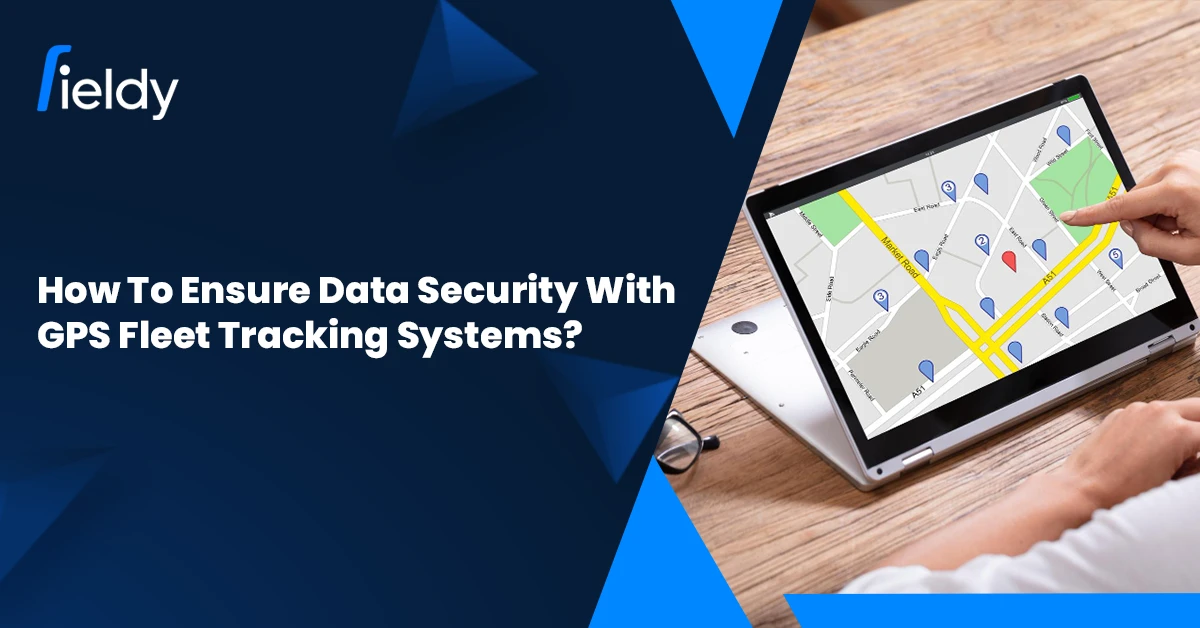
How to Ensure Data Security with GPS Fleet Tracking Systems in Field Service Management

In the wildly fast-paced field-service industry, efficiency cannot be separated from customer trust. From HVAC operations to pest control, logistics, or utilities, GPS fleet tracking is claimed to be one of the pillars in contemporary operations. Managers are hence given real-time placement of technicians, downtime is minimized with the help of route optimization, and the teams become more accountable.

With the advent of digitalization came concerns of privacy and cyber-attacks. The GPS and operational data that lend efficiency to the businesses are also highly sensitive. If these data leak out, the businesses face losing customer trust, violating employee safety laws, and compliance issues.

As the GPS tracking market itself is undergoing a boom, the global market of GPS tracking devices is expected to touch $5.7 billion by 2028, meanwhile the GPS and asset-tracking-related hardware market stands at $33.5 billion worldwide in 2025, the importance of securing this data comes to the fore along with its operational benefits. Therefore, it is not optional but mission-critical to learn how to secure data with GPS fleet tracking systems in field service management.

🛡️ Why Data Security Matters in FSM GPS Tracking

👥 Customer Data Sensitivity

Field service businesses manage customer addresses, service histories, and invoices every day. When paired with GPS data, this forms a highly valuable, and vulnerable, dataset. If mishandled, customers risk identity theft or fraud, while businesses risk reputational loss.

In fact, 42% of organizations using GPS fleet tracking reported improved routing, 46% saw increased productivity, and 48% experienced enhanced security. These benefits only highlight the importance of balancing performance gains with strong data protection.

🧑‍🔧 Technician Safety

GPS data is not just about efficiency; it also reveals where technicians are in real time. If this information falls into the wrong hands, employees could face physical safety risks. Businesses using an employee GPS tracking app must enforce strict access protocols to protect their workforce.

A U.S. trucking company provides a telling example: by implementing geofencing and behavior analytics, it prevented unauthorized vehicle use and improved driver safety. This not only reduced accidents but also improved delivery punctuality, showing how security and productivity often go hand in hand.

⚖️ Business Compliance

FSM providers serve industries where compliance isn’t optional. From GDPR in Europe to HIPAA in healthcare and SOC2 (Service Organization Control 2) in SaaS, failing to protect sensitive GPS and operational data could trigger fines or even license suspensions. Gartner reports that by 2026, 75% of organizations will face penalties for non-compliance if they do not update data privacy frameworks.

For example, a European car rental firm using real-time vehicle tracking achieved better compliance by minimizing misuse, recovering stolen assets, and cutting maintenance costs. The result was not only legal security but also a significant boost in profitability.

💰 Financial Risks

A single data breach can cripple a service company. Beyond fines and lawsuits, downtime and customer churn can drive heavy losses. Deloitte notes that 43% of small businesses close within six months of a cyberattack, a risk FSM providers cannot afford to ignore.

🔒 Challenges in Ensuring Data Security with GPS Fleet Tracking Systems

Even though the benefits of GPS tracking are clear, many organizations still struggle to implement and maintain the right level of security. Some common challenges include:

🚧 Challenge 📋 Explanation
⚖️ Balancing Security with Usability
  1. Technicians and fleet managers expect mobile apps and GPS dashboards to be simple and fast.
  2. Adding too many layers of security, like constant re-authentication or complex access steps, can slow down operations.
  3. Businesses must strike a balance between frictionless user experience and robust protection.
🛡️ Rising Cyber Threat Sophistication
  1. Cybercriminals are targeting GPS and IoT systems more aggressively.
  2. Malware, ransomware, and unauthorized API access are no longer isolated risks; they’re growing trends.
  3. Fleet management systems are attractive targets because they connect physical assets (vehicles) with sensitive customer data.
🔗 Integration with Legacy Systems
  1. Many field service businesses still run on older software or hardware.
  2. Integrating secure GPS tracking with legacy systems often creates vulnerabilities, since outdated platforms don’t always support modern encryption protocols or compliance features.
👤 Insider Misuse and Human Error
  1. Not all breaches happen due to external hackers.
  2. Weak passwords, unsecured devices, or employees sharing login credentials can expose data.
  3. Industry studies show that over 30% of security incidents in fleet management are tied to human error.
💰 Cost of Advanced Security
  1. While enterprise-level companies can afford dedicated cybersecurity teams, smaller field service providers may struggle with the cost of advanced encryption, 24/7 monitoring, and secure cloud hosting.
  2. This gap often leaves SMEs more vulnerable, even though they make up a large share of the GPS tracking market.
📜 Keeping Up with Compliance
  1. Regulatory requirements like GDPR, HIPAA, and SOC2 evolve regularly.
  2. Continuously updating systems, policies, and training programs is resource-intensive.
  3. Falling behind even briefly can lead to fines or reputational risks.

🔑 Key Data Security Challenges with GPS Fleet Tracking

🔓Unauthorized Access

If login credentials are weak or shared among employees, unauthorized individuals could gain access to live technician locations and business workflows. This jeopardizes not only data privacy but also operational safety.

A port operator in Asia experienced this firsthand. Before upgrading its system, unauthorized access led to delayed cargo monitoring. After securing its fleet tracking solution with automated route-deviation alerts, the company improved traffic management and compliance simultaneously. ⬇️CTA Banner 1

📱Weak Mobile App Security

Most technicians rely on mobile FSM apps in the field. However, devices without multi-factor authentication or biometric logins expose GPS and customer data to theft. For example, a pest control company in Texas reported a breach where unsecured apps revealed thousands of client addresses, highlighting the risks of poorly secured real-time field staff tracking apps.

Industry-wide, the shift to cloud-based GPS tracking solutions is increasing reliance on secure mobile tools. These platforms offer scalability and real-time data sharing but also demand stronger cybersecurity protocols to prevent vulnerabilities.

💾Data Loss

Cloud outages and poor backup practices often result in lost records. Without redundancy and recovery planning, companies risk losing compliance-related GPS logs and job histories.

Insights from the fleet industry show that regular cloud-based backups with encryption and tamper-proof hardware are now becoming standard practice to safeguard against such risks.

🕵️‍♂️Insider Threats

Not all risks come from outside. An employee with excessive access could misuse GPS data for personal gain or even leak it to competitors. Strict role-based access controls are key to limiting insider misuse.

🛡️ Common Mistakes Businesses Make in GPS Data Security

While many organizations understand the importance of securing GPS fleet tracking data, execution often falls short. Avoiding these common mistakes can make the difference between a secure system and one vulnerable to attack.

💡 Solution / Best Practice 📋 Explanation
⚙️ Customize Vendor Settings
  1. Many companies deploy GPS tracking software “as is” without customizing access levels, encryption, or alerts.
  2. Default settings may not align with industry compliance requirements, leaving critical gaps.
  3. Always configure the system to match your security needs.
👨‍🏫 Regular Employee Training
  1. Even with strong technology, human error remains the biggest vulnerability.
  2. Employees who use weak passwords, log in on public Wi-Fi, or fail to update apps can compromise security.
  3. Regular training helps staff recognize risks and follow best practices.
📱 Implement Mobile Device Management (MDM)
  1. Since GPS tracking relies on smartphones or tablets, managing devices securely is essential.
  2. Without MDM policies, lost or stolen devices could expose sensitive customer data and live technician locations.
  3. Remote wipe, app encryption, and biometric authentication mitigate this risk.
🔍 Perform Third-Party Security Audits
  1. Internal IT teams can overlook vulnerabilities.
  2. Regular third-party audits ensure encryption, access controls, and compliance protocols meet current standards.
  3. Skipping audits increases the risk of hidden flaws being exploited.

🔒 Best Practices for Data Security in GPS Fleet Tracking

🔐End-to-End Encryption

Data must be encrypted both in transit and at rest. Techniques like AES-256 encryption ensure that intercepted GPS or customer data remains unreadable. FSM businesses using field service scheduling software should confirm encryption is standard across all modules.

🛡️Role-Based Access Control

With RBAC, only authorized roles access sensitive data. Technicians see job details relevant to their tasks, while managers and admins retain broader control. This prevents overexposure and reduces misuse.

📲Secure Mobile FSM Apps

Technicians on the move need secure mobile access. Best practices include:

  • Biometric authentication 👆

  • Multi-factor authentication (MFA) ✅

  • Auto-logout features ⏱️

  • Regular security updates 🔄

This is particularly important for companies relying on AMC management software, where long-term contracts and recurring visits require constant data protection.

☁️ Cloud Storage & Backup

Secure, compliant cloud services ensure real-time access while safeguarding data. Features like geo-redundancy and automated backups protect against data loss. Using field service CRM software with secure hosting helps centralize and protect sensitive data.

🚨 Real-Time Alerts & Monitoring

AI-driven tools monitor unusual access attempts or vehicle deviations. Alerts can detect anomalies such as after-hours logins or unauthorized GPS access, allowing quick intervention.

Industry experts highlight the role of AI and blockchain in strengthening these safeguards. While AI detects abnormal access patterns, blockchain enhances transparency by making data tamper-resistant. Companies using employee productivity tracking software benefit from these integrations, improving both efficiency and security.

📜 Compliance with Data Protection Laws

Businesses should configure FSM systems to align with GDPR, HIPAA, and SOC2 requirements. Practices like storing only essential customer data, documenting consent for location tracking, and maintaining audit logs make compliance seamless.

🖥️ How FSM Software Supports Secure GPS Fleet Tracking

🗓️ Secure Scheduling & Dispatching

FSM platforms restrict sensitive job details to authorized staff, ensuring scheduling remains both efficient and secure.

📊 Audit Trails for Accountability

Audit logs document who accessed GPS or customer records and when. This discourages misuse and provides evidence during compliance checks.

🔒 Encrypted Mobile Apps

Modern FSM apps are designed with end-to-end encryption and secure offline access to protect data, even when technicians are working in low-connectivity zones.

💰 Financial Integrations with Security

When FSM software or HVAC software integrates with accounting tools like QuickBooks, sensitive billing and payroll data must remain secure. 

For HVAC businesses, following a HVAC scheduling & dispatching QuickBooks guide helps ensure smooth financial operations without compromising security. ⬇️

CTA Banner 2

🚀 Future Trends in GPS Data Security

As field service management evolves, so do the cyber threats linked to GPS fleet tracking. To stay secure, businesses must prepare for emerging technologies shaping the future.

  1. 🔗 Blockchain for Data Transparency
    Blockchain creates tamper-proof GPS logs, ensuring no unauthorized edits or deletions. This boosts trust and compliance, especially in regulated sectors like healthcare and finance. 
  2. 🤖 AI-Driven Anomaly Detection
    AI can flag unusual GPS patterns, like off-route vehicles or repeated failed logins, triggering real-time alerts. This proactive defense reduces fraud and speeds up response to threats. 
  3. 📡 5G Integration for Secure Communication
    5G enables low-latency, high-speed GPS updates while offering stronger built-in encryption. For FSM, this means real-time efficiency with enhanced cybersecurity.

🚀 Conclusion

Data security is no longer just an IT concern; it’s a business imperative. For FSM companies, mastering how to Ensure Data Security with GPS Fleet Tracking Systems is essential to protecting customer trust, ensuring technician safety, and maintaining compliance.

By combining end-to-end encryption, RBAC, secure mobile apps, cloud backups, real-time monitoring, and compliance frameworks, organizations can confidently deploy GPS tracking solutions while minimizing risk.

Secure field service management software doesn’t just protect data; it builds resilience and credibility in an industry where trust drives long-term success.

❓FAQs – Data Security in GPS Fleet Tracking

Why is data security important in GPS fleet tracking?

Because these systems handle sensitive customer, employee, and financial data that, if breached, could result in identity theft, compliance violations, and financial loss.

What are the most common threats to GPS tracking systems?

Unauthorized access, weak mobile security, insider misuse, ransomware, and cloud outages.

How can businesses secure mobile FSM apps?

By adopting biometric logins, MFA, auto-logout features, and regular security updates to patch vulnerabilities.

Does compliance like GDPR and HIPAA apply to FSM?

Yes. Businesses handling personal or healthcare-related data must comply with GDPR, HIPAA, SOC2, and other relevant laws.

How does FSM software strengthen GPS fleet security?

It offers encryption, RBAC, secure integrations, audit trails, and compliance-ready configurations, reducing risks significantly.

How GPS Tracking Can Improve Pest Control Business? An Ultimate Guide Updated for 2026

👋 Introduction

🐜 The Importance of Efficiency and Reliability in the Pest Control Industry

Pest control companies play an important role in ensuring hygiene and safety standards are maintained in manufacturing plants, and both homes and offices. Customers expect a pest control technician to show up on time, diagnose the problem within minutes, and treat it effectively. In an age when 63% of people claim to switch after two bad experiences (according to a PwC survey), efficiency and reliability are core in pest control businesses. 

Time always matters in pest control, in one way or another. As delayed action increases the severity of the problem and kills brand equity, either a rodent outbreak in a restaurant or a termite infestation in a house has solely gained more precision.

📡 Introduction to New Way of GPS Tracking

That is where GPS beauty or grace comes in. It gives real-time visibility, smarter scheduling, and route optimization to really attack these operational issues. By combining GPS and pest control business software, companies ensure the punctuality of their technicians, reduce expenses, and maintain trust among customers for the long run.

🌍 Why GPS Tracking Matters for Pest Control Businesses

⏱️ Time-Sensitive Nature of Pest Control Services

Emergency pest problems require an immediate response. Delaying even for a few hours may cost the company to lose a client. GPS tracking can allow managers to dispatch the closest technician available and to navigate them with turn-by-turn directions. For instance, one pest control company in Chicago reduced its response time by 27% after going live with GPS-enabled dispatching, a factor that contributed to increased scores for customer satisfaction.

👥 Managing a Large and Spread-Out Field Team

A considerable portion of pest management enterprises are carried out in two or more districts or cities. Maintaining surveillance thus becomes difficult without a single interface. GPS tracking gives a centralized platform to lead in the entire field. An employee GPS tracking app enables managers, for example, to review technician status and location while considering availability in real-time.

🎯 Benefits of GPS Tracking in Pest Control Operations

Operational efficiency is a differentiator. GPS not only minimizes delays but also ensures technicians spend more time servicing customers rather than traveling. This translates to more jobs completed per day and higher profitability.

1. 🗺️ Efficient Field Service Scheduling & Route Optimization

a.📍Assigning the Nearest Technician to Jobs

One of the most powerful ways in which GPS tracking can improve pest control business efficiency is by enabling smart technician assignment. For example, if a restaurant reports a rodent issue at 11 AM, the system identifies the closest available technician and reroutes them instantly. This reduces customer wait time and ensures urgent cases are handled quickly. According to McKinsey, businesses that leverage location-based dispatching reduce service delays by up to 25%.

b. ⛽ Reducing Fuel Costs and Maximizing Service Capacity

Fuel costs are one of the highest operational expenses for pest control companies, especially those managing fleets across cities. The U.S. Department of Energy found that route optimization can lower fuel consumption by 10–15%, while reducing vehicle wear and tear. With integrations like a real-time field staff tracking app, pest control companies not only save thousands of dollars annually but also extend the lifespan of service vehicles.

c. 📈 More Jobs Completed per Day

Time saved in travel directly translates to increased service capacity. On average, optimized routing saves technicians 20–30 minutes per job, allowing them to handle 2–3 more appointments daily. A Verizon Connect case study reported that service companies using GPS tracking completed 20% more jobs per week, increasing both revenue and customer satisfaction.

2. 🤝 Improved Customer Service & Reliability

a. 🕒Accurate ETAs for Customers

In today’s on-demand economy, 83% of customers expect accurate arrival times when booking local services (HubSpot). GPS tracking enables businesses to send real-time SMS or app notifications with precise ETAs. This transparency reduces customer frustration and builds reliability.

b. 🔒Building Trust Through Consistent, On-Time Service

Consistency is a major factor in customer loyalty. In fact, PwC found that 32% of customers would stop doing business with a brand they loved after just one bad experience. With GPS tracking, managers can ensure technicians arrive on time and follow through on commitments. When combined with Customer Experience Software, pest control companies can personalize interactions, boosting trust and retention.

c. 📲Instant Customer Notifications

If a technician is delayed by traffic or reassigned, GPS-enabled systems automatically notify the customer. This level of professionalism signals respect for the customer’s time, improving satisfaction scores by up to 18%, according to ServiceMax.

3. 👀 Real-Time Technician Tracking

a. 📡 Live Monitoring of Technicians’ Location and Status

Managers gain complete visibility into field operations with GPS dashboards. For example, a supervisor can see which technicians are en route, which jobs are in progress, and who is available for emergency calls. Studies show that real-time workforce visibility can increase overall productivity by 12–15%.

b. 🚨 Emergency Job Reassignments

If a technician gets stuck in traffic or faces an unexpected delay, managers can quickly reassign the task to another technician nearby. This dynamic reallocation reduces downtime and ensures customers are not left waiting. In high-priority cases like rodent outbreaks in restaurants, this agility is critical for preserving business reputation.

4. 📊 Accountability & Productivity Monitoring

a. ⏳ Reducing Idle Time & Unauthorized Stops

Unauthorized stops or long breaks during service hours can quietly eat into profits. With GPS, managers can flag irregular activity and enforce better discipline. A Fleetmatics study revealed that companies using GPS tracking reduced idle time by up to 30%, resulting in significant time and fuel savings.

b. 🧾 Accurate Tracking of Working Hours

Payroll disputes are common in service businesses. GPS systems integrated with an Employee GPS Tracking App record technician log-in, travel time, and service duration accurately. This eliminates payroll errors, ensures fair compensation, and reduces administrative overhead.

c. 🛠️ Monitoring Service Time Per Job

By analyzing job duration data, businesses can identify high-performing technicians and those needing additional training. For example, if one technician consistently takes longer on termite inspections, managers can provide targeted coaching. Companies that track job times report 10–12% higher scheduling accuracy, leading to better resource utilization.

5. 🛡️ Better Safety & Compliance

a. 🛣️ Safe Routes for Technicians

Technician safety is paramount, especially for night services or operations in high-traffic areas. GPS-enabled routing directs employees to the safest, most efficient routes. According to AAA Foundation for Traffic Safety, businesses that use route optimization reduce accident risks by up to 22% due to less time spent in high-risk zones.

b. 🚚 Equipment and Vehicle Monitoring for Compliance

Beyond tracking technicians, GPS systems also monitor vehicles and sensitive materials like pesticides. This ensures compliance with company policies and local transport regulations. For example, the EPA mandates proper handling and transport of restricted-use pesticides. GPS-enabled alerts help businesses comply with these rules, avoiding penalties that can reach $5,000–$25,000 per violation. ⬇️

CTA Banner 1

🔗 How GPS Tracking Integrates with Pest Control Business Software

⚙️Unified System for Daily Operations

  • Running a pest control business often means juggling multiple tools, one for scheduling, another for dispatching, and yet another for invoicing. 
  • This creates gaps and slows down operations. By integrating GPS tracking with business software, managers can view schedules, technician locations, and invoices in one place. 
  • For example, when a new job request comes in, the system can assign the nearest technician automatically and generate a digital work order, saving time and reducing mistakes. 
  • With optimized field service operations integrations, teams can operate in a leaner, more coordinated way.

📲Real-Time Job Updates

  • Technicians no longer need to call the office to update their progress. Through GPS-enabled field service mobile apps, they can mark jobs as “in progress” or “completed” directly on-site. 
  • These updates appear instantly on the manager’s dashboard and can also be shared with customers. 
  • This means if a customer calls to check on their service, the office can give them accurate updates right away, improving trust and communication.

📈Scaling Without Extra Overhead

  • One of the biggest advantages of GPS integration is scalability. When routing, scheduling, and job tracking are automated, businesses can serve more customers without hiring additional staff.
  • For example, a company with 10 technicians can expand to cover larger areas by reducing wasted travel time and duplicate trips. 
  • Research by Aberdeen Group shows that service companies using integrated GPS systems see over 20% better workforce utilization, which translates into more jobs completed with the same resources. 
  • This is a direct example of how GPS tracking can improve pest control business efficiency and long-term growth.

⚠️ Challenges of Implementing GPS Tracking in Pest Control Businesses

🚧 Challenge 📋 Explanation
💰 Initial Setup Costs & Maintenance Hardware, software, and installation require a high upfront investment, with ongoing subscription fees adding to expenses.

Though fuel savings and efficiency gains often offset costs, the initial barrier can be difficult for small businesses.

🙅 Technician Resistance Employees may see GPS as surveillance or struggle with new apps.

Without onboarding and clear communication that GPS improves safety and efficiency, adoption and morale can suffer.

📊 Data Overload GPS produces vast data on routes, idle time, and job duration.

Without proper dashboards or filters, managers risk being overwhelmed and unable to act on insights—especially in smaller firms lacking analysts.

📡 Connectivity Issues Weak GPS signals in remote areas can cause delayed or inaccurate updates, reducing accountability and real-time visibility.
⚙️ Dependence on Technology Over-reliance on GPS may cause neglect of soft skills like customer service and technician training.

Technology should support—not replace—human expertise.

⚖️ Legal & Privacy Concerns Many regions require employee consent for tracking.

Without transparent policies and compliance, companies risk disputes, fines, or loss of trust.

🛠️ Mitigating GPS Tracking Challenges in Pest Control

🚧 Challenge 💡 Solution
🙅 Technician Resistance 📘 Investing in Training and Support: Regular workshops can ease adoption. Businesses that provide onboarding sessions report a 35% higher adoption rate of GPS tools.
📡 Connectivity Issues / Data Overload 📱 Choosing the Right GPS Tracking Solution: User-friendly apps with offline features help in remote areas. Customizable dashboards also reduce data overload.
⚖️ Legal & Privacy Concerns 📝 Establishing Clear Policies and Communication: Communicating the purpose of GPS—efficiency and safety, not surveillance—can improve employee buy-in. Linking tools with employee benefits also builds trust.
⚙️ Dependence on Technology 🤝 Balancing Technology and Human Skills: While GPS ensures operational precision, technician training in communication and service etiquette remains critical.
⚖️ Compliance Risks 🔍 Maintaining Compliance with Legal and Ethical Standards: Regular audits ensure businesses stay compliant. Transparent policies also build employee trust.

🏆 Best Practices for Using GPS Tracking in Pest Control

  1. 👨‍🏫 Training Technicians on GPS-Enabled Mobile Apps: Hands-on training ensures smooth adoption.
  2. 🚧 Set Up Geofencing Alerts: Alerts improve compliance by detecting off-route activity.
  3. 🔄 Integrate GPS with Scheduling and Invoicing: This automation reduces administrative overhead. Businesses using Field Service Management Solutions see up to 25% higher efficiency.
  4. 📊 Use Analytics to Review Efficiency and Satisfaction: Analyzing GPS data reveals top performers and areas for improvement, linking efficiency with customer feedback.

✅ Conclusion

🚀 How GPS Tracking Improves Pest Control Business

From reducing fuel costs to enabling real-time updates, GPS tracking strengthens both operational efficiency and customer experience. Businesses can complete more jobs daily, reduce expenses, and provide timely, reliable service. This balance of efficiency and customer trust showcases exactly how GPS tracking can improve pest control business performance and growth.

🐜 Fieldy’s Pest Control Business Software with Built-In GPS Tracking

With Fieldy’s integrated solution, businesses don’t just track locations, they optimize entire workflows, ensuring accountability, safety, and efficiency.

Want to boost your pest control business efficiency? Try Fieldy’s Real-Time GPS Tracking Solutions today. ⬇️

CTA Banner 2

❓ FAQs

How does GPS tracking benefit pest control businesses?

It improves route efficiency, reduces fuel costs, increases daily service capacity, and ensures timely service delivery while boosting accountability and customer trust.

Can GPS tracking help reduce employee downtime?

Yes. By monitoring routes, idle time, and unauthorized stops, GPS tracking helps managers reallocate resources efficiently, increasing workforce productivity.

How does GPS tracking integrate with pest control software?

It seamlessly unifies job scheduling, dispatching, invoicing, and technician tracking into one platform, reducing administrative burden and enabling real-time visibility.

Is GPS tracking legally compliant for monitoring employees?

Yes, provided businesses follow local labor and privacy laws. Companies should inform employees, obtain consent where required, and use tracking strictly for operational and safety purposes.

What is the ROI of implementing GPS tracking in pest control?

According to industry reports, companies see fuel savings of 10–15%, job completion increases of 15–20%, and higher customer retention. The long-term ROI often outweighs the initial setup and subscription costs.

Best HVAC Scheduling and Dispatching Guide – Updated for 2026

👋 Introduction

Efficient scheduling and dispatching of HVAC is one of the critical factors for the growing service-based HVAC in 2026. Due to high customer expectations on the increase fuel and labor prices, and smooth operations, technician assignment, job routing, and prioritization of services are taken as givens. Companies with manual scheduling often suffer from double bookings, delayed dispatch, and missed maintenance appointments, affecting customer satisfaction and bottom-line profitability. 

Modern HVAC scheduling and dispatching software solve these issues by automatically assigning jobs, optimizing routes, and binding their services with financial platforms such as QuickBooks to eliminate errors, improve cash flow, and make the service operation more efficient. As such, these systems are seen increasingly as the foundation of an HVAC Field Service Management Software solution that provides both operational control and financial accuracy.

Customers have changed their demeanors toward service expectations. According to a 2024 ServiceTitan study, 68% of homeowners expect same-day service in emergencies affecting urgent HVAC issues, and firms not meeting such expectations stand to lose their repeat customers. Rising operational costs require companies to optimize routing and scheduling with the idea of keeping their profit margins sane: fuel, technician labor, and vehicle maintenance.

🌍 Why HVAC Scheduling and Dispatching Matters in 2026

💸 Revenue Losses from Delays

Poor scheduling and dispatching often lead to cancellations or missed appointments. These disruptions not only frustrate customers but also delay the billing cycle, directly affecting cash flow and overall profitability. HVAC businesses can lose thousands annually due to these inefficiencies if not addressed.

🧾 QuickBooks Integration for Accurate Invoicing

Integrating HVAC scheduling and dispatching software with QuickBooks allows automatic generation of invoices once a job is completed. This ensures that billing is timely, accurate, and tied to job-level costs, reducing administrative errors and improving financial transparency.

👷 Improved Technician Utilization

Assigning jobs strategically based on technician skills, location, and availability ensures maximum productivity. Technicians can complete more jobs per day without working additional hours, improving service coverage while controlling labor costs.

📊 Efficiency Through Modern Field Service Scheduling Software

Modern HVAC Field Service Scheduling Software combines intelligent operational planning with real-time data insights. Managers can monitor job progress, reassign tasks dynamically, and respond to urgent service requests, ensuring that both technician performance and customer satisfaction remain high.

⚠️ Challenges HVAC Businesses Face Without Scheduling & Dispatching Software

Despite its importance, many HVAC businesses still rely on manual methods for assigning work, which introduces several challenges:

🚧 Challenge 📋 Explanation
📅 Missed or Delayed Service Calls Paper-based scheduling or uncoordinated job assignment often leads to missed appointments, frustrated customers, and lost revenue.
🛣️ Inefficient Routing Without GPS or AI-based route optimization, technicians may travel extra miles, wasting fuel and increasing operational costs.
👥 Limited Visibility into Technician Availability Dispatchers can struggle to identify which technicians are free, on-site, or delayed, creating confusion in high-demand periods.
🚨 Difficulty Managing Emergency Requests Manual scheduling systems make it hard to reprioritize jobs effectively when urgent calls come in, impacting customer satisfaction.

Integrating Field Service Job Scheduling Software into operations ensures that these inefficiencies are minimized, enabling teams to track workloads, assign technicians intelligently, and respond dynamically to emergencies. 

In addition, improved scheduling feeds directly into financial management, aligning operational activities with billing and payroll for consistent job-level profitability, while also supporting strategies on how to get HVAC leads by ensuring timely, reliable service that strengthens customer trust.

🛠️ Features of the Best HVAC Scheduling Software

📅 1. Automated Job Scheduling

Automated scheduling is the foundation of modern HVAC scheduling and dispatching. By automatically assigning the right technician to the right job, businesses eliminate double-bookings and reduce delays. 

This also ensures that technicians with the necessary skills are allocated to tasks requiring specialized expertise, improving first-time fix rates.

For HVAC companies, automated scheduling integrates seamlessly with other tools, creating a cohesive workflow where dispatch, service tracking, and invoicing work together. Smart scheduling also improves Field Service Job Scheduling Software efficiency by reducing human errors and freeing managers from micromanaging daily assignments.

🚐 2. Smart Dispatching & Route Optimization

Intelligent dispatching goes beyond simple job assignment. By leveraging GPS and AI-driven route optimization, scheduling software identifies the nearest available technician, minimizing travel time and fuel costs. According to Fleet Advantage, HVAC companies that implemented field service dispatching software route optimization saw an average 15% reduction in travel-related expenses annually.

Efficient dispatching also improves on-time arrival rates, which directly affects customer satisfaction scores. Teams can better manage emergency calls without disrupting other scheduled jobs, ensuring smoother operations throughout the day. Smart dispatching is particularly valuable for residential services, where same-day or emergency visits are common.

🛰️ 3. Real-Time Technician Tracking

Visibility into field operations is crucial for efficiency. Real-time field staff tracking software allows dispatchers to monitor which technicians are available, en route, or delayed. This enables faster response to urgent service requests and helps managers adjust assignments dynamically.

A mid-sized HVAC company in Chicago reported a 20% improvement in emergency response times after implementing real-time tracking within their scheduling software. These insights also help with workload balancing, ensuring technicians aren’t overbooked and service quality remains high. Such monitoring aligns with Employee Productivity Tracking Software, providing actionable data on time spent per job and overall team performance.

🔗 4. Integration with Invoicing & QuickBooks

One of the most significant advantages of modern HVAC scheduling and dispatching software is its seamless integration with QuickBooks. When a job is completed, invoices are automatically generated and synced with QuickBooks Online or Desktop, eliminating duplicate data entry and reducing billing errors.

For example, a mid-sized HVAC contractor in Texas reported reducing invoice processing time by 40% after integrating QuickBooks with their scheduling software. This integration not only improves cash flow but also ensures accurate job costing, making it easier to analyze profitability at a granular level.

📱 5. Mobile App Access

Mobile accessibility allows technicians to update job status, access customer history, and close tickets on-site. This capability improves the first-time fix rate, reduces follow-up visits, and enhances overall service efficiency. Integration with AMC Management Software ensures that preventive maintenance contracts are updated automatically, keeping recurring revenue streams consistent and reliable.

Technicians can also communicate directly with dispatchers through the field service management mobile app, providing real-time updates on job progress or material needs, which enhances operational visibility and responsiveness.

🏆 Best HVAC Scheduling & Dispatching Software for 2026

1️⃣ Fieldy

An all-in-one solution combining scheduling, dispatching, AMC management, and QuickBooks integration. Fieldy’s advanced Field Service Scheduling features reduce missed appointments and improve technician efficiency. A mid-sized HVAC company in Texas saved $60,000 annually by using Fieldy to streamline dispatch, inventory, and invoicing.

CTA Banner 1

2️⃣ FieldEdge

Designed for established HVAC businesses, FieldEdge provides strong QuickBooks integration and reliable scheduling tools for multi-location operations. 

3️⃣ ServiceTitan

Enterprise-grade solution for large HVAC teams, offering advanced scheduling, reporting, and dispatching features. A California-based HVAC contractor with 200 technicians reported a 30% improvement in workforce productivity using ServiceTitan combined with QuickBooks. Check out whether Fieldy or ServiceTitan, which FSM software has the edge in 2026.

4️⃣ Housecall Pro

Ideal for residential HVAC businesses, offering mobile-first dispatching and scheduling. A Chicago HVAC startup grew from 2 to 10 technicians in under two years, citing faster invoicing and improved customer communication as key factors. Check out which software delivers in 2026: Fieldy or Housecall Pro.

5️⃣ Arrivy

Automation-focused software providing real-time scheduling, route optimization, and job-to-invoice workflows. Integration with AMC Management Software ensures preventive maintenance contracts are handled efficiently. A Florida HVAC company reduced travel costs by 15% annually using Arrivy’s optimized routes.

These tools also often act as Field Service CRM Software, allowing teams to manage customer relationships, service history, and communication within the same platform.

🎯 Benefits of Using HVAC Scheduling and Dispatching Software

⏩ Faster Response Times

Improved customer satisfaction: Automated HVAC scheduling and dispatching tools ensure technicians reach customers promptly, reducing wait times. Studies show that businesses implementing smart dispatch systems experience a 25–30% drop in customer complaints and a 20% increase in repeat service calls, highlighting the direct impact on loyalty and retention.

⛽ Reduced Fuel and Labor Costs

Optimized routing and strategic technician allocation minimize unnecessary travel, reducing fuel consumption and overtime expenses. According to Fleet Advantage, companies using route-optimization software saved up to 15% annually on fuel costs, while reducing technician idle time by 18%.

📈 Higher Technician Productivity

Real-time scheduling ensures technicians spend more time completing jobs rather than waiting or traveling inefficiently. Businesses report a 12–20% increase in daily jobs completed after adopting automated scheduling tools, translating into higher revenue without increasing headcount.

👀 Real-Time Visibility into Operations

Managers gain live insights into technician location, job progress, and workload. This helps in balancing assignments, responding to emergencies promptly, and identifying performance gaps. Companies using analytics dashboards saw a 30% improvement in dispatch efficiency and better resource utilization across all service teams.

💵 Integrated Financial Tracking with QuickBooks

By connecting scheduling and field operations directly to QuickBooks, businesses can automatically generate invoices, track costs per job, and maintain accurate records. This reduces administrative errors by up to 35% and allows precise job-level profitability analysis, ensuring both operational efficiency and financial control.

🤝 Strengthened Customer Relationships

Timely service, accurate invoicing, and proactive maintenance through recurring contracts and AMC management improve customer trust. HVAC companies leveraging integrated scheduling and QuickBooks systems report an average 15% boost in customer retention over a 12-month period.

🔑 Best Practices for HVAC Scheduling & Dispatching in 2026

🔮 Implement Predictive Maintenance Scheduling

Anticipating service needs before equipment failures occur reduces downtime and emergency calls. Predictive scheduling allows HVAC businesses to plan technician workloads efficiently while keeping customers satisfied with proactive maintenance.

📲 Train Dispatchers & Technicians on Mobile FSM Tools

Ensuring your team is proficient with mobile field service management apps enables accurate, real-time updates. This improves communication, reduces errors in job status reporting, and allows managers to adjust assignments dynamically.

📊 Use Analytics Dashboards to Optimize Workloads

Data-driven insights help identify overbooked or underutilized technicians, prevent burnout, and balance assignments based on skill, location, and availability. Leveraging analytics also highlights patterns for peak seasons and high-demand service areas.

🔄 Automate Follow-Ups, Recurring Schedules & AMCs

Automation ensures that preventive maintenance, contract renewals, and recurring service appointments happen on time, maintaining consistent revenue streams and strengthening customer relationships.

🛣️ Regularly Review Routes & Scheduling Efficiency

Continuous evaluation of routes, job assignments, and technician performance ensures that operational processes adapt to business growth, seasonal demand, and evolving customer expectations, keeping both efficiency and profitability high.

✅ Conclusion

In 2026, HVAC scheduling and dispatching software is no longer a luxury, it is essential for operational efficiency, cost control, and customer satisfaction. Companies that adopt modern tools can streamline technician assignments, reduce travel and labor costs, improve cash flow, and enhance service quality.

Solutions like Fieldy exemplify how all-in-one scheduling, dispatching, and QuickBooks integration can transform HVAC operations, helping businesses scale efficiently while maintaining high levels of customer satisfaction. Modern HVAC businesses that leverage these systems gain a competitive edge in both operational performance and financial management.

CTA Banner 2

❓FAQs

What is HVAC scheduling and dispatching software?

It is software that automates job assignments, optimizes routes, and tracks technicians in real-time to improve efficiency and ensure accurate invoicing. It also helps managers monitor workload and performance across all field teams.

Why is HVAC dispatching important in 2025?

Smart dispatching ensures timely service, optimizes resource use, reduces operational costs, and improves customer satisfaction. It enables businesses to handle emergency requests without disrupting regular schedules.

Which is the best HVAC scheduling software?

Fieldy is ideal for all-in-one solutions, ServiceTitan works well for large enterprises, Housecall Pro suits residential HVAC, and Arrivy is strong for automated, modern workflows. The right choice depends on company size, job volume, and workflow needs.

How does QuickBooks integration help?

It automates invoicing, reduces errors, and provides accurate job-level financial tracking, aligning field operations with accounting systems. Integration ensures smoother billing cycles and better job profitability visibility.

What features should I look for in HVAC scheduling software?

Key features include automated job scheduling, smart dispatching, route optimization, real-time technician tracking, mobile access, and AMC management. These features together improve efficiency, reduce errors, and enhance customer service.

How does HVAC scheduling software improve productivity?

Reducing idle time, optimizing routes, and efficient assignments boost daily job completion and let managers track performance in real-time.

Best 5 HVAC Scheduling Software Compatible with QuickBooks [The Ultimate Guide for 2026]

👋 Introduction

Making the HVAC business in 2026 has some moving parts to juggle: scheduling technicians, tracking parts and consumables, generating invoices, and ensuring payments arrive on time. For a good number of companies, QuickBooks remains the cornerstone of the financial structure of the company. If one does not have HVAC scheduling software QuickBooks integration, then the operational work of the field remains inefficiently separated from back-office accounting systems. 

Imagine this: Home and small scale businesses are prone to the misuse of QuickBooks more than 5.3 million internationally according to Intuit. But few of those HVAC businesses have allowed this software to interact with FSM tools. The result: data entry twice over, invoicing delays, and crippling inefficiency in scheduling that slows down cash flow. 

What happens if there are no integrations? Maybe the technician schedules a job and performs it flawlessly but the invoice just sits there and waits to be processed for a couple of days. Or maybe a dispatcher sets up jobs that overlap one with another only because the schedule isn’t aligned with the financial reports. That’s the kind of thing that an HVAC scheduling solution with built-in QuickBooks integration totally solves.

This guide will explain why QuickBooks integration is crucial, its common challenges of performing HVAC scheduling without QuickBooks, and the five best HVAC scheduling softwares compatible with QuickBooks in 2026, including industry insights, examples, and real-life implementation.

If you want to explore more options, please check out our resource on HVAC field service management software that explains how FSM platforms drive operational efficiency.

💡 Why QuickBooks Integration Matters for HVAC Businesses

QuickBooks is a financial powerhouse, but it isn’t built for technician scheduling, job dispatching, or preventive maintenance workflows. Integrating QuickBooks with specialized HVAC scheduling software bridges this gap, making back-office and field operations work as one.

1. ⏱️ Real-time Syncing Eliminates Duplicate Work

Manual re-entry of job data into QuickBooks is time-consuming and error-prone. A Field Service Scheduling software integrated with QuickBooks updates invoices, job costs, and technician hours instantly. For example, ServiceTitan’s 2024 customer survey found companies saved an average of 12 hours per week by eliminating duplicate entries.

2. 💰 Accurate Invoicing Improves Cash Flow

In the HVAC industry, invoicing delays are a silent profit killer. A field technician may complete 10 jobs in a week, but if invoices lag, payments stall. Integrated field service invoicing software ensures invoices are generated automatically after job completion. A case study from an Arizona HVAC contractor showed that syncing QuickBooks Online with Fieldy reduced their average payment cycle from 21 days to just 9.

3. 📊 Better Job Costing for Profitability

With QuickBooks integration, you can tie technician hours, materials, and consumables directly to each job. This provides real-time profitability reports, allowing managers to identify which service lines deliver higher margins.

4. 📝 Easier Compliance and Reporting

From warranty claims to AMC service tracking, QuickBooks-integrated scheduling software makes compliance effortless. Reports for audits, tax submissions, or internal profitability analysis can be generated in minutes.

⚠️ Challenges Without HVAC Scheduling Software + QuickBooks

What happens if your HVAC operations and QuickBooks run on separate tracks? Here are some common pitfalls:

1. ❌ Missed Invoices or Delayed Billing

  • Relying on paper-based invoicing or manual updates often leads to errors, delays, and even lost records, directly impacting cash flow and revenue. 
  • Automated invoicing through QuickBooks-linked HVAC software helps ensure every service call gets billed on time.

2. 🔄 Confusion in Technician Scheduling

  • Without automation, dispatchers struggle to manage availability, leading to double-bookings or missed appointments. 
  • Smart scheduling tools align technician skills, locations, and workloads to improve service efficiency.

3. 📦 Lack of Visibility on Parts and Consumables

  • Stockouts or over-ordering are common when inventory isn’t centrally tracked. Real-time inventory dashboards prevent shortages and excesses. 
  • For insights on preventing this, see our post on how to get HVAC leads, which also covers resource planning.

4. 📉 Inconsistent Financial Tracking Across Jobs

  • Disconnected systems make it difficult to measure profitability or track expenses at a job level. 
  • With integrated QuickBooks syncing, managers can see accurate cost vs. revenue per service call and make informed decisions.

A survey by Aberdeen Group revealed that companies using disconnected financial and field systems saw 18% lower operational efficiency compared to those with integrated solutions. If you’re evaluating options, our guide on field service job scheduling software provides a deeper dive into optimizing dispatching.

🏆 The Best 5 HVAC Scheduling Software Compatible with QuickBooks in 2026

Let’s break down the top contenders for HVAC scheduling software QuickBooks integration this year.

1️⃣ Fieldy (Best All-in-One FSM + QuickBooks Integration)

Fieldy is one of the most comprehensive HVAC scheduling software QuickBooks users can rely on. It combines end-to-end field service management with seamless QuickBooks integration, making it suitable for HVAC companies of every size, from small contractors to multi-location service providers. By syncing invoices, payments, and customer records instantly, Fieldy eliminates double data entry and accelerates cash flow.

✨ Key Features of Fieldy

🔑 Feature 📋 Details
📅 Automated Scheduling & Dispatching
  1. Jobs can be assigned to the right technician based on skill set, location, and availability.
  2. This ensures faster response times, balanced workloads, and reduced travel costs.
  3. Advanced Field Service Scheduling also means fewer missed appointments and more efficient job completion.
💰 Seamless QuickBooks Invoicing
  1. Once a job is marked complete, invoices are automatically generated and synced with QuickBooks Online or Desktop.
  2. This reduces manual paperwork and shortens the invoice-to-payment cycle.
📑 AMC Management
  1. Preventive maintenance contracts are easy to manage with recurring billing, service reminders, and auto-scheduling.
  2. For HVAC companies, this ensures steady revenue and improves customer loyalty through consistent service.
📦 Real-Time Inventory Tracking
  1. Managers can monitor parts and consumables across warehouses, trucks, and job sites.
  2. This prevents over-ordering and stockouts—two common pain points in HVAC operations that impact service reliability.
📊 Analytics & Reporting Dashboards
  1. Fieldy gives leaders visibility into job costs, technician performance, and profitability.
  2. With real-time insights, decision-makers can identify inefficiencies and improve resource allocation.

Industry Insight: A mid-sized HVAC business in Texas reported saving $60,000 annually after switching to Fieldy. The savings were attributed to tighter inventory control, better AMC contract management, and faster invoice cycles powered by QuickBooks integration. ⬇️

CTA Banner 1

2️⃣ ServiceTitan (Best for Large HVAC Enterprises)

ServiceTitan is one of the most recognized names in HVAC software, built specifically for enterprises with large technician teams. Its QuickBooks integration helps consolidate scheduling, dispatching, and financial operations.

Key Features:

🔑 Feature 📋 Details
🗂️ Advanced Dispatch Board Manage 100+ technicians in real time with a drag-and-drop dispatching dashboard.
👥 Built-in CRM Track customer history, service preferences, and communication for better engagement.
💰 QuickBooks Sync Streamline invoices, timesheets, and payroll without manual entry.
📊 Job Costing & Advanced Reporting Break down costs per project and generate financial insights to guide business decisions.

We’ve created a comparison, Fieldy vs ServiceTitan, to help businesses decide which solution fits best.

For those tracking workforce efficiency, also explore our guide on Employee Productivity Tracking Software.

3️⃣ Housecall Pro (Best for Residential HVAC Services)

Housecall Pro is ideal for residential HVAC businesses that focus on same-day or emergency services. Its mobile-first design makes it easy for technicians to create invoices on-site and sync them with QuickBooks Online.

✨ Key Features

🔑 Feature 📋 Details
📅 One-Click Scheduling & Dispatching Book and assign jobs instantly from desktop or mobile.
💳 Mobile Invoicing & Payments Allow technicians to create invoices and collect payments directly in the field.
🔗 QuickBooks Online Integration Automatically sync billing information to avoid delays or mismatches.
💬 Customer Communication Tools Send text updates, appointment reminders, and job status notifications to customers.

Curious how it stacks against other tools? See our breakdown on Fieldy vs Housecall Pro.

You may also find our field technician blog useful to understand technician workflows better.

4️⃣ Arrivy (Best for Modern Job-to-Invoice Workflows)

Arrivy focuses on real-time QuickBooks syncing with smart scheduling and route optimization. It’s perfect for businesses that prioritize digital workflows and automation, especially when paired with AMC management software to streamline recurring service contracts.

✨ Key Features

🔑 Feature 📋 Details
🗺️ Smart Job Scheduling & Routing Optimize technician routes to save time and fuel costs.
⚡ Real-Time QuickBooks Updates Sync job status, invoices, and expenses with QuickBooks Online instantly.
🧾 Auto-Invoicing After Completion Generate and send invoices automatically once jobs are marked as complete.
💬 Customer Engagement Tools Provide live notifications and progress updates to enhance customer satisfaction.

5️⃣ ServiceTrade (Best for Job Costing Accuracy)

ServiceTrade is designed for commercial HVAC contractors who need advanced job costing and time tracking features. Its QuickBooks integration makes financial visibility sharper than most platforms.

✨ Key Features

🔑 Feature 📋 Details
⏱️ Detailed Time, Parts, & Cost Tracking Capture every resource used on a job and link it directly to QuickBooks.
📊 Job Costing Reports Analyze profit margins and expenses with robust reporting tools.
📝 Work Order Management Handle complex, multi-stage HVAC projects with ease.
👥 Customer Portals Give clients access to estimates, approvals, and service updates in real time.

If you’re struggling with inventory visibility, our guide on how to track all parts and consumables in the HVAC business effectively provides deeper insights.

✨ Additional Noteworthy Mentions

  • Jobber: An affordable, SMB-friendly option with QuickBooks Online sync. It’s often chosen by smaller HVAC teams looking for simplicity and cost-effectiveness. 
  • SmartService: Purpose-built as a scheduling plugin directly for QuickBooks Desktop, making it a strong option for contractors who prefer working within the QuickBooks ecosystem without adopting a separate platform. 
  • FieldPulse: A mobile-friendly platform offering invoicing, scheduling, and CRM features. For HVAC businesses that want an all-in-one tool with built-in customer relationship management, it doubles as a practical Field Service CRM Software solution.

🚀 Benefits of Using HVAC Scheduling Software with QuickBooks

Pairing QuickBooks with HVAC scheduling platforms delivers measurable advantages:

🔑 Benefit 📋 Explanation
⏩ Faster Invoicing → Improved Cash Flow Businesses integrating QuickBooks with scheduling software report 40% quicker invoice cycles. This also streamlines recurring contracts when paired with AMC software, ensuring repeat services are billed on time.
🔄 Reduced Double-Data Entry Errors Integration eliminates mismatches between job details and invoices, giving both office staff and field teams a single source of truth.
👷 Better Technician Productivity Tracking Managers can monitor time spent per job, analyze workload, and optimize workforce allocation for higher efficiency.
🌟 Stronger Customer Satisfaction Accurate billing, timely service, and seamless contract renewals through AMC software lead to improved customer retention rates.

🛠️ Best Practices to Maximize QuickBooks + HVAC Software Integration

🔄 Regularly Sync Jobs and Invoices

Keep your QuickBooks and scheduling software aligned to avoid mismatches and missed payments. Setting daily syncs keeps financial data accurate and up to date.

📱 Train Technicians on Mobile FSM Apps

Equip field staff to update job details, parts used, and customer approvals in real time with field service management application on mobile. This ensures QuickBooks receives accurate data without back-office rework.

📊 Use Reporting Dashboards

Track service profitability, technician productivity, and customer trends through dashboards. Quick insights help managers make smarter, data-driven decisions.

🗓️ Automate Preventive Maintenance Schedules

Link recurring service contracts with QuickBooks to secure steady revenue and eliminate missed AMC renewals.

Pro Tip:
Businesses that enable automated QuickBooks syncs every 24 hours report 25% fewer invoice disputes, according to a 2024 Software Advice survey.

✅ Conclusion

The future of HVAC operations lies in connected systems. By adopting HVAC scheduling software QuickBooks integration, businesses reduce administrative overhead, boost financial accuracy, and deliver better customer experiences.

Among the solutions, Fieldy shines as a cost-effective, all-in-one choice, while ServiceTitan and ServiceTrade cater to larger, specialized needs. Ultimately, the right platform depends on your company size, workflows, and growth ambitions.

If you’re ready to simplify scheduling and finances, Fieldy’s HVAC Field Service Management Software is a powerful option.

Ready to integrate QuickBooks with your HVAC operations? Try Fieldy’s HVAC Scheduling Software today! ⬇️

CTA Banner 2

❓ FAQs

Can QuickBooks alone handle HVAC scheduling needs?

No. QuickBooks handles accounting but not scheduling, dispatching, or inventory tracking. Pairing it with dedicated scheduling software fills these gaps.

What is the best HVAC scheduling software for QuickBooks?

The right choice depends on your business. Fieldy is a strong all-in-one option for small to mid-sized companies, ServiceTitan works best for large enterprises with complex operations, and ServiceTrade is ideal if job costing accuracy is your top priority.

How does QuickBooks integration improve invoicing for HVAC companies?

It automates invoice generation after job completion, reducing payment cycles by up to 50%.

Which HVAC software works best for small vs large HVAC businesses?

Small businesses may prefer Jobber or Housecall Pro, while enterprises often choose ServiceTitan.

Is QuickBooks integration useful for tracking parts and consumables?

Yes. Platforms like Fieldy and ServiceTrade sync inventory and consumables with QuickBooks for real-time cost tracking.

HVAC Maintenance Schedule Checklist, Tips, & Tools [ Ultimate Guide 2026 ]

👋 Introduction

In 2026, an HVAC business will not simply repair broken systems anymore; it will have an approach in place to ensure that systems do not break down. In this era of high energy costs, strict sustainability standards, and customer demand for efficiency, the maintenance of HVAC systems turns out to be business-critical. 

According to the U.S. Department of Energy, HVAC use accounts for about 40% of energy consumption in commercial buildings. So an inefficiency of even the slightest degree would result in high costs. However, whether they are building owners or even homeowners, energy-efficient solutions are expected, as are keen response times and completely transparent service contracts.

However, while so crucial, it is not easy to maintain an HVAC maintenance schedule. Some of the problems faced by service providers include 

  • Manual errors in scheduling causing appointments to be missed.
  • Technician accountability issues that arise from the absence of digital tracking.
  • Inventory shortages causing delays to preventive service.
  • Extreme seasonal demand, such as for cooling in summer or heating in winter.

This is where contemporary HVAC field service management software comes into play. It allows companies to automate scheduling, improve communication, and ensure that preventive maintenance does not go unattended.

📅 What is an HVAC Maintenance Schedule?

An HVAC maintenance schedule is an arranged plan for preventive and seasonal maintenance tasks in heating, ventilation, and cooling systems. Unlike actual emergency repairs, an HVAC maintenance schedule focuses on routine care to keep the equipment running efficiently.

🏢 Why It Matters for Small Businesses and Service Providers

  • Courteously small HVAC contractors make it possible to compete with bigger players by offering uninterrupted service.
  • Generates goodwill among customers by preventing sudden breakage.
  • Lightens operational stress during peak times.

For example, a small service provider getting maintenance work for more than 100 AMC clients annually can avoid chaos by automating reminders using HVAC scheduling software.

⚖️ Preventive vs. Reactive Maintenance

  • Reactive Repair: Costly, unpredictable, and often happens during peak season when technicians are already overloaded.
  • Preventive Maintenance: Predictable, cost-saving, and improves your reputation by keeping customer systems running smoothly.

Industry Insight: Preventive maintenance reduces equipment breakdowns by up to 40% and increases efficiency by 15–20% (FacilitiesNet, DOE).

🎯 Why Following an HVAC Maintenance Schedule Matters

A well-planned HVAC maintenance schedule isn’t just good practice, it’s a competitive edge in 2026. Customers today expect energy-efficient, reliable systems backed by service providers who are proactive rather than reactive.

1. Ensures System Efficiency → Reduces Energy Consumption ⚡

The U.S. Department of Energy reports that heating and cooling account for nearly 40% of commercial building energy use. A neglected system can lose up to 25–30% efficiency due to clogged filters, dirty coils, and poor airflow.

Regular tune-ups restore performance, improving efficiency by 15–20% and helping customers save hundreds (sometimes thousands) in annual energy bills. For example, a 200-room hotel reduced its HVAC energy bill by $18,000 annually after implementing scheduled quarterly coil cleanings and monthly filter replacements.

2. Prevents Sudden Breakdowns → Improves Customer Trust 🔒

Unplanned breakdowns are costly, not only in repair but also in business downtime. A mall in New Jersey reported losing $50,000 in sales during a weekend shutdown caused by an HVAC failure that preventive maintenance could have avoided.

Hospitals, schools, and food businesses are especially vulnerable, as HVAC disruptions directly affect health and safety. Scheduled maintenance builds trust, positioning service providers as reliable partners, not emergency lifelines.

3. Extends Equipment Lifespan ♻️

Without maintenance, HVAC units typically last 10–12 years. With preventive schedules, the lifespan stretches to 15–20 years, delaying replacement costs that can exceed $20,000–$50,000 per system.

Commercial facility managers now factor this into budget forecasts. For service providers, offering longer-lasting system health becomes a key selling point.

4. Increases Technician Productivity & Reduces Last-Minute Workload 👷

Reactive jobs cause stress, poor planning, and technician burnout. Preventive maintenance evens out workloads throughout the year.

A medium-sized HVAC business in Texas reported a 25% increase in technician productivity after moving 70% of reactive calls into scheduled AMC visits. Balanced scheduling not only reduces overtime but also improves technician morale and retention.

See how you can monitor performance with Employee Productivity Tracking with Fieldy. 

🧾 HVAC Maintenance Schedule Checklist for 2026

To make HVAC care structured and reliable, here’s a comprehensive preventive maintenance checklist, broken down into daily, monthly, seasonal, and annual tasks that can be easily tracked and executed using work order management.

📅 Task Frequency 🔍 Details / Explanation

🔍 Daily / Weekly Tasks

🌀 Filter checks and cleaning: A clogged filter can reduce airflow by 20%. Daily monitoring in dusty environments (factories, warehouses) ensures efficiency.
👀 Visual inspections: Spot leaks, unusual noises, or airflow issues early. Small refrigerant leaks can escalate into compressor failure within weeks.
💻 Digital logging via FSM software: Technicians upload inspection results into a shared system, creating a verifiable service trail for customers.
📅 Monthly Tasks ❄️ Refrigerant level checks: Low refrigerant increases energy consumption by 20% and causes compressor strain.
🌡️ Thermostat calibration: A 2-degree miscalibration can drive up bills by 5–10%.
Test electrical connections: Loose connections account for 30% of HVAC electrical failures. Early detection prevents fire hazards.

🍂 Seasonal / Quarterly Tasks

🧽 Coil cleaning: Dirty condenser coils can reduce cooling capacity by up to 30%. Cleaning quarterly boosts efficiency and extends system life.
🌬️ Ductwork inspection: Check for dust buildup, mold, or leaks that can reduce efficiency and pose health risks.
⚙️ System calibration: Prepares units for seasonal load changes.

Example: Schools schedule heating checks in September, before winter, and cooling checks in March, before the summer semester.

📊 Annual Tasks

📊 Comprehensive system audit: Evaluate system performance, compliance with ASHRAE standards, and energy benchmarks.
🔧 Replacement of worn-out parts: Belts, capacitors, and filters, low-cost items that prevent costly failures.
🌍 Energy audits: In 2026, sustainability matters more than ever. Businesses completing annual audits can qualify for certifications like LEED or Energy Star, attracting eco-conscious tenants and clients.

Organize these workflows easily with work order management. ⬇️
CTA Banner 1

🤖 How HVAC FSM Software Helps Automate Maintenance Schedules

In 2026, juggling spreadsheets and phone calls isn’t enough. Customers expect automation, reminders, and real-time updates. That’s where HVAC FSM software changes the game.

1. Preventive Maintenance Reminders ⏰

Keeping preventive maintenance consistent is one of the biggest challenges HVAC businesses face. Customers often forget service dates, while technicians juggle multiple clients and tasks. Field Service AMC Software solves this with automated scheduling, ensuring no service is missed.

  • Automated notifications: Customers receive reminders via SMS, email, or app alerts before their service is due. Technicians are notified simultaneously, reducing no-shows and last-minute rescheduling.

  • Service history tracking: Every past service, part replacement, and repair is logged digitally. This eliminates guesswork and prevents duplicate work. For example, technicians can instantly see that a compressor was serviced six months ago, saving time and avoiding unnecessary replacements.

  • Improved AMC management: For contractors handling hundreds or thousands of Annual Maintenance Contracts (AMCs), automation ensures not a single visit slips through. One HVAC provider with 1,200 AMC contracts reported that after adopting auto-reminders, they reduced missed appointments by 80%, while customer satisfaction scores improved by 30%.

  • Compliance and warranty benefits: Many equipment warranties require proof of regular maintenance. FSM reminders and logs provide documented evidence, helping customers stay compliant and contractors avoid disputes.

2. Smart Job Scheduling 🧑‍🔧

Assigning the right technician at the right time is critical for customer satisfaction and operational efficiency. Traditional scheduling often leads to mismatched skills, wasted travel time, and customer frustration. Field Service Scheduling Software introduces intelligence into scheduling, matching jobs with the right technician and optimizing routes for maximum efficiency.

  • Skill-based assignments: The system automatically pairs jobs with technicians certified for the required task, such as EPA-certified techs for refrigerant handling or specialists for VRF systems. This reduces errors and ensures compliance with regulations.

  • Route optimization: FSM software calculates the most efficient routes, cutting unnecessary travel. This not only saves 15–25% in fuel costs but also reduces technician fatigue and carbon emissions.

  • Balanced workload distribution: Instead of overloading certain technicians, jobs are evenly distributed. This improves productivity and helps reduce burnout.

  • Real-world impact: A service provider with 15 technicians reported doubling daily job completions, from 2 per technician to 4, after implementing FSM scheduling. They also reduced overtime by 40%, saving thousands annually in labor costs.

  • Customer satisfaction: On-time arrivals and faster service resolution directly translate into improved Net Promoter Scores (NPS) and long-term retention.

3. Inventory and Consumables Tracking 📦

Inventory mismanagement is one of the most common causes of service delays in the HVAC industry. Technicians often arrive at job sites without the required parts, forcing rescheduling or costly emergency purchases. FSM software prevents this through real-time tracking. See how to track all parts and consumables in the HVAC business effectively to ensure nothing slips through the cracks.

  • Centralized inventory visibility: Every part, from filters and compressors to refrigerant cylinders, is tracked across warehouses, vans, and job sites. Managers can instantly see stock levels and avoid shortages.

  • Automated replenishment alerts: When consumables like filters or refrigerants reach threshold levels, the system triggers purchase orders automatically, ensuring technicians are always stocked.

  • Reduction in duplicate orders: Without a centralized system, teams often reorder items unnecessarily. FSM inventory tools cut down duplicate purchases, saving tens of thousands annually.

  • Field technician efficiency: Before heading to a job, technicians can check if required parts are available in their van or warehouse, avoiding wasted trips. This directly improves first-time fix rates.

  • Customer experience: By ensuring the right parts are always on hand, businesses reduce rescheduling, which is one of the top causes of customer dissatisfaction in HVAC services. 
  • Case example: A Chicago-based HVAC contractor integrated FSM inventory tracking and saved $45,000 annually by reducing wasted refrigerants, eliminating duplicate orders, and improving part availability. Their average job completion time dropped by 25%, as technicians no longer had to leave sites mid-job.

4. Mobile Access for Technicians 📱

  • FSM mobile apps allow technicians to access service history, checklists, and customer notes in the field.

  • Boosts first-time fix rates by up to 30%, as technicians arrive prepared with the right tools and parts.

  • Saves 1–2 hours daily by cutting down paperwork, enabling technicians to complete more jobs.

🏆 Best Practices for Effective HVAC Maintenance Schedules

Even with checklists and software, success depends on execution discipline. Top-performing HVAC companies follow these practices:

  • Train teams thoroughly: Technicians must be comfortable with FSM apps and digital tools.
  • Leverage data-driven insights: For example, equipment in dusty construction zones may need filter changes twice as often as office buildings.
  • Standardize checklists: A uniform checklist ensures consistency across a 5-person or 50-person team.

Monitor KPIs: Use dashboards to track SLA compliance, first-time fix rates, and customer satisfaction scores. Learn how to Make HVAC More Efficient Using HVAC FSM Software to maximize these outcomes.

🛠️ Tools Needed for an Efficient HVAC Maintenance Schedule

To implement modern preventive schedules, businesses must invest in:

  • FSM Software (Fieldy): Automates scheduling, reminders, and analytics.

  • Digital Checklists: Replace paper logs, ensuring accountability and real-time updates.

  • Inventory Management Systems: Prevent delays from missing parts.
  • Analytics Dashboards: Track KPIs such as technician productivity, job completion rates, SLA compliance, and customer satisfaction.

💡 Benefits of Using HVAC FSM Software for Maintenance Scheduling

Businesses adopting FSM software experience:

  • Consistency: Every job follows a standardized workflow.

  • Cost savings: FSM adoption typically reduces operational costs by 20–30%.

  • Customer loyalty: Scheduled, predictable maintenance builds long-term contracts and reduces churn.

  • Scalability: A contractor managing 500 AMCs can scale to 5,000+ clients without multiplying staff.

✅ Conclusion

In 2026, a structured HVAC maintenance schedule is no longer a “good-to-have”; it’s an absolute necessity for staying competitive, sustainable, and customer-centric.

By automating preventive maintenance, optimizing job assignments, and digitizing checklists, Fieldy’s field service management software ensures that HVAC businesses never miss a service call, no matter how busy the season gets.

Want to streamline your HVAC maintenance schedules in 2026? Try Fieldy’s HVAC FSM Software and never miss a service call again. ⬇️CTA Banner 2

❓ FAQs

How often should HVAC systems be maintained?

A: HVAC systems should follow a structured cycle: monthly inspections for filters and thermostats, quarterly tune-ups for coils, ducts, and refrigerants, and an annual comprehensive service with system audits and part replacements. This schedule ensures efficiency, prevents breakdowns, and extends equipment life.

What are the risks of skipping preventive HVAC maintenance?

A: Skipping preventive maintenance can lead to higher energy consumption, frequent equipment breakdowns, reduced lifespan of HVAC units, poor indoor air quality due to dust and mold, and loss of customer trust in service reliability.

How does HVAC scheduling software improve technician efficiency?

A: It automates job assignments, optimizes routes, and provides mobile access to service history, reducing wasted time.

Can HVAC FSM software help small businesses?

A: Yes. HVAC FSM software helps small businesses by automating AMC reminders, scheduling the right technicians, tracking inventory in real time, and providing mobile access to service history and checklists. This boosts productivity, reduces costs, and enables smaller teams to deliver consistent, professional service.

How to Make HVAC More Efficient Using HVAC FSM Software [Proven Strategies for 2026]

👋 Introduction

Recently, HVAC has been considered not just comfort but also conversely cost, compliance, and sustainability. According to the United States Department of Energy, HVAC systems make up 40% of the total energy consumption in commercial buildings. Inefficient HVAC systems with homeowners can lead to electricity bills going up by 20 to 30% per year.

Inefficiency here does not just concern customers, as profitability in HVAC businesses also takes hits. Unplanned downtime, maintenance being performed too late, inefficient scheduling of jobs, and insufficient resource and job tracking all lead to increased operational costs.

This brings us to the very solution to the problem: HVAC Field Service Management Software. FSM software acts as a bridge between technical and business efficiency, wherein it automates scheduling, maintenance, inventory, and workforce tracking. So if you ever wonder how to instill true efficiency into HVAC field operations, it is FSM software.

🌍 Why HVAC Efficiency Matters

💡 Energy & Cost Impact

As per the International Energy Agency (IEA) report, depending on the system considered, energy-efficient systems can save energy between 20-50%. For a larger building, that translates to an immediate saving of $40,000-$80,000 annually. Businesses that commit themselves to efficient management inevitably garner heavy discounts to offer to their customers.

🛋️ Customer Comfort & Loyalty

An HVAC system that cannot maintain the temperatures and air quality promised to customers is generally condemned. 67% of building owners consider customer comfort as the prime reason to upgrade HVAC systems, as reported by a Johnson Controls study in 2023. Inconsistent service breaks trust and churn increases. 

⚖️ Compliance & Sustainability

Enumerated under various international green energy guidelines such as ASHRAE 90.1 and EU F-Gas legislation, it is required that an HVAC entity treat energy-consciousness seriously in its business. Infringement merely means penalties, lawsuits, and severe loss of reputation.

🏢 Business-Level Benefits

From a business perspective, efficiency leads to:

  • Reduced breakdowns → lower emergency dispatch costs
  • Extended system lifespan → fewer warranty claims
  • Enhanced brand reputation → more referrals and repeat business

🚧 Challenges in Maintaining HVAC Efficiency Without FSM Software

⏰ Missed or Delayed Preventive Maintenance

Without automation, businesses often overlook annual maintenance contracts (AMC), leading to breakdowns that cost 5x more than preventive servicing. For instance, a mid-size HVAC company in Texas reported losing $120,000 annually due to missed AMC renewals before adopting AMC management software. With the right tool, companies can automate renewal reminders, schedule periodic servicing, and prevent revenue leakage.

🗓️ Inefficient Job Scheduling & Dispatch

Manual scheduling results in delays and double-booking. A Service Council study showed that 43% of field service organizations cite inefficient scheduling as their top pain point. By implementing Field service job scheduling software, HVAC companies can optimize technician routes, reduce travel time, and increase the number of daily jobs completed. Inefficient dispatch also means wasted fuel and lost billable hours, which automation directly helps to eliminate.

📦 Lack of Real-Time Inventory Visibility

Without centralized inventory, technicians often show up without the required parts, causing multiple visits. This leads to poor first-time fix rates (FTFR), which Gartner identifies as the #1 driver of customer satisfaction in field service. Integrating inventory tracking with job scheduling software ensures technicians arrive fully equipped for every task.

👷 Inconsistent Technician Performance Tracking

Many HVAC companies lack visibility into technician efficiency. This makes it difficult to identify top performers or those needing training. Inconsistent quality results in customer complaints and lost contracts. Modern FSM solutions combine AMC management software with performance analytics, giving managers clear insights into technician productivity and service quality.

🛠️ How HVAC FSM Software Makes HVAC More Efficient

📅 Automated Job Scheduling & Dispatching

One of the biggest inefficiencies in HVAC operations comes from manual job scheduling. Misallocating technicians, overlapping service calls, and poor route planning waste time and fuel. HVAC Field Service Management (FSM) software solves this by automatically matching the right technician to the right job based on skill set, availability, and location.

According to Aberdeen Research, this level of automation reduces service delays by 30–40% and route optimization cuts fuel costs by up to 20%. For an HVAC company running 50+ trucks, that could mean thousands of dollars in savings annually.

Businesses that integrate field service scheduling software into their workflows can scale faster while maintaining punctuality and service quality.

🔮 Preventive & Predictive Maintenance

Reactive maintenance is expensive and disruptive. FSM platforms bring in preventive and predictive maintenance capabilities, ensuring units are serviced before breakdowns occur.

  • Automated AMC reminders prevent missed contracts.
  • Predictive algorithms analyze service history and IoT data to detect potential failures.

According to McKinsey, predictive maintenance can reduce HVAC downtime by up to 45%. Emergency repairs, which usually cost 3–5x more than preventive servicing, are significantly reduced.

This makes AMC management software an essential tool for HVAC businesses that want to guarantee compliance with service contracts and maximize long-term system performance.

🏷️ Real-Time Inventory & Parts Tracking

Inefficient inventory management is another hidden cost in HVAC businesses. Without visibility, technicians often arrive on-site missing key parts, leading to repeat visits and unhappy customers. FSM software centralizes inventory across warehouses, trucks, and job sites into one unified system.

  • Real-time alerts flag low stock levels.
  • Technicians are automatically assigned the right parts for their jobs.
  • First-time fix rates increase by 15–20%, improving customer satisfaction.

By efficiently tracking all parts and consumables in the HVAC business, managers can reduce hoarding, eliminate duplicate orders, and ensure resources are always available.

📱 Mobile Access for Technicians

A common frustration for technicians is lacking the right information when they arrive at a job site. FSM software solves this by providing mobile access to all necessary tools:

  • Service history
  • User manuals
  • Checklists
  • Customer details

With real-time updates, technicians can close jobs instantly, upload pictures, and capture digital signatures on the go. This not only reduces repeat visits but also improves first-time fix rates dramatically.

This is exactly what a field technician should be in the modern HVAC industry ,  not just a repair agent but a strategic efficiency enabler empowered by technology.

📊 Performance Monitoring & Analytics

Efficiency doesn’t just come from fixing HVAC systems; it also comes from optimizing the people and processes behind them. FSM software offers advanced analytics that track:

  • Technician productivity
  • SLA compliance
  • Job completion times
  • Customer satisfaction

Managers can use these insights to spot underperforming areas, identify training needs, and reallocate resources effectively. According to ServiceMax, businesses that leverage field service analytics report an 18% improvement in workforce efficiency. 

By using Employee Productivity Tracking Software, HVAC businesses can transform workforce data into actionable improvements that directly impact service quality, reduce downtime, and boost customer satisfaction.

🌐 Integration with IoT & Smart HVAC Systems

Modern HVAC units are increasingly IoT-enabled, producing valuable data on energy usage, airflow, and system health. FSM software integrates with these smart HVAC systems, allowing businesses to:

  • Detects anomalies such as refrigerant leaks or unusual vibration patterns.
  • Trigger automated service tickets in real time.
  • Provide customers with transparent energy consumption reports.

Case Example: Carrier’s BluEdge Digital program leverages IoT data through FSM integration to help clients cut HVAC energy costs by 25% annually. This kind of initiative shows how combining IoT with FSM software is reshaping the HVAC efficiency landscape.

CTA Banner 1

🖥️ Remote Monitoring & Diagnostics

Not every issue requires an on-site visit. With FSM software, technicians can remotely monitor HVAC performance, diagnose issues, and sometimes even solve problems without leaving their office.

  • Remote diagnostics cut 20–30% of unnecessary site visits.
  • Pre-diagnosed issues mean technicians arrive better prepared, reducing resolution times.

For customers, this means less downtime. For businesses, it means reduced travel costs and higher technician productivity.

🙋 Customer Self-Service Portals

Customer experience is as much a part of HVAC efficiency as the technical systems themselves. FSM solutions provide customer self-service portals where clients can:

  • Schedule service requests online.
  • Track technician arrival times in real time.
  • Access invoices, AMC history, and service reports.

This level of transparency builds trust, improves engagement, and reduces inbound calls to support staff. In a competitive HVAC market, businesses offering such convenience stand out and retain customers longer.

🎯 Benefits of Using HVAC FSM Software for Efficiency

🏭 For HVAC Businesses

HVAC companies often struggle with balancing technician availability, customer demand, and compliance requirements. With HVAC FSM software, these challenges turn into growth opportunities:

✅ Benefit 📖 Explanation

⏱️ Reduced Downtime → More Jobs

Reduced downtime means more jobs completed per day, translating into higher revenue and faster ROI. For instance, an FSM-optimized team can complete 20–25% more jobs daily compared to manual scheduling.

📆 Optimized Scheduling

Optimized scheduling reduces idle technicians. A study by Aberdeen found that businesses using automation tools cut unproductive technician time by up to 35%.

✅ Better Compliance

Compliance with warranties and contracts becomes easier, as FSM tools automatically log service history and AMC activities, ensuring fewer disputes with customers or manufacturers.

👨‍🔧 For Technicians

A technician’s productivity depends heavily on access to the right tools and information. FSM software empowers technicians with mobile-first access:

✅ Benefit 📖 Explanation

📋 Centralized Job Details

All job details in one place, including service history, manuals, and customer notes, ensuring technicians are always prepared.

🗺️ Route Optimization

Not only saves fuel but also improves technician work-life balance by reducing unnecessary travel.

🎯 Higher First-Time Fix Rates

Fewer frustrations from missing tools or incomplete job details, leading to more successful service calls on the first visit.

Real World Example: A Verizon Connect report noted that technicians using mobile FSM apps saved an average of 50 minutes per job by avoiding paperwork and repeat visits.

🤝 For Customers

Customer satisfaction directly impacts repeat business in HVAC services. FSM software transforms the customer experience by offering:

✅ Benefit 📖 Explanation
⚡ Faster response times Optimized scheduling and dispatching reduce waiting times significantly, ensuring quicker service delivery.
💬 Transparent communication Clients can track technician arrivals, view invoices, and receive real-time updates via portals or apps.
💰 Long-term system savings Predictive maintenance reduces costly emergency breakdowns, with McKinsey estimating savings of up to 40% in lifetime system costs.

⚖️ Pros and Cons of HVAC FSM Software

✅ Pros ❌ Cons
📊 Centralized operations & better workforce control → Managers gain real-time visibility into scheduling, inventory, and field updates. 💸 Initial cost of implementation While FSM requires upfront investment, most businesses report ROI within 6–12 months due to reduced downtime and operational savings.
🔧 Predictive maintenance reduces downtime By analyzing usage data, HVAC systems last longer and require fewer costly emergency repairs. 📱 Learning curve for technicians → Older staff may require digital training to adapt to mobile apps and analytics dashboards.
🤝 Stronger customer experience → Self-service portals and mobile notifications create a transparent, modern experience that builds loyalty. 🔗 Integration challenges → Legacy ERP or accounting systems may not connect seamlessly, requiring customization.
🌍 Scalability → FSM software supports franchises and multi-location HVAC businesses, ensuring consistent service standards across regions.

📌 Case in Point

A Florida-based HVAC company with 40+ technicians adopted FSM software to replace manual scheduling and inventory tracking. Despite facing a 3-month integration period, the company reported:

  • 30% increase in revenue within the first year.
  • 25% reduction in missed appointments.
  • Improved first-time fix rate by nearly 18%, thanks to automated parts assignment and predictive alerts.

This case highlights how even mid-sized HVAC firms can overcome short-term adoption challenges and unlock long-term efficiency and profitability with field service management solutions.

🏆 Best Practices for Maximizing HVAC Efficiency with FSM Software

To maximize returns and truly understand how to make HVAC more efficient, businesses need to use HVAC FSM software strategically. Here are the key practices followed by leading HVAC companies:

🔄 1. Keep Preventive Maintenance Updated

Unplanned breakdowns cost 3–5 times more than scheduled maintenance. FSM software helps businesses stay proactive by:

  • Automating AMC reminders so no system is missed.
  • Boosting system lifespan by 20–40% through timely servicing.
  • Ensuring compliance with warranties and green building standards.

Using AMC Software ensures businesses save costs while building trust through reliability.

📲 2. Train Technicians on Mobile FSM Tools

Even the best software fails without proper adoption. Training ensures technicians get the most from mobile FSM apps:

  • Accessing job details, manuals, and history onsite.
  • Updating jobs instantly to cut paperwork.
  • Saving up to 50 minutes per job and improving productivity by 22% (Service Council).

Trained technicians become more than repair agents, they turn into efficiency enablers.

📈 3. Leverage Data & Analytics

FSM software generates actionable insights to optimize workforce and operations. Managers should track:

  • First-time fix rate (FTFR): Top performers achieve 90%+, reducing costly repeat visits.
  • Average turnaround time: Cutting it by just 15% improves customer retention.
  • Fuel consumption per job: Route optimization lowers travel costs and emissions.

Data-driven decision-making directly translates into leaner operations and higher profitability.

💬 4. Engage Customers Actively

Customer engagement drives loyalty and referrals. FSM software supports this by:

  • Offering self-service portals for scheduling, invoices, and AMC tracking.
  • Creating feedback loops for continuous service improvement.
  • Helping technicians upsell energy-efficient upgrades based on equipment usage.

Transparency strengthens trust while generating new revenue streams.

🔗 5. Integrate IoT & Smart HVAC

The future of HVAC efficiency lies in smart systems. By combining FSM with IoT:

  • Sensors detect refrigerant leaks, vibrations, or abnormal energy usage early.
  • Automated service tickets are triggered without customer intervention.
  • Real-time energy reports help clients optimize consumption.

🔧 6. Continuous System Upgrades

FSM software evolves constantly. Regular updates are critical to:

  • Stay compatible with new HVAC models and IoT devices.
  • Strengthen data security for customer and operational records.
  • Ensure compliance with changing green building codes.

Proactive upgrades not only protect investments but also keep HVAC businesses ahead of the competition.

✅ Conclusion

HVAC efficiency is no longer optional, it’s essential for profitability, compliance, and customer loyalty. Fieldy’s field service management software provides the backbone for achieving this, offering:

  • Automated scheduling
  • Predictive maintenance
  • Real-time inventory visibility
  • Mobile-first technician empowerment
  • Performance analytics

For HVAC business owners looking into how to make HVAC more efficient without compromising customer experience, FSM software is the clear solution. Companies that adopt FSM tools see tangible gains: 20–40% lower operational costs, 30% higher customer satisfaction, and up to 25% improved energy efficiency.

Ready to maximize your HVAC business efficiency? Try Fieldy’s HVAC Field Service Management Software today. ⬇️

CTA Banner 2